MEMO
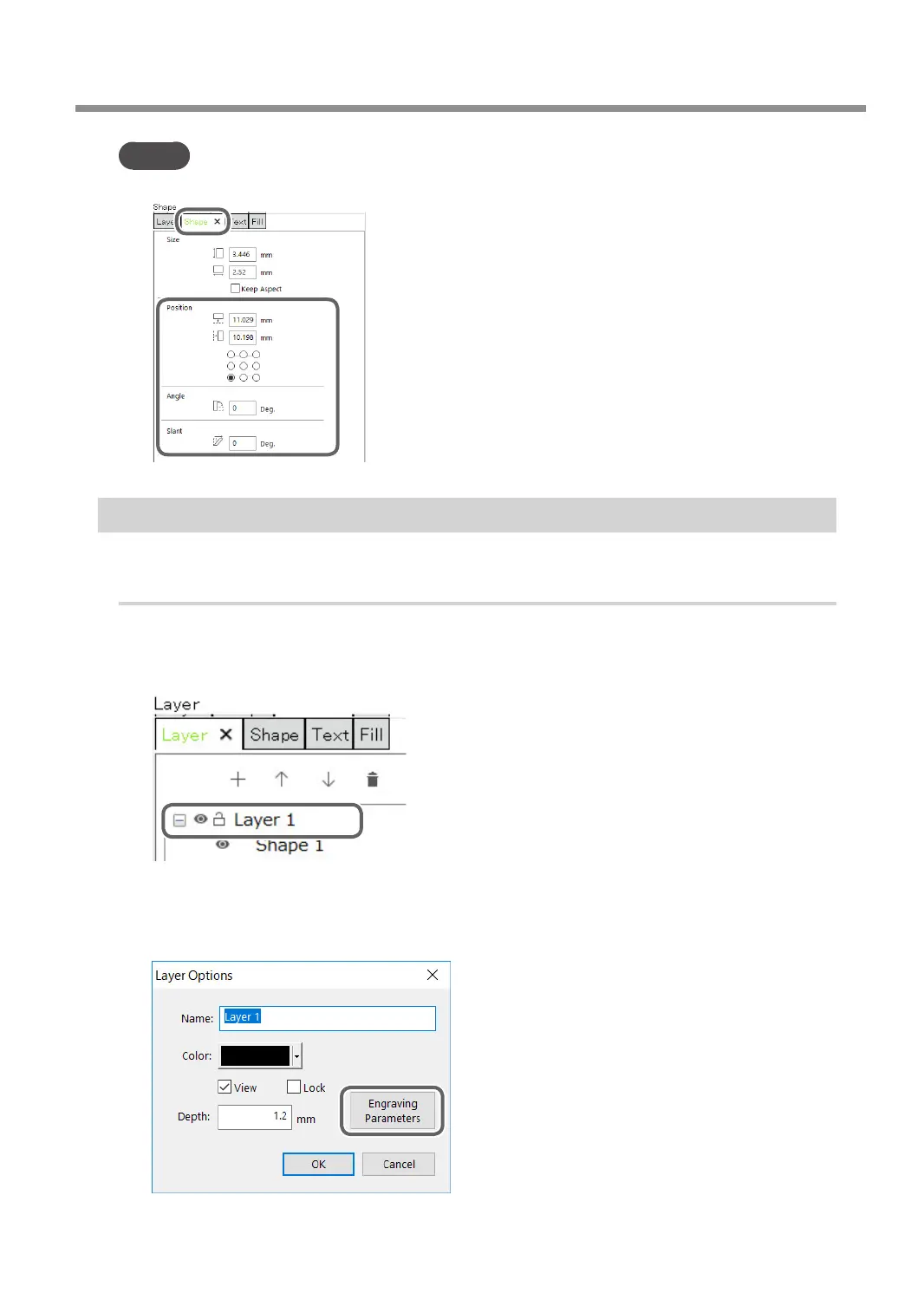
You can set the text's position and slant in the [Shape] panel.
Step 5: Setting the Engraving Parameters
Set parameters such as the material to engrave, the tool, and the depth.
Procedure
A
Click the shape you are going to engrave.
B
Double-click the layer on which the shape to engrave is drawn on the [Layer] panel.
C
Click [Engraving Parameters].
Because the automatic Z control feature is used, there is no need to set the [Depth].
" P. 42 "1. Make the settings for Z-axis control."
Creating Engraving Data
35
Chapter 3 Basic Engraving Methods



 To Next Page