Step 2: Setting the XY Origin
Set the X- and Y-axis coordinates, which will be the origin point of engraving. This position is called the "XY origin."
On this machine, you can set the XY origin in any position within the operating range. Set this to match the
engraving data and workpiece mounting position.
Procedure
A
Close the front cover.
B
Press [ENTER/PAUSE].
When the initial operation is complete, the main screen appears.
C
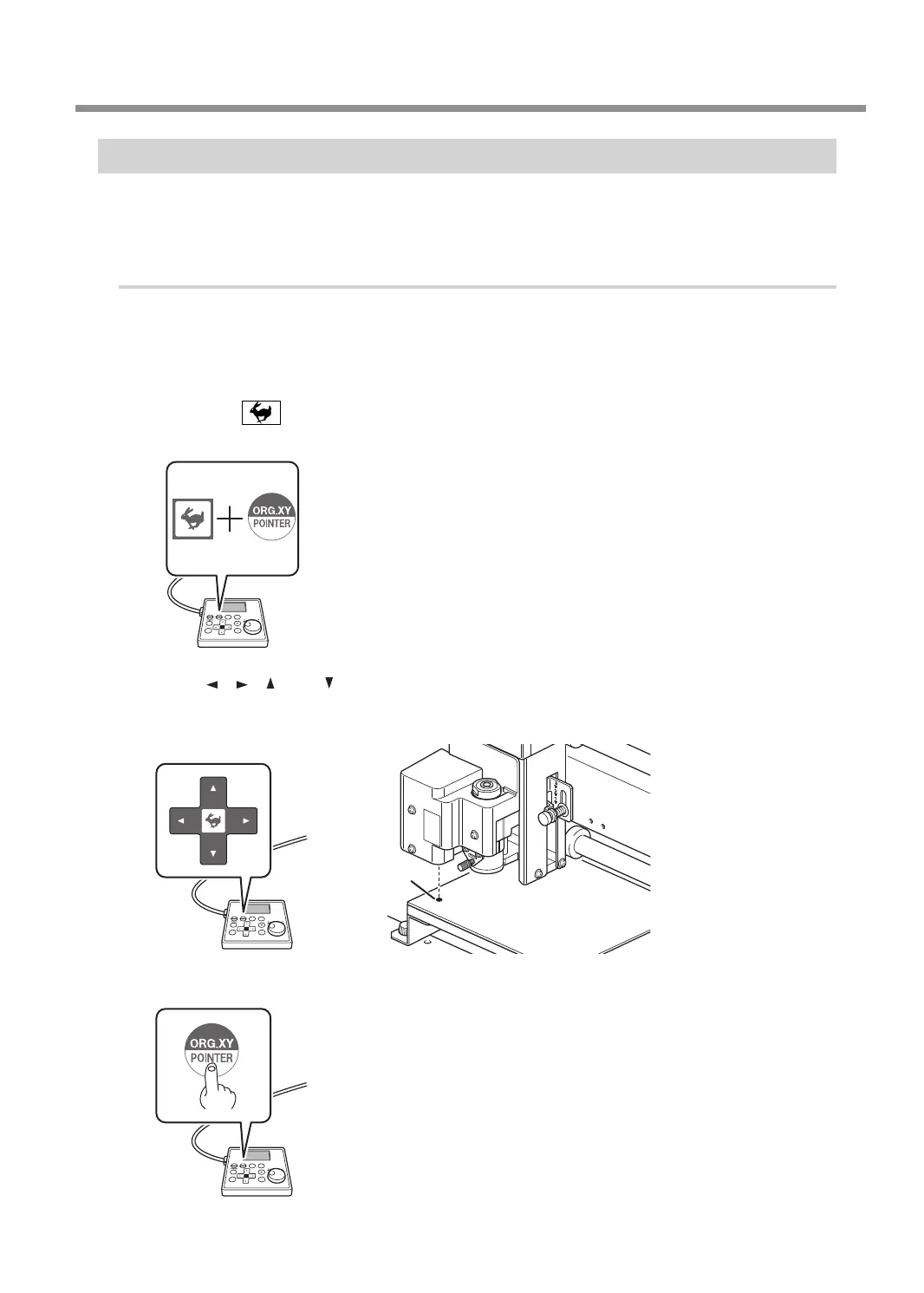
Hold down and press [ORG.XY/POINTER].
The laser pointer turns on.
D
Press [ ], [ ], [ ], and [ ] to move the laser pointer to the position you want to set as the
XY origin.
" P. 19 "Moving to the Desired Position"
Origin
E
Press [ORG.XY/POINTER].
Starting Engraving
39
Chapter 3 Basic Engraving Methods



 To Next Page