Moving to the Specied Position
The spindle head automatically moves to the predetermined position through the operation of the handy panel.
Procedure
A
Close the front cover and press [ENTER/PAUSE].
B
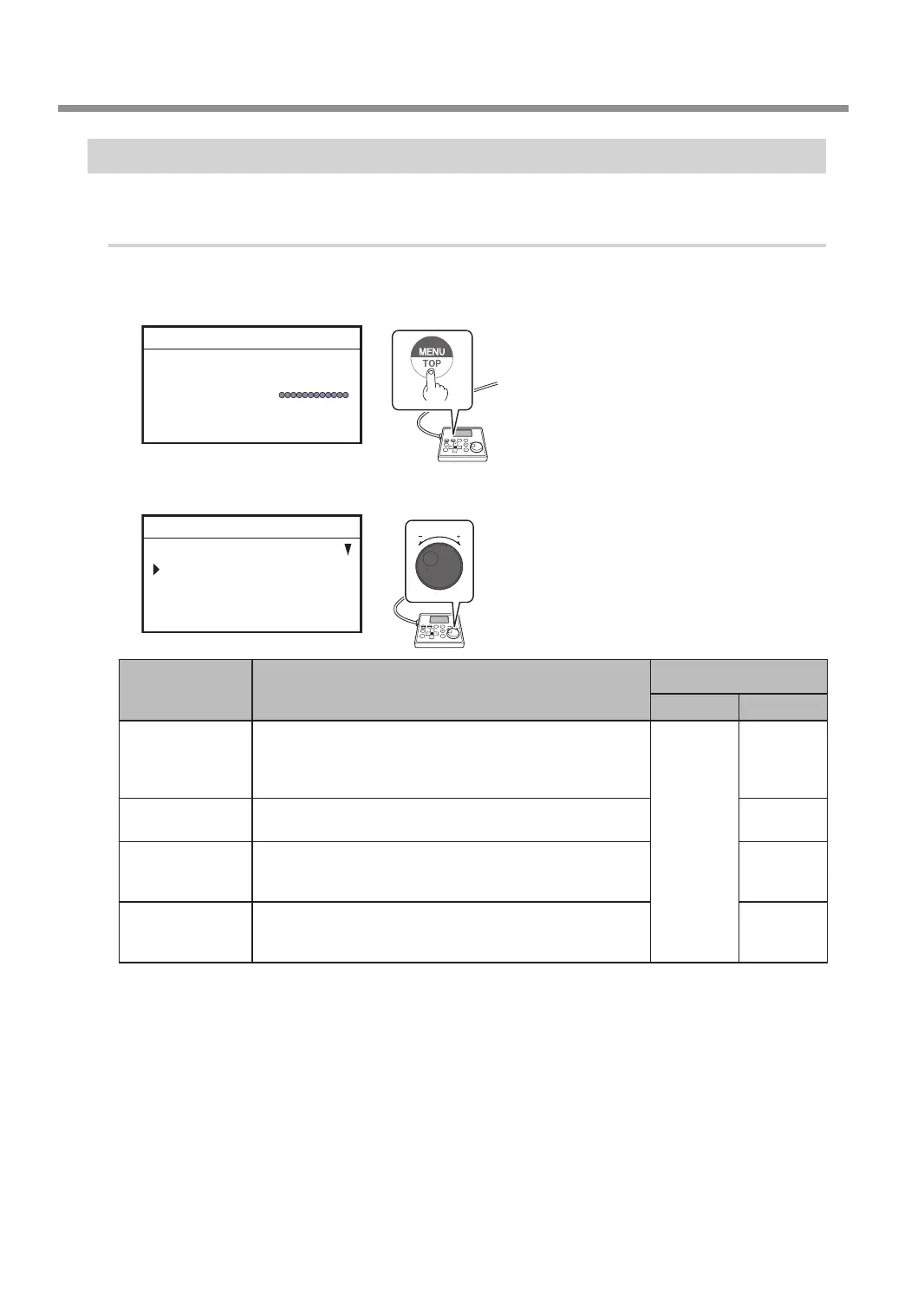
On the main screen, press [MENU/TOP].
X 15.00mm
Y 23.00mm
Z 0.00mm S 5000rpm
012345678901234567 READY
C
Turn the [Dial] and select the movement destination.
MOVE
VIEW POSITION
CENTER
USER ORIGIN XY
012345678901234567 READY
MENU Movement position explanation
Target for moving to a
specied location
LP OFF LP ON
VIEW POSITION
This is the left-back position on the workpiece table. You
use it in situations such as when mounting or removing a
workpiece, or when checking the state of the workpiece. In
this manual, this position is called the "view position."
Tool tip
Tool tip
CENTER
This is the center position on the workpiece table. Use this
function when replacing the tool, cleaning the spindle unit, etc.
LP
USER ORIGIN XY
This is the location where the X- and Y-axis coordinates are "0"
in the user coordinates. This XY origin point can be changed.
" P. 39 “Setting the XY Origin”
LP
MACHINE ORIGN
XY
This is the location where the X- and Y-axis coordinates are
both "0" in machine coordinate. This XY origin point is xed
for this machine and cannot be changed.
LP
* LP: Laser pointer
D
Press [ENTER/PAUSE].
When movement by this operation is performed, to avoid contact with the workpiece, the tool or laser
pointer rst rises to the highest point along the Z axis, and then moves to the selected position.
E
Press [MENU/TOP] several times to return to the main screen.
Moving the Tool
20
Chapter 2 Basic Operation



 To Next Page