I
Remove the CD from the CD-ROM drive.
J
Connect this machine and the computer with a USB cable or a LAN cable.
Engraver Driver will be installed automatically.
* Use the included USB cable. Never use a USB hub.
* When using a USB connection, connect the computer and the machine directly. Simultaneous connections
to multiple machines are not supported.
* Do not connect a LAN cable and a USB cable to the machine at the same time.
* When connected to multiple machines with LAN connections, simultaneous output to multiple machines
is not supported.
Installing the Software and the Electronic-format Manual Separately
Procedure
A
Log on to Windows as the computer's administrator (or as an "Administrators" account).
B
Insert the DGSHAPE Software Package CD into the CD-ROM drive of the computer.
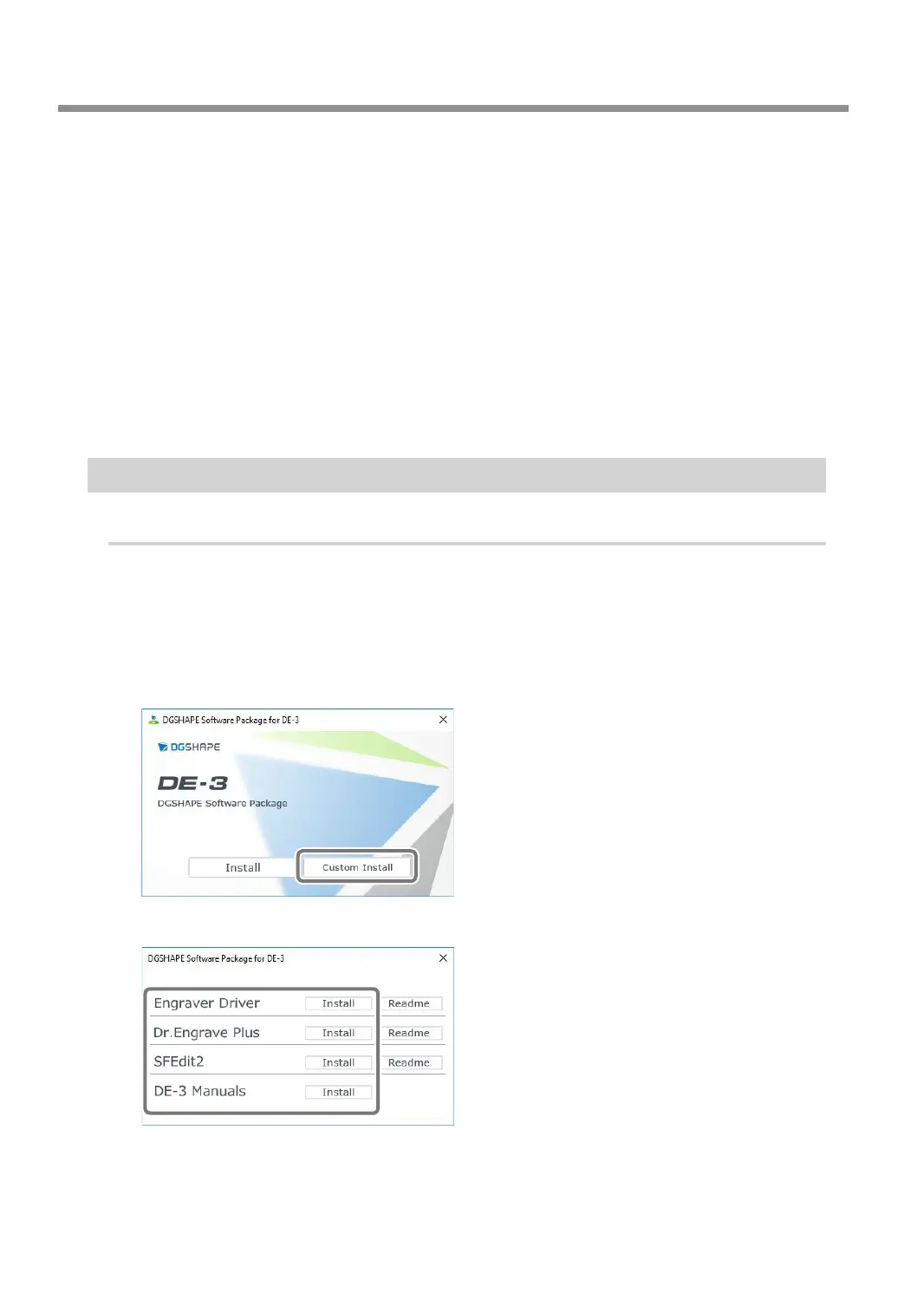
When the automatic playback window appears, click [Run menu.exe]. The setup menu appears
automatically.
C
Click [Custom Install].
D
Click [Install] for the software or electronic-format manual that you want to install.
For installation of Engraver Driver, refer to P. 140 "Installing the Driver Separately".
Troubleshooting (Installation)
142
Chapter 6 Appendix



 To Next Page