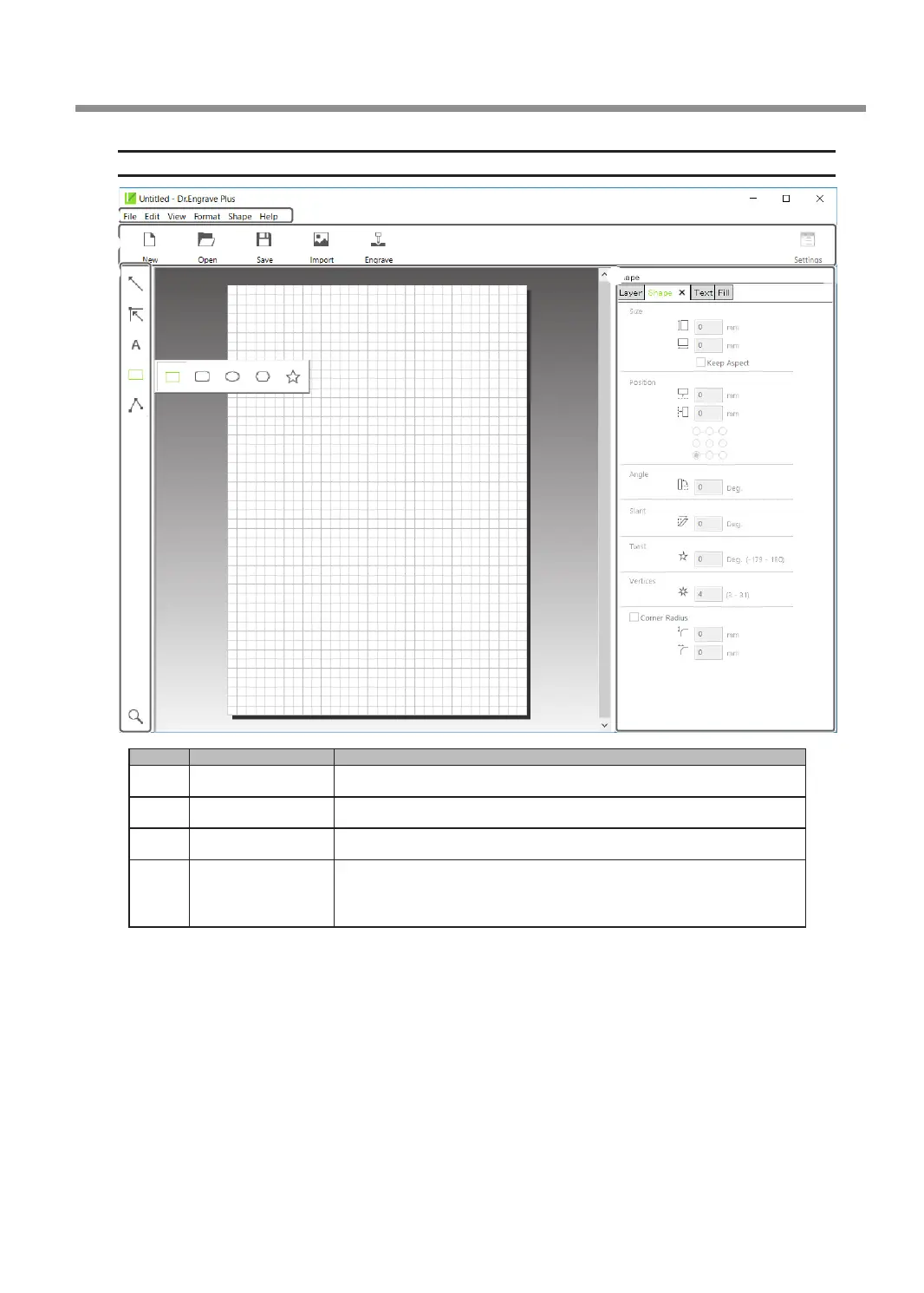
Dr. Engrave Plus Screen
1
2
3
4
No. Name Functional overview
1
Menu Bar
This runs the various functions for Dr. Engrave Plus.
2
Standard tool bar
Displays frequently used functions among the functions on the menu bar.
3
Shape tool bar
Displays functions related to drawing and editing of shapes.
4
Docking panel
(operation panel)
This is used to congure mainly shape settings. You can integrate this
into the main screen or separate it. You can also combine panels to
create tabbed panels.
Creating Engraving Data
29
Chapter 3 Basic Engraving Methods



 To Next Page