C
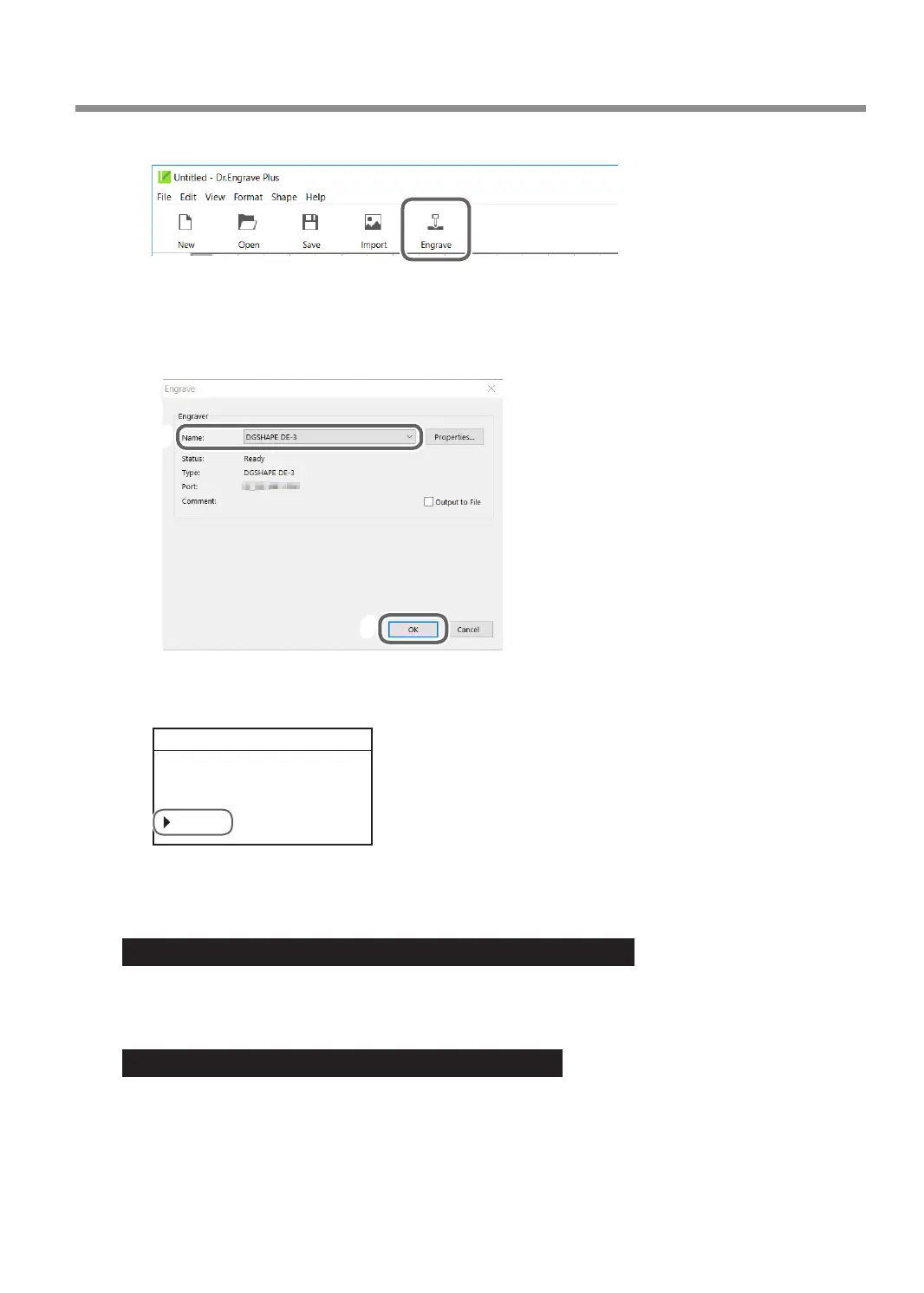
Click [Engrave].
The [Engrave] screen appears.
D
Select [DGSHAPE DE-3] for the [Printer Name].
E
Click [OK].
E
F
The engraving data is sent to the machine.
F
When the following screen is displayed on the panel of this machine, select [Start].
012345678901234567 PAUSE
Data received.
Start CancelJob
G
Press [ENTER/PAUSE].
Engraving starts.
Important: When connected to multiple machines with LAN cables
Output data from the computer to one machine at a time. Simultaneous output to multiple machines is not
supported. After the data output to one machine is nished, output data to the next machine.
Important: Do not open the front cover during operation.
Opening the front cover during engraving or while the spindle is rotating may aect the engraving quality. If you
want to open the front cover during operation, press [ENTER/PAUSE] to pause the operations, wait for the
operations to stop, and then open the front cover.
" P. 21 "Pausing and Resuming Engraving"
Starting Engraving
55
Chapter 3 Basic Engraving Methods



 To Next Page