Instructions for use – Infinity
®
M300 and M300+ series – VG3.0 147
ECG, arrhythmia, and ST segment monitoring with M300
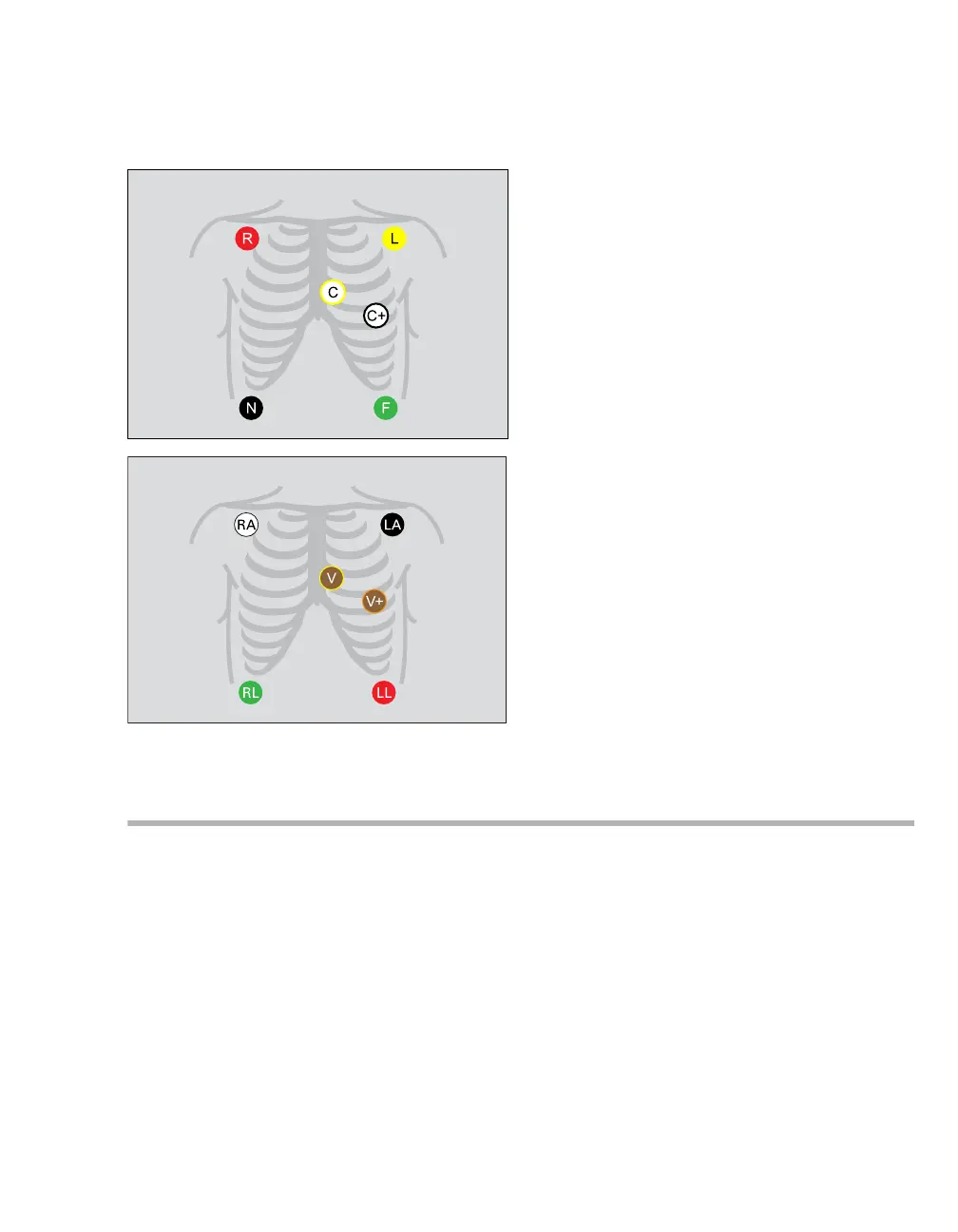
Standard configuration, six electrodes (IEC/AHA)
Accessing the ECG setup page
The ECG setup page for a telemetry patient can only be accessed through the BedView page of the ICS.
1 Open the BedView page by selecting the viewport of the telemetry patient in the ICS Main screen.
2 Select the Telemetry/ Parameters button.
3 Select the Layout/ Parameters tab (if not already selected).
4 Select the ECG tab.
320321











 To Next Page