Instructions for use – Infinity
®
M300 and M300+ series – VG3.0 79
Operating concept
A new Question dialog displays when an M300 patient is moved to a new room (viewport). For viewports
on the same ICS, the dialog contains the following buttons:
– Cancel
– Move – moves the M300 patient to the new viewport, and then discharges the patient from the
original viewport.
– Admit – discharges the M300 patient from the original viewport and admits them as a new patient
to the new viewport.
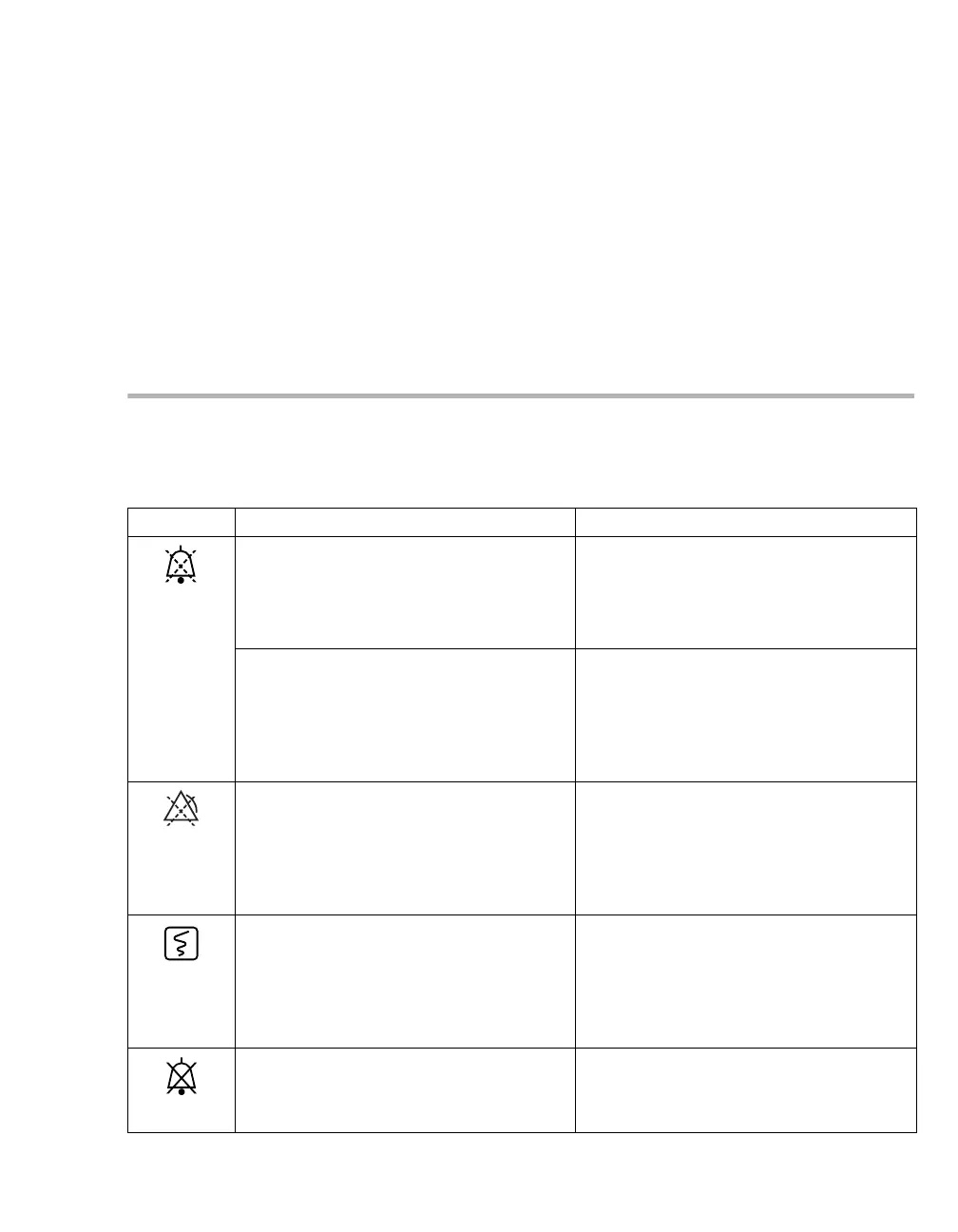
Supported symbols
The following table identifies the symbols that can appear on the ICS and the M300. For a list of fixed keys
that appear on the M300, see "Keys of the M300" on page 47.
Symbol Possible Locations Description
Upper-right corner on the Main screen
header bar.
This symbol appears after selecting the
Audio pause button on the ICS Main
menu bar. The symbol also indicates that
alarms are audio paused for all patients
who are assigned at the ICS.
Top-left corner of the parameter box area
header bar on the ICS.
This symbol appears as a selectable but-
ton (black on a yellow background) when
the patient has an active alarm that has not
yet been acknowledged. For more informa-
tion, see the chapter "Alarms"
on page 115.
– In the upper-right corner of the Bed-
View header bar of the patient.
– On the M300 header bar.
– Top-left corner of the parameter box
area header bar on the ICS.
This symbol appears, black on yellow
background when Alarm pause is select-
ed. A countdown timer next to the symbol
indicates the remaining time before alarm
monitoring resumes. For more information,
see the chapter "Alarms" on page 115.
In the upper-right corner of the patient’s
ICS waveform area.
This symbol button appears for approxi-
mately 5 seconds after clicking within the
waveform area of a patient’s Main screen
viewport. Select this button to request a
timed strip recording and to mark an event
(for M300 only).
In the header bar of the viewport, above
the parameter box
This symbol appears when the alarm vol-
ume of a bedside monitor/M300 has been
set to zero.











 To Next Page