Operating concept
80 Instructions for use – Infinity
®
M300 and M300+ series – VG3.0
– In the header bar of the viewport, to the
left of the bed label
– In header bar of the BedView, to the left
of the bed label
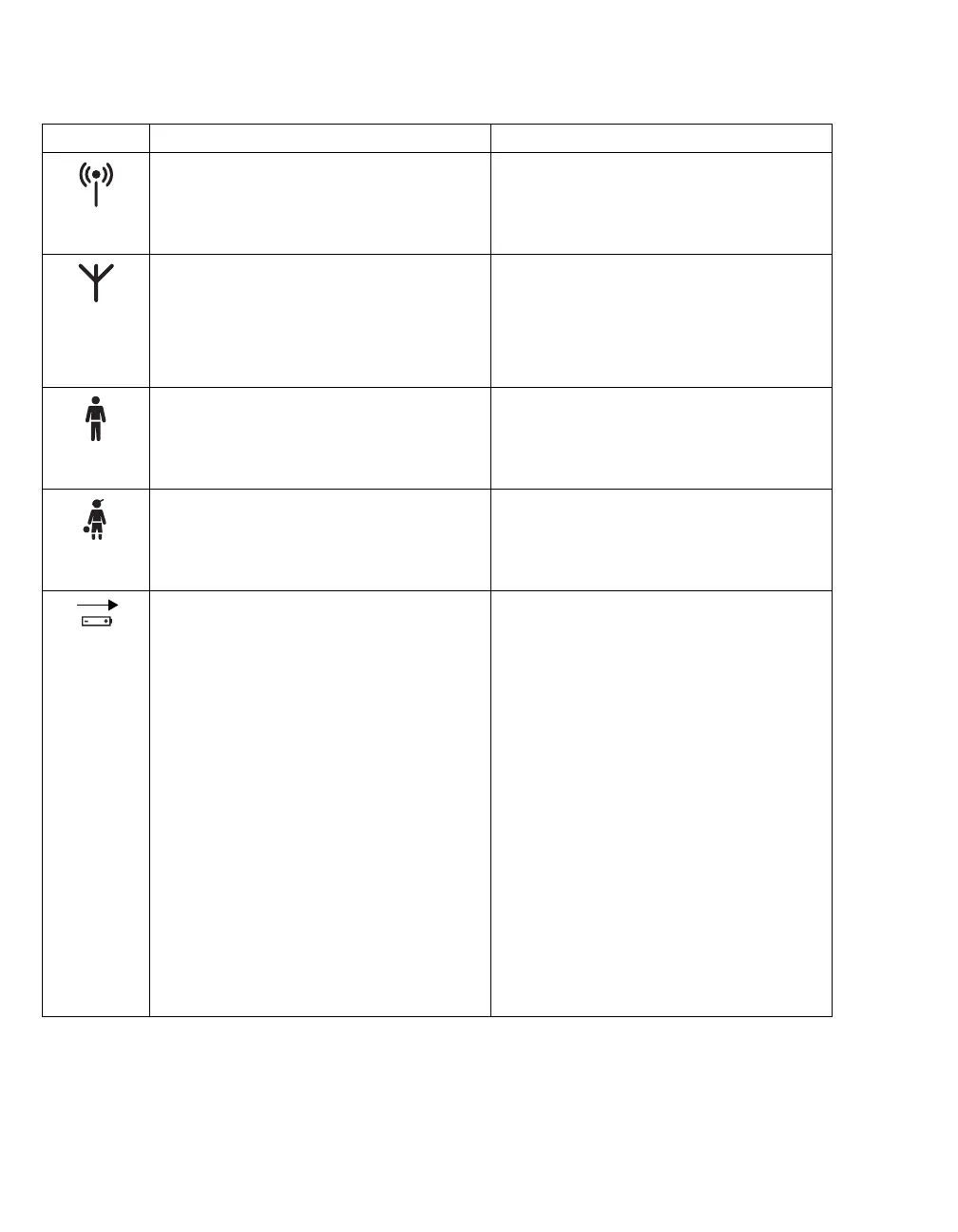
This symbol appears when a monitor is in
wireless mode.
– In the header bar of the viewport, to the
left of the bed label
– In header bar of the BedView, to the left
of the bed label
– In the header bar of the M300
This symbol identifies an M300 patient.
– In the header bar of the viewport, to the
left of the bed label
– In header bar of the BedView, to the left
of the bed label
This symbol identifies an adult patient.
– In the header bar of the viewport, to the
left of the bed label
– In header bar of the BedView, to the left
of the bed label
This symbol identifies a pediatric patient.
– In the header bar of the viewport,
above the parameter box
– In header bar of the BedView
This symbol indicates the remaining
charge of the M300 battery. When the
M300 is placed on the charger, an arrow
appears above the symbol indicating that
the battery is being charged.
Following are additional indications of the
ICS battery indicator icon for the M300:
– The battery icon turns red when the
battery runtime indicator shows only a
single bar.
– The battery icon is framed in red when
the battery runtime indicator shows no
bars.
– The battery icon turns white when the
battery runtime indicator shows more
than a single bar or the device is
charging. This applies only to the
M300.
Symbol Possible Locations Description











 To Next Page