Proline Promass E 500 PROFIBUS PA Diagnostics and troubleshooting
Endress+Hauser 187
LED Color Meaning
4 Communication Off Device does not receive any Profibus data.
White Device receives Profibus data.
5 Service interface (CDI),
Ethernet Link/Activity
Off Not connected or no connection established.
Yellow Connected and connection established.
Flashing yellow Service interface active.
Proline 500
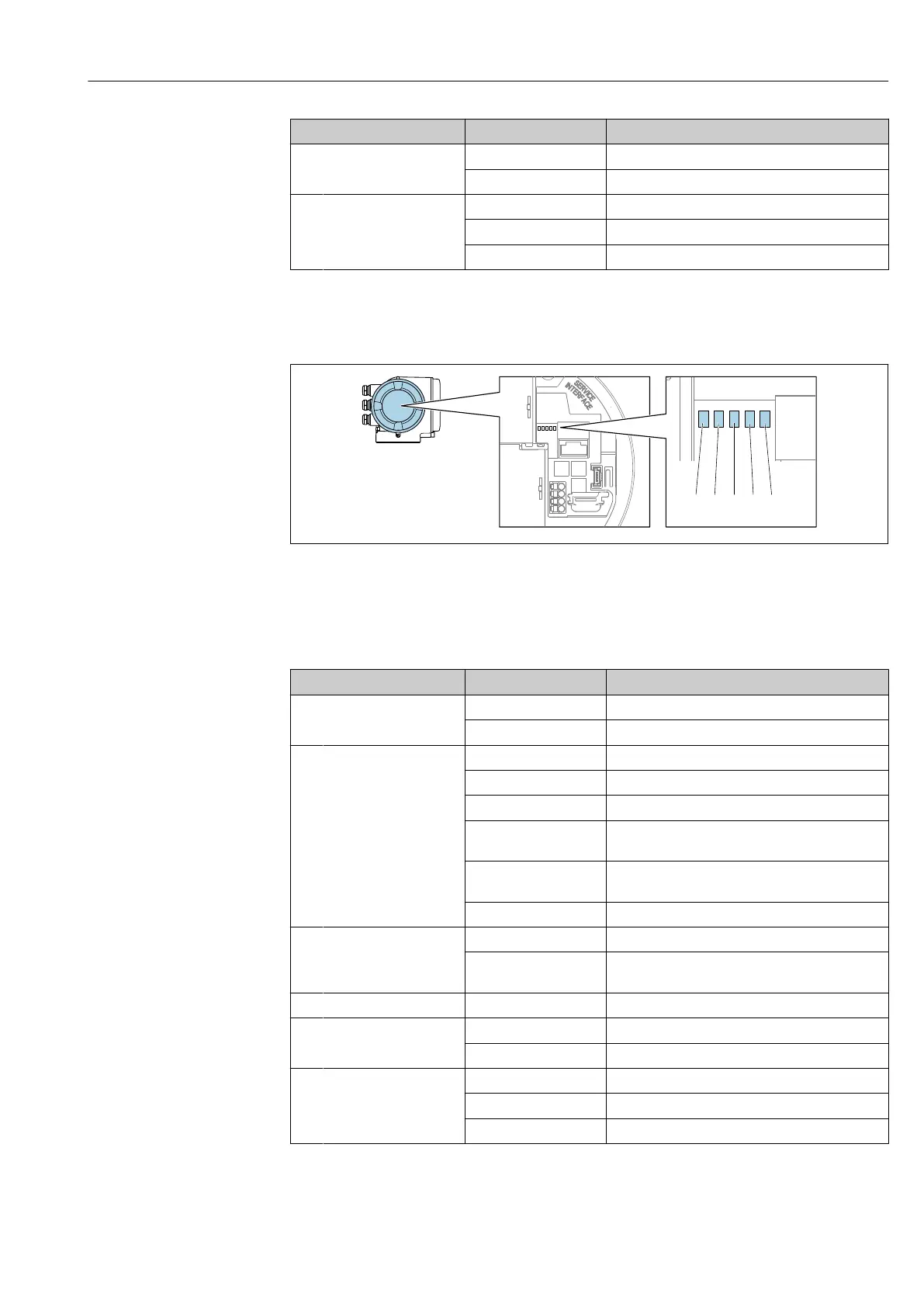
Different LEDs in the transmitter provide information on the device status.
A0029629
1 Supply voltage
2 Device status
3 Not used
4 Communication
5 Service interface (CDI) active, Ethernet Link/Activity
LED Color Meaning
1 Supply voltage Off Supply voltage is off or too low.
Green Supply voltage is OK.
2 Device status (normal
operation)
Off Firmware error
Green Device status is OK.
Flashing green Device is not configured.
Red A diagnostic event with "Alarm" diagnostic behavior
has occurred.
Flashing red A diagnostic event with "Warning" diagnostic
behavior has occurred.
Flashing red or green The device restarts.
2 Device status (during
start-up)
Flashes red slowly If > 30 seconds: problem with the boot loader.
Flashes red quickly If > 30 seconds: compatibility problem when
reading the firmware.
3 Not used – –
4 Communication Off Device does not receive any Profibus data.
White Device receives Profibus data.
5 Service interface (CDI),
Ethernet Link/Activity
Off Not connected or no connection established.
Yellow Connected and connection established.
Flashing yellow Service interface active.













 To Next Page