Diagnostics and troubleshooting Proline Promass E 500 PROFIBUS PA
186 Endress+Hauser
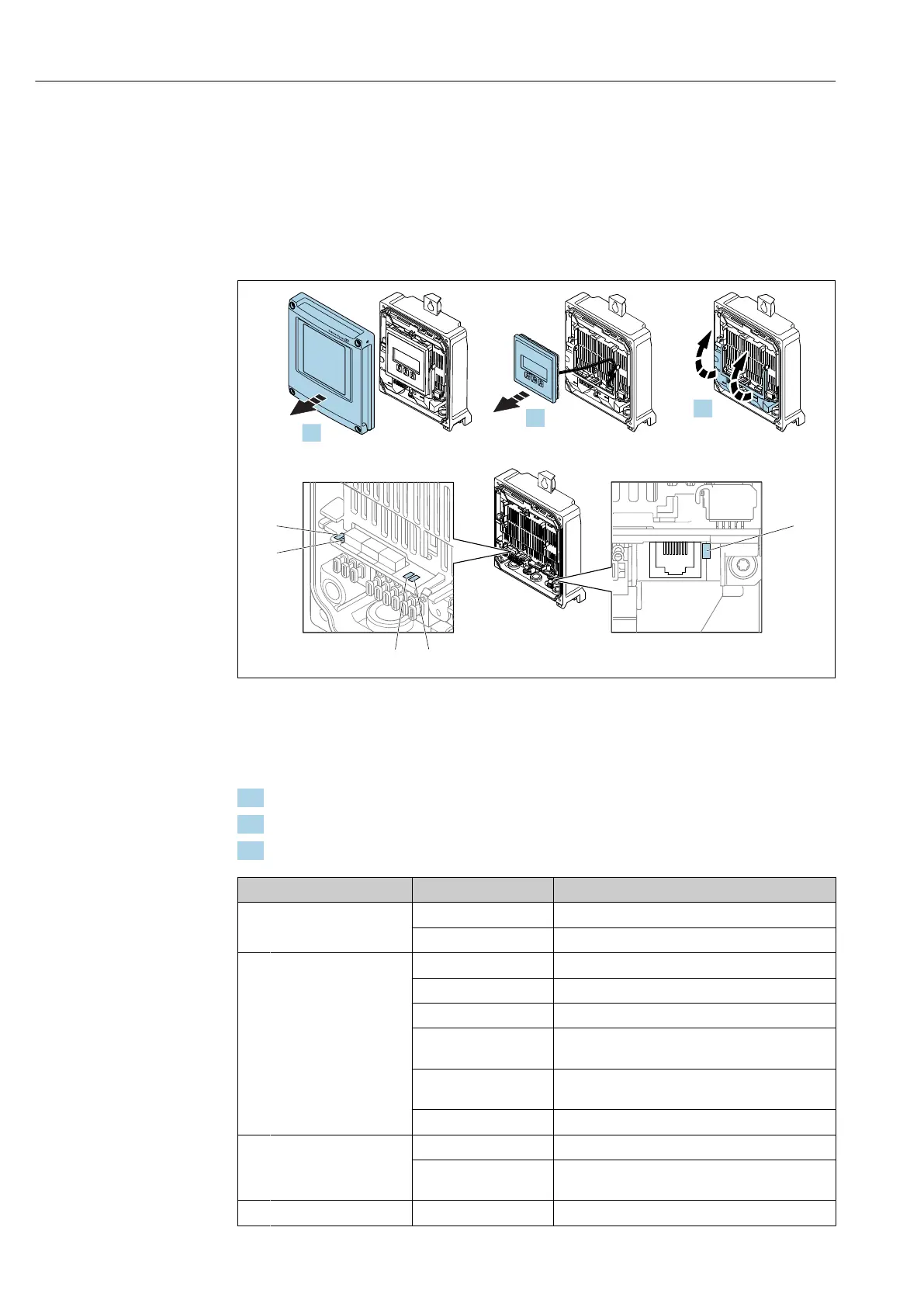
12.2 Diagnostic information via light emitting diodes
12.2.1 Transmitter
Proline 500 – digital
Different LEDs in the transmitter provide information on the device status.
Power
I/O 2
I/O 3
I/O 3
1
2
3
4
5
3.
-
+
-
ESC
2.
Power
open
press
open
press
ESC
E+
-
I/O 4
Power
I/O 2
I/O 3
1.
A0029689
1 Supply voltage
2 Device status
3 Not used
4 Communication
5 Service interface (CDI) active, Ethernet Link/Activity
1. Open the housing cover.
2. Remove the display module.
3. Fold open the terminal cover.
LED Color Meaning
1 Supply voltage Off Supply voltage is off or too low.
Green Supply voltage is OK.
2 Device status (normal
operation)
Off Firmware error
Green Device status is OK.
Flashing green Device is not configured.
Flashing red A diagnostic event with "Warning" diagnostic
behavior has occurred.
Red A diagnostic event with "Alarm" diagnostic behavior
has occurred.
Flashing red or green The device restarts.
2 Device status (during
start-up)
Flashes red slowly If > 30 seconds: problem with the boot loader.
Flashes red quickly If > 30 seconds: compatibility problem when
reading the firmware.
3 Not used – –














 To Next Page