Installation Proline Promass E 500 PROFIBUS PA
34 Endress+Hauser
N
i
c
h
t
u
n
t
e
r
a
r
e
ö
f
f
n
e
n
+
E
ESC
–
1.
2.
N
i
c
h
t
u
n
t
e
r
a
r
e
ö
f
f
n
e
n
+
E
ESC
–
3.
3 mm
+
E
ESC
–
A0030035
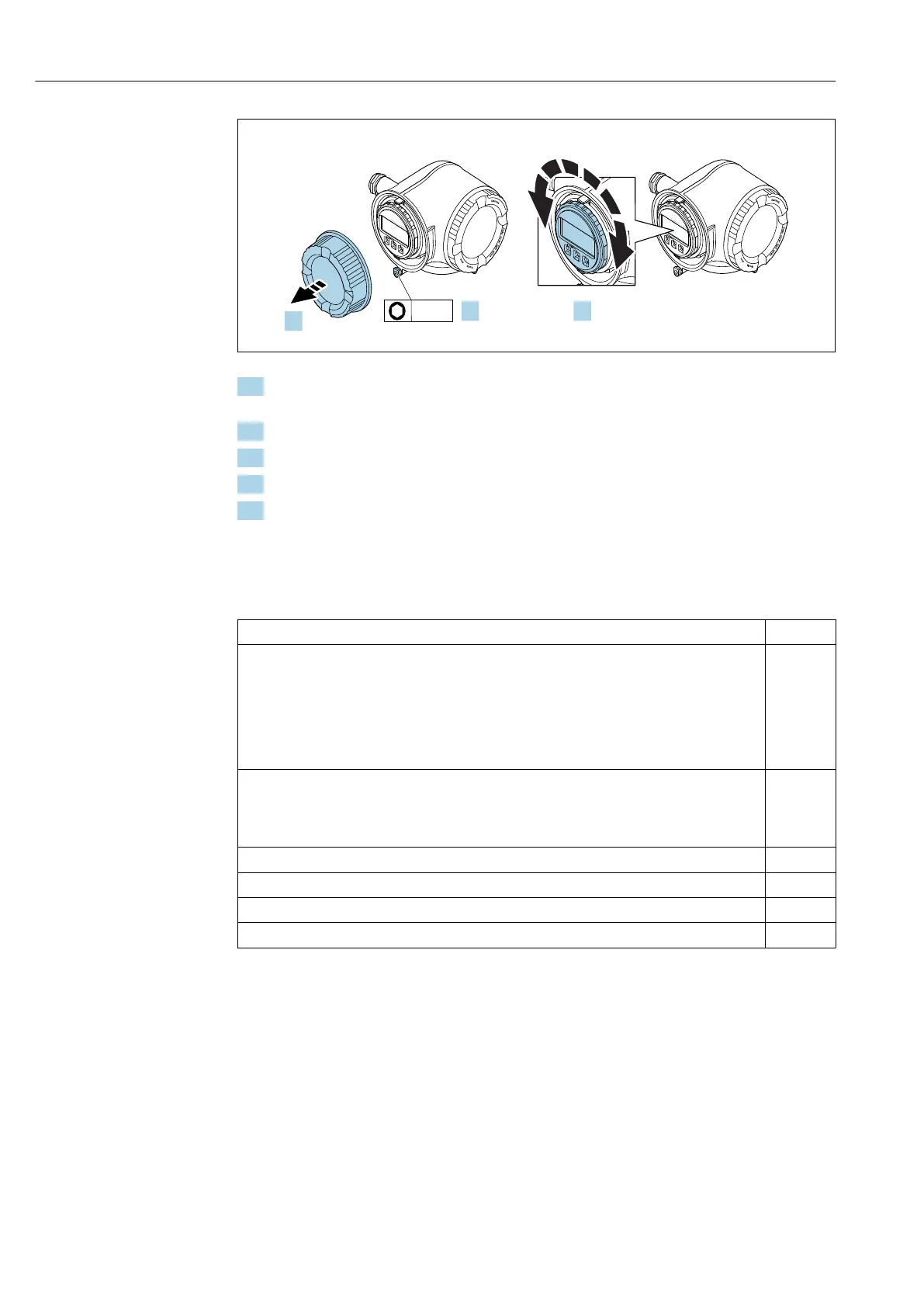
1. Depending on the device version: Loosen the securing clamp of the connection
compartment cover.
2. Unscrew the connection compartment cover.
3. Turn the display module to the desired position: max. 8 × 45° in each direction.
4. Screw on the connection compartment cover.
5. Depending on the device version: Attach the securing clamp of the connection
compartment cover.
6.3 Post-installation check
Is the device undamaged (visual inspection)?
Does the measuring instrument correspond to the measuring point specifications?
For example:
• Process temperature → 279
• Pressure (refer to the "Pressure-temperature ratings" section of the "Technical Information"
document).
• Ambient temperature
• Measuring range
Has the correct orientation for the sensor been selected → 23?
• According to sensor type
• According to medium temperature
• According to medium properties (outgassing, with entrained solids)
Does the arrow on the sensor match the direction of flow of the medium? → 23?
Is the tag name and labeling correct (visual inspection)?
Is the device sufficiently protected from precipitation and direct sunlight?
Are the securing screw and securing clamp tightened securely?














 To Next Page