Proline Promass E 500 PROFIBUS PA Diagnostics and troubleshooting
Endress+Hauser 191
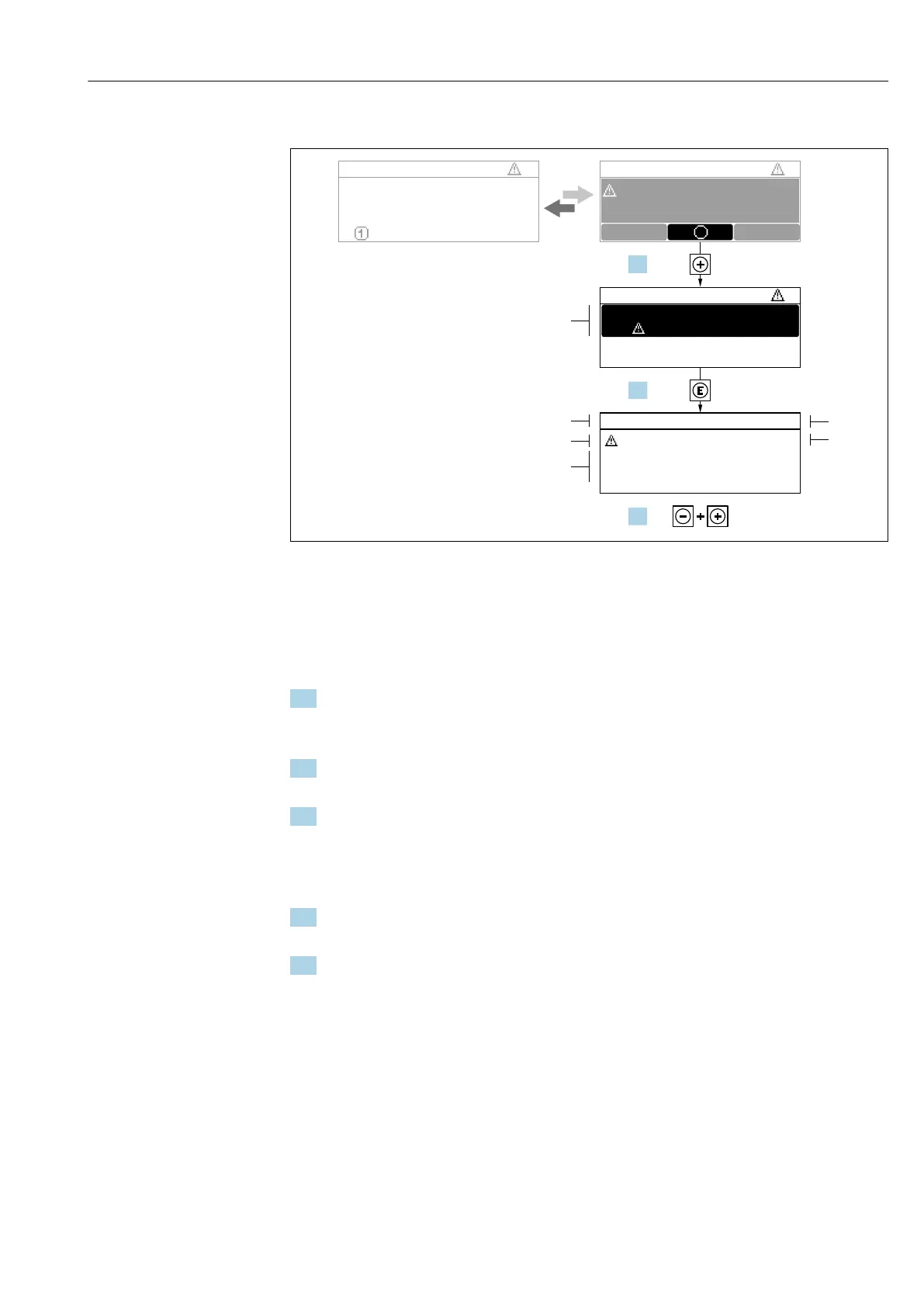
12.3.2 Calling up remedial measures
X X X X X X XX X X X X X X X XX X
S
S
XX
20.50
X
i
S801
Menu
S
(ID:203)
S801 0d00h02m25s
1
2
4
6
3
5
1.
2.
3.
Increase supply voltage
S801 Supply voltage
Diagnostic list
Diagnostics 1
Diagnostics 2
Diagnostics 3
Supply voltage
Supply voltage
A0029431-EN
39 Message for remedial measures
1 Diagnostic information
2 Short text
3 Service ID
4 Diagnostic behavior with diagnostic code
5 Operation time when error occurred
6 Remedial measures
1. The user is in the diagnostic message.
Press ( symbol).
The Diagnostic list submenu opens.
2. Select the desired diagnostic event with or and press .
The message about the remedial measures opens.
3. Press + simultaneously.
The message about the remedial measures closes.
The user is in the Diagnostics menu at an entry for a diagnostics event, e.g. in the
Diagnostic list submenu or Previous diagnostics parameter.
1. Press .
The message for the remedial measures for the selected diagnostic event opens.
2. Press + simultaneously.
The message for the remedial measures closes.
12.4 Diagnostic information in the web browser
12.4.1 Diagnostic options
Any faults detected by the measuring device are displayed in the Web browser on the
home page once the user has logged on.














 To Next Page