Proline Promass E 500 PROFIBUS PA Diagnostics and troubleshooting
Endress+Hauser 249
12.8 Pending diagnostic events
The Diagnostics menu allows the user to view the current diagnostic event and the
previous diagnostic event separately.
To call up the measures to rectify a diagnostic event:
• Via local display → 191
• Via web browser → 192
• Via "FieldCare" operating tool → 193
• Via "DeviceCare" operating tool → 193
Other pending diagnostic events can be displayed in the Diagnostic list submenu
→ 249.
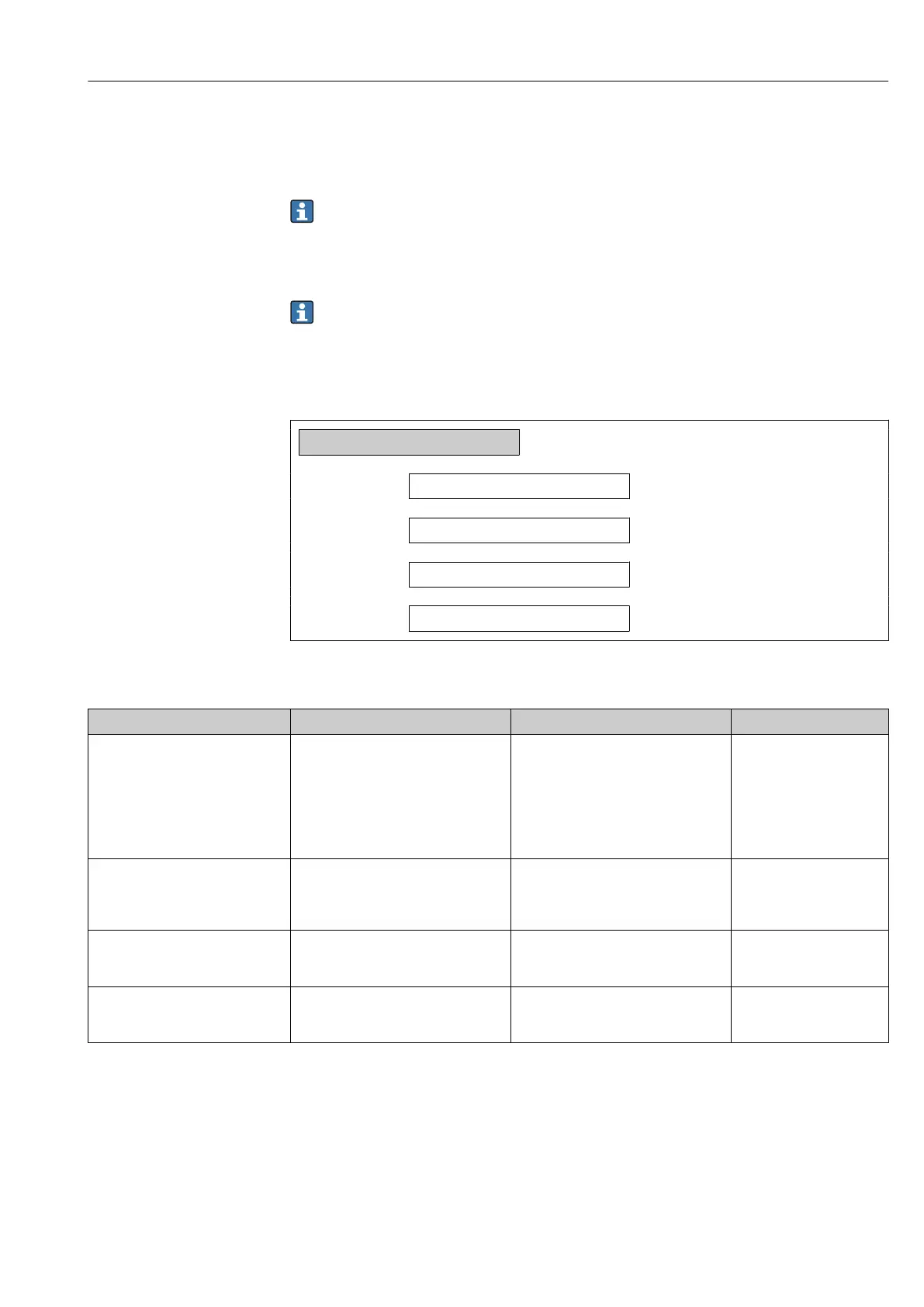
Navigation
"Diagnostics" menu
Diagnostics
Actual diagnostics
→ 249
Previous diagnostics
→ 249
Operating time from restart
→ 249
Operating time
→ 249
Parameter overview with brief description
Parameter Prerequisite Description User interface
Actual diagnostics A diagnostic event has occurred. Shows the current occured diagnostic
event along with its diagnostic
information.
If two or more messages occur
simultaneously, the message with
the highest priority is shown on
the display.
Symbol for diagnostic
behavior, diagnostic code
and short message.
Previous diagnostics Two diagnostic events have already
occurred.
Shows the diagnostic event that
occurred prior to the current diagnostic
event along with its diagnostic
information.
Symbol for diagnostic
behavior, diagnostic code
and short message.
Operating time from restart – Shows the time the device has been in
operation since the last device restart.
Days (d), hours (h),
minutes (m) and seconds
(s)
Operating time – Indicates how long the device has been
in operation.
Days (d), hours (h),
minutes (m) and seconds
(s)
12.9 Diagnostics list
Up to 5 currently pending diagnostic events can be displayed in the Diagnostic list
submenu along with the associated diagnostic information. If more than 5 diagnostic
events are pending, the events with the highest priority are shown on the display.
Navigation path
Diagnostics → Diagnostic list














 To Next Page