Operation options Proline Promass E 500 PROFIBUS PA
84 Endress+Hauser
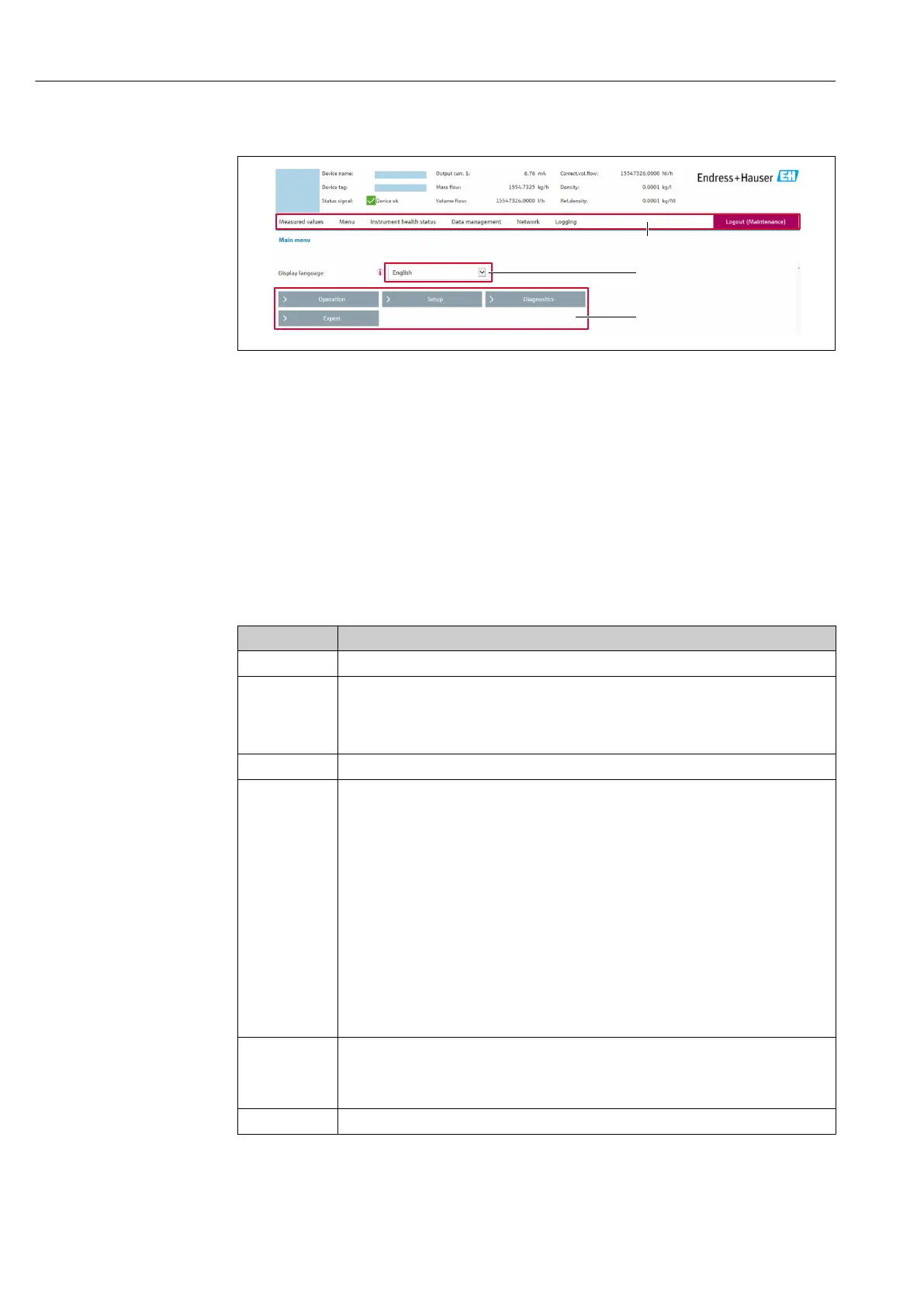
8.4.5 User interface
A0029418
1 Function row
2 Local display language
3 Navigation area
Header
The following information appears in the header:
• Device name
• Device tag
• Device status with status signal → 192
• Current measured values
Function row
Functions Meaning
Measured values Displays the measured values of the device
Menu
• Access to the operating menu from the measuring device
• The structure of the operating menu is the same as for the local display
Detailed information on the operating menu structure: Description of Device
Parameters
Device status Displays the diagnostic messages currently pending, listed in order of priority
Data
management
Data exchange between computer and measuring device:
• Device configuration:
• Load settings from the device
(XML format, save configuration)
• Save settings to the device
(XML format, restore configuration)
• Logbook - Export Event logbook (.csv file)
• Documents - Export documents:
• Export backup data record
(.csv file, create documentation of the measuring point configuration)
• Verification report
(PDF file, only available with the "Heartbeat Verification" application package)
• File for system integration - If using fieldbuses, upload device drivers for system
integration from the measuring device:
PROFIBUS PA: GSD file
• Firmware update - Flashing a firmware version
Network
Configuration and checking of all the parameters required for establishing the connection to
the measuring device:
• Network settings (e.g. IP address, MAC address)
• Device information (e.g. serial number, firmware version)
Logout End the operation and call up the login page














 To Next Page