Electrical connection Proline Promass E 500 PROFIBUS PA
48 Endress+Hauser
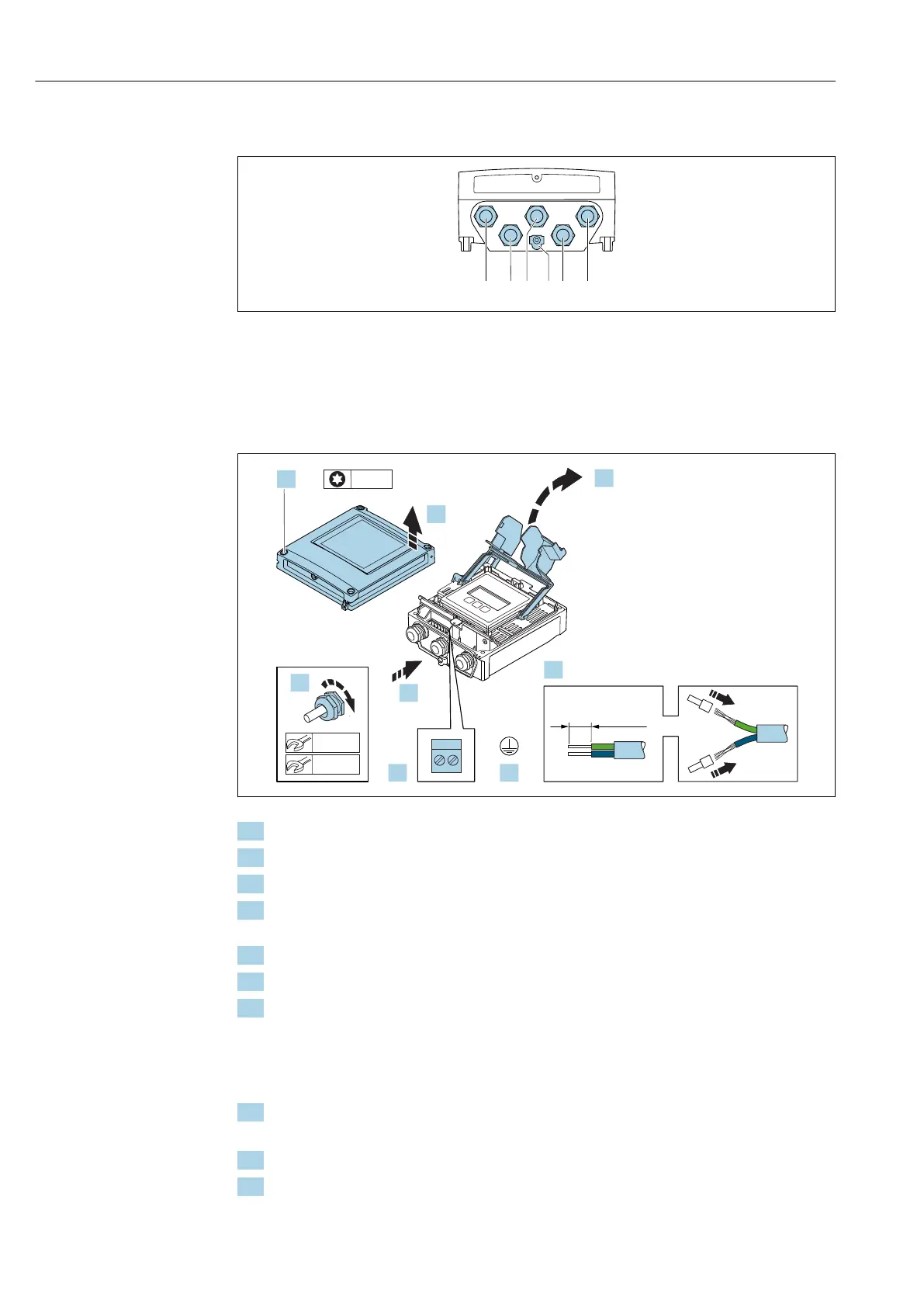
7.3.2 Connecting the signal cable and the supply voltage cable
A0028200
1 Terminal connection for supply voltage
2 Terminal connection for signal transmission, input/output
3 Terminal connection for signal transmission, input/output
4 Terminal connection for connecting cable between sensor and transmitter
5 Terminal connection for signal transmission, input/output; optional: connection for external WLAN antenna
6 Protective earth (PE)
1.
3.
2.
4.
4 x
5.
7.
TX 20TX 20
6.
10 (0.4)
22 mm
8.
24 mm
A0029597
1. Loosen the 4 fixing screws on the housing cover.
2. Open the housing cover.
3. Fold open the terminal cover.
4. Push the cable through the cable entry. To ensure tight sealing, do not remove the
sealing ring from the cable entry.
5. Strip the cable and cable ends. In the case of stranded cables, fit ferrules.
6. Connect the protective ground.
7. Connect the cable according to the terminal assignment.
Signal cable terminal assignment: The device-specific terminal assignment is
documented on an adhesive label in the terminal cover.
Supply voltage terminal assignment: Adhesive label in the terminal cover or
→ 40.
8. Firmly tighten the cable glands.
This concludes the cable connection process.
9. Close the terminal cover.
10. Close the housing cover.














 To Next Page