Operation options Proline Promass E 500 PROFIBUS PA
90 Endress+Hauser
Establishing a connection
1. Start FieldCare and launch the project.
2. In the network: Add a device.
The Add device window opens.
3. Select the CDI Communication TCP/IP option from the list and press OK to confirm.
4. Right-click CDI Communication TCP/IP and select the Add device option in the
context menu that opens.
5. Select the desired device from the list and press OK to confirm.
The CDI Communication TCP/IP (Configuration) window opens.
6. Enter the device address in the IP address field: 192.168.1.212 and press Enter to
confirm.
7. Establish the online connection to the device.
• Operating Instructions BA00027S
• Operating Instructions BA00059S
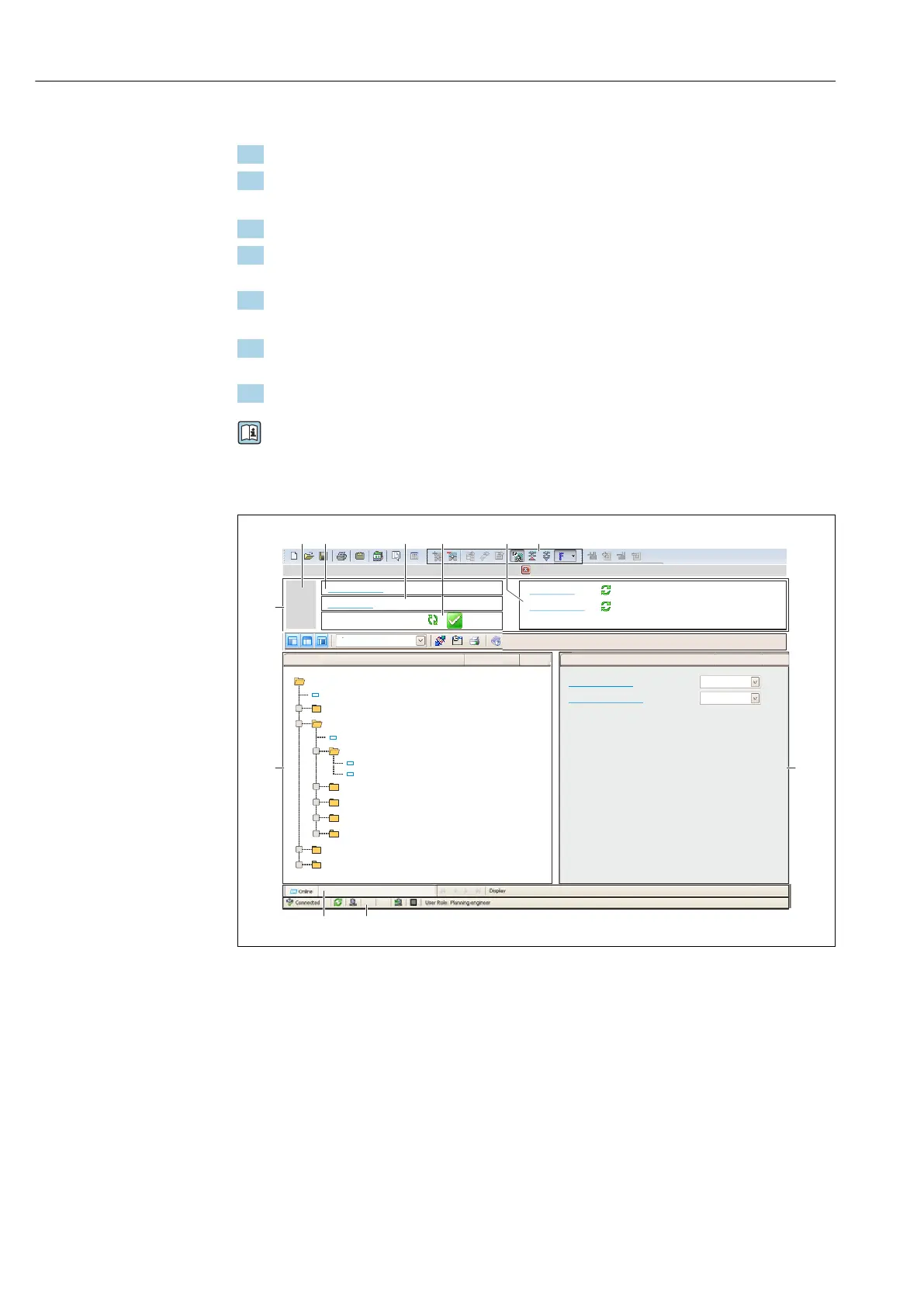
User interface
6
5
32
1
Xxxxxx/…/…/
7
P
P
+
–
P
–
P
+
+
+
+
+
+
4
8 9
10
11
Xxxxxxx
GoodStatus:
Device tag:
Xxxxxxx
Device name:
Mass flow:
12.34
kg/h
Volume flow:
12.34
m /h³
Mass flow unit:
Volume flow unit:
kg/h
m /h³
Access status tooling
Operation
Setup
Xxxxxx
Mass flow unit
Volume flow unit
Select medium
Device tag
…
…
Advanced setup
Diagnostics
Expert
Maintenance
kg/h
m /h³
Xxxxxx
System units
A0021051-EN
1 Header
2 Picture of device
3 Device name
4 Device tag
5 Status area with status signal → 192
6 Display area for current measured values
7 Editing toolbar with additional functions such as save/load, event list and create documentation
8 Navigation area with operating menu structure
9 Work area
10 Action area
11 Status area














 To Next Page