5 Check Mailbox
190
Check Mailbox
5
Side 2
z
Same as Side 1
Prints dates on the same positions as side 1.
z
Opposite to Side 1
Prints dates on the opposite positions as side 1.
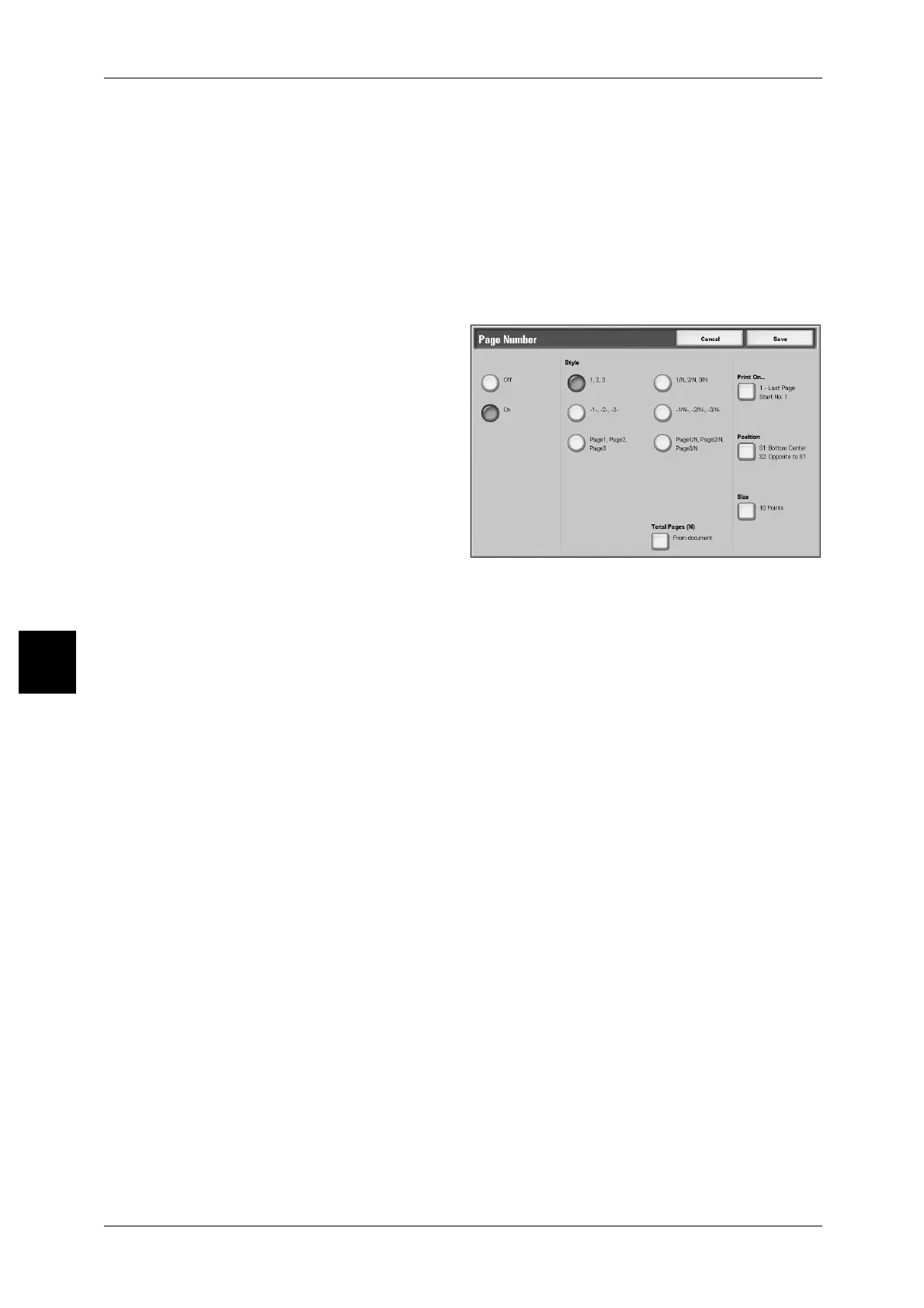
[Page Number] Screen
This feature allows you to print page numbers to documents.
1 Select [Page Number].
2 Select [Off] or [On].
Off
No page numbers are added.
On
Page numbers are added.
Style
The style of page numbers can be selected from 6 choices.
z
1,2,...
Only page numbers are added.
z
-1-,-2-,...
Hyphens are added to the left and right of page numbers. (Example: -1-)
z
Page1, Page2,...
"Page" is added in front of page numbers. (Example: Page1, Page2)
z
1/N,2/N,...
The total number of pages is added to the right side of page numbers. (Example: 1/
50, 2/50)
If [1/N, 2/N,...] is selected, the total number of pages set on [Total Page(N)] will be
applied.
z
-1/N-, -2/N-,...
The total number of pages is added to the right side of page numbers, and hyphens
are added to the left and right of page numbers/total number of pages. (Example: -
1/50-,-2/50-)
If [-1/N-,-2/N-,...] is selected, the total number of pages set on [Total Page(N)] will be
applied.
z
Page1/N, Page2/N,...
"Page" is added in front of page numbers and the total number of pages is added on
the right. (Example: Page1/50, Page2/50)



 To Next Page
 Loading...







