Loading Paper
277
Paper and Other Media
9
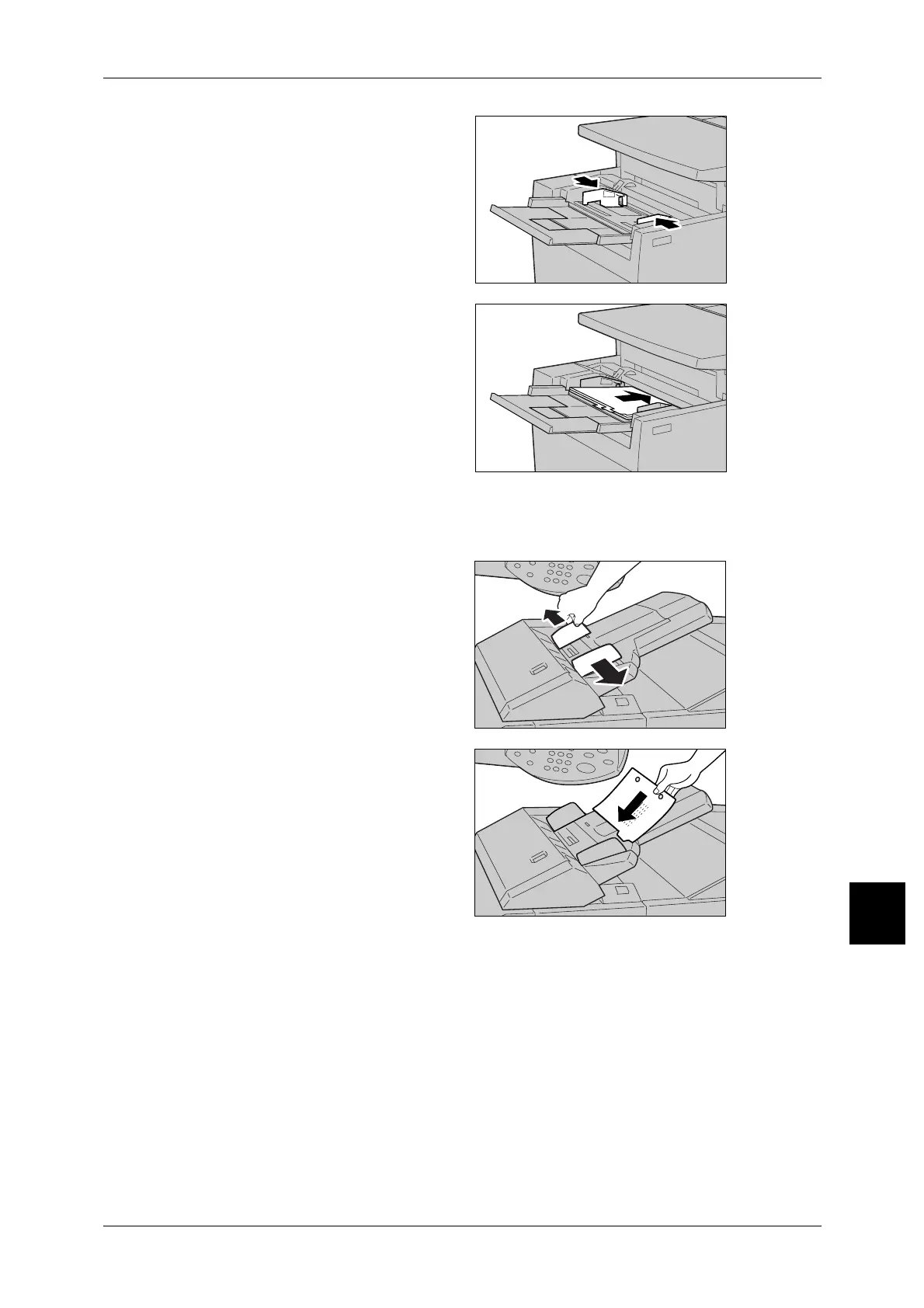
2 Hold the center of the paper guides
and slide them to the desired paper
size.
3 Place the paper with the side to be
copied or printed facing up, align
the tab positions to left, and place
the bottom side to be fed first. Insert
the paper slowly to the end along
the paper guide.
Important • Do not load paper exceeding
the maximum fill line (MAX in
the figure).
Loading tab paper in Interposer
1 Hold the center of the paper guides
and slide them to the desired paper
size.
2 If the paper in already printed on,
load the paper with the printed side
facing up and with the tab side to be
fed first.
Important • Do not load paper exceeding
the maximum fill line (MAX in
the figure). It may cause paper
jams or machine malfunctions.
A
A


 To Next Page
 Loading...








