Removing the defective riser card
▶
Remove the expansion card, see "Removing the expansion card" on
page 229.
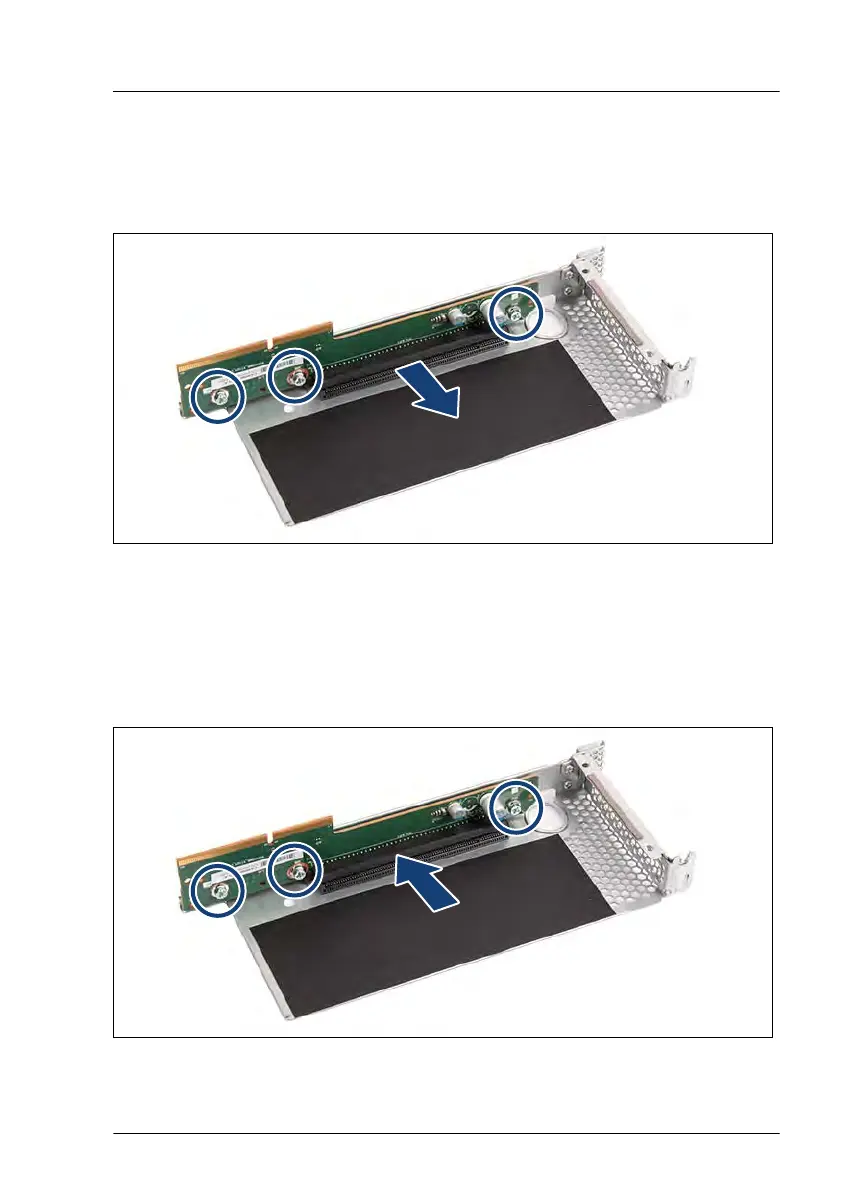
Figure 151: Removing the riser card - example riser module 1
▶
Remove the three screws (see circles).
▶
Remove the riser card.
Installing the new riser card
Figure 152: Installing the riser card - example riser module 1
Expansion cards and backup units
RX2530 M6 Upgrade and Maintenance Manual 233


 To Next Page
 Loading...