Chapter 7 Device Configuring Using EMS Multiplex & Decoding Outputs
© 2012 Harmonic Inc. 113 ProView 7000 v.2.6, Rev. E
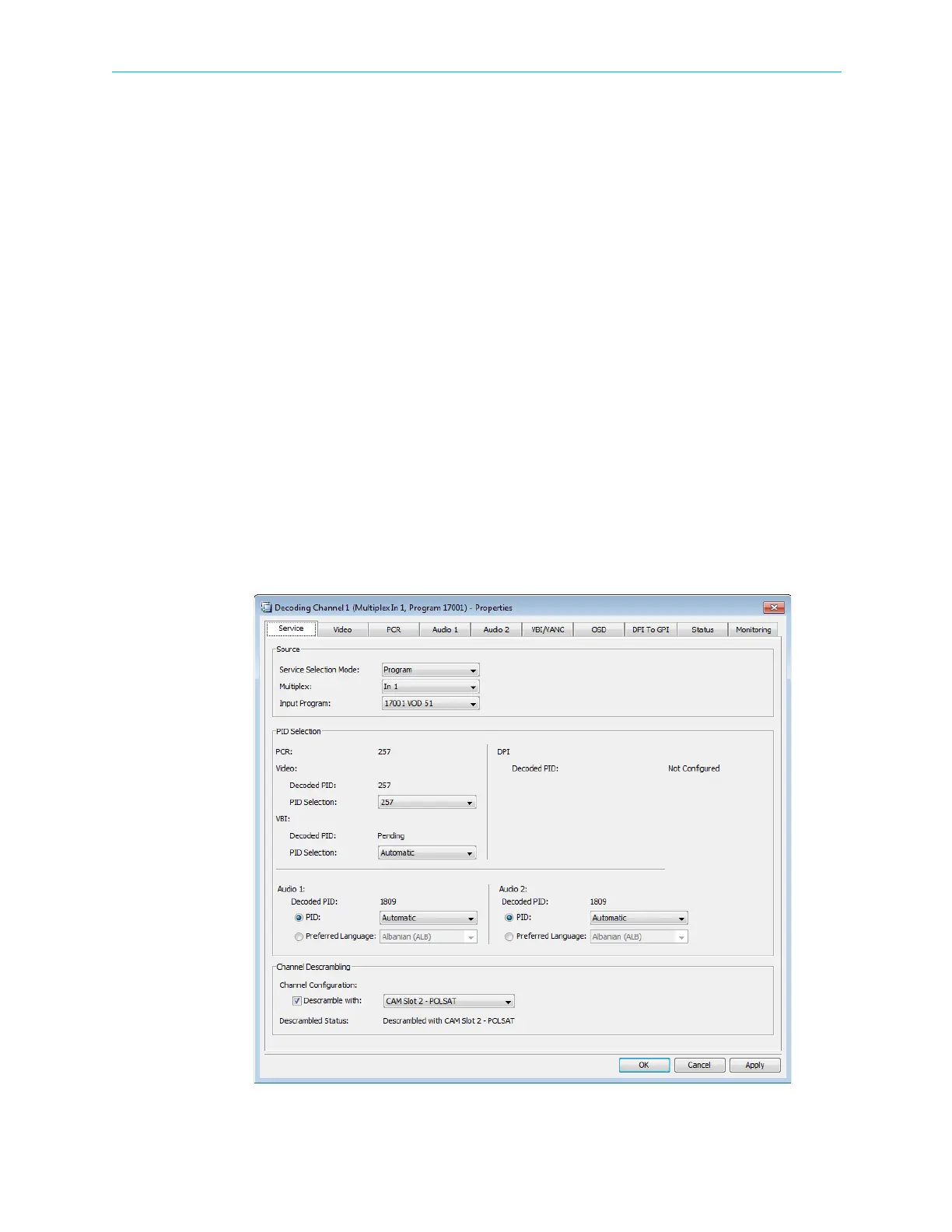
7.3.8.1 Service Parameters Tab
The Service parameters tab provides the EMS user the following information and set-up
capabilities:
■ Source box – displays the stream input source and input program name for the decoder.
❑ Service Selection Mode drop-down menu options:
• Automatic – Use this mode for ProView 7000™ to automatically decode the first
program in the TS (first PMT)
• Program – Use this mode to set the decoder to manual program selection
• PID – Use this mode to set the decoder to manual PID selection
• No Decoding – Use this mode to disable decoding
❑ PID Selection box – Displays the PID for the program PCR and to select the elementary
stream PID for the Video and the VBI/VANC processing. It also enables the user to set
the ES PID and preferred language for each one of the two audio streams (Audio1 and
Audio2).
❑ Channel Descrambling box
• Descramble with – Use this feature to enable stream descrambling and to select a
CAM
• Program Status – Shows whether the program is being descrambled and by which
CAM slot.
Figure 7–15: Decoding Channel Properties – Service tab



 To Next Page