Chapter 7 Device Configuring Using EMS Multiplex & Decoding Outputs
© 2012 Harmonic Inc. 120 ProView 7000 v.2.6, Rev. E
7.3.8.5 VBI/VANC Tab
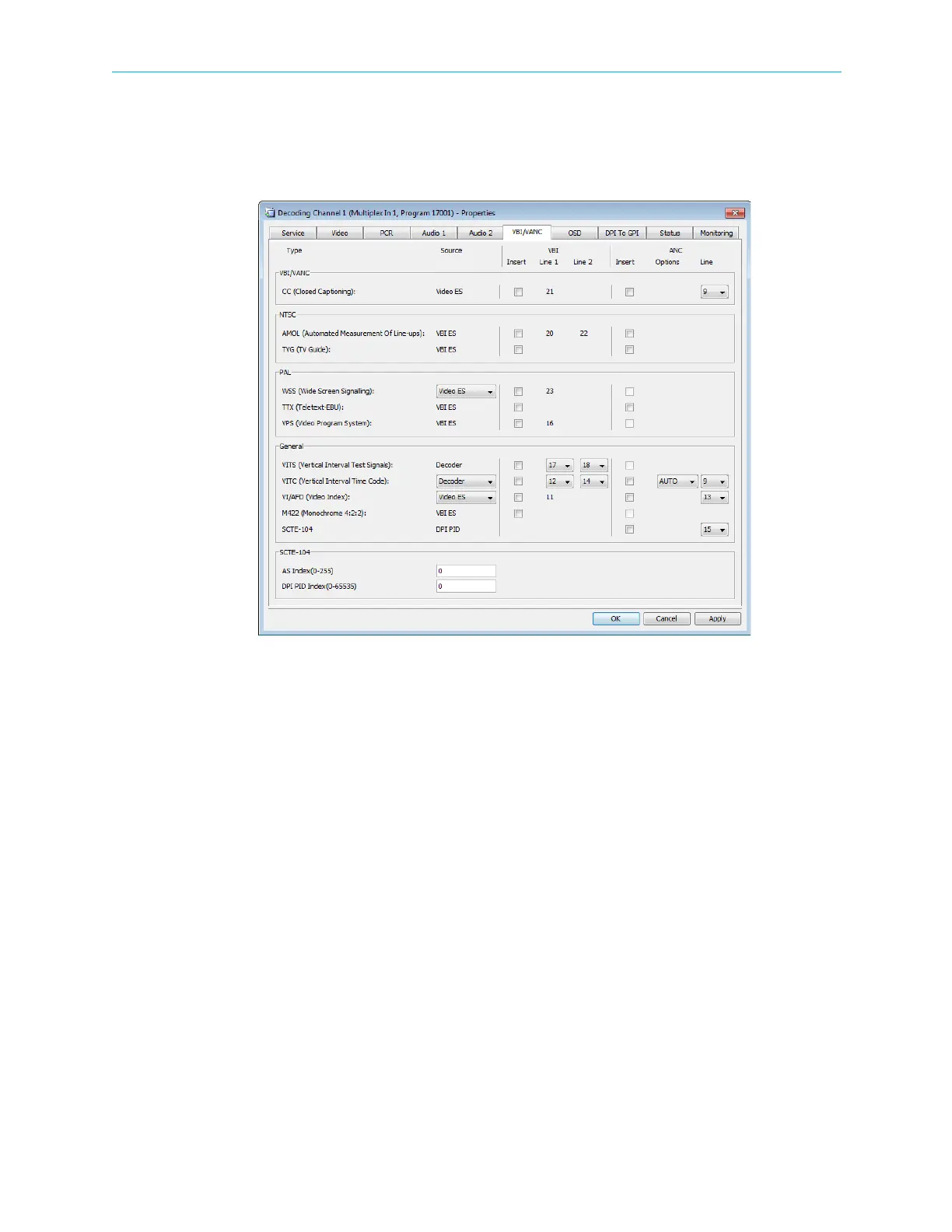
The VBI/VANC tab enables you to insert VBI/VANC data into the decoded video. You can
insert several VANC datum items into the same line but you cannot insert several VBI items
into the same line and you cannot insert VBI and VANC into the same location.
Figure 7–19: Decoding Channel Properties dialog – VBI/VANC tab
The tab provides the following configuration options:
VBI/VANC parameters:
■ CC (Closed Captions)
Source: Video ES
NTSC Parameters:
■ AMOL (Automatic Measurement Of Line-Ups)
Source: VBI ES
■ TVG (TV Guide)
Source: VBI ES
PAL Parameters:
■ WSS (Wide Screen Signalling)
Sources:
❑ Decoder
❑ VBI ES
❑ Video ES
❑ WSS-AFD (when using AFD)



 To Next Page