Chapter 7 Device Configuring Using EMS Cross Connections
© 2012 Harmonic Inc. 135 ProView 7000 v.2.6, Rev. E
7.6.1.5 NIT Replacement
You can replace the NIT in an output multiplex with a PID from an input multiplex. The default
PID for the NIT is 16.
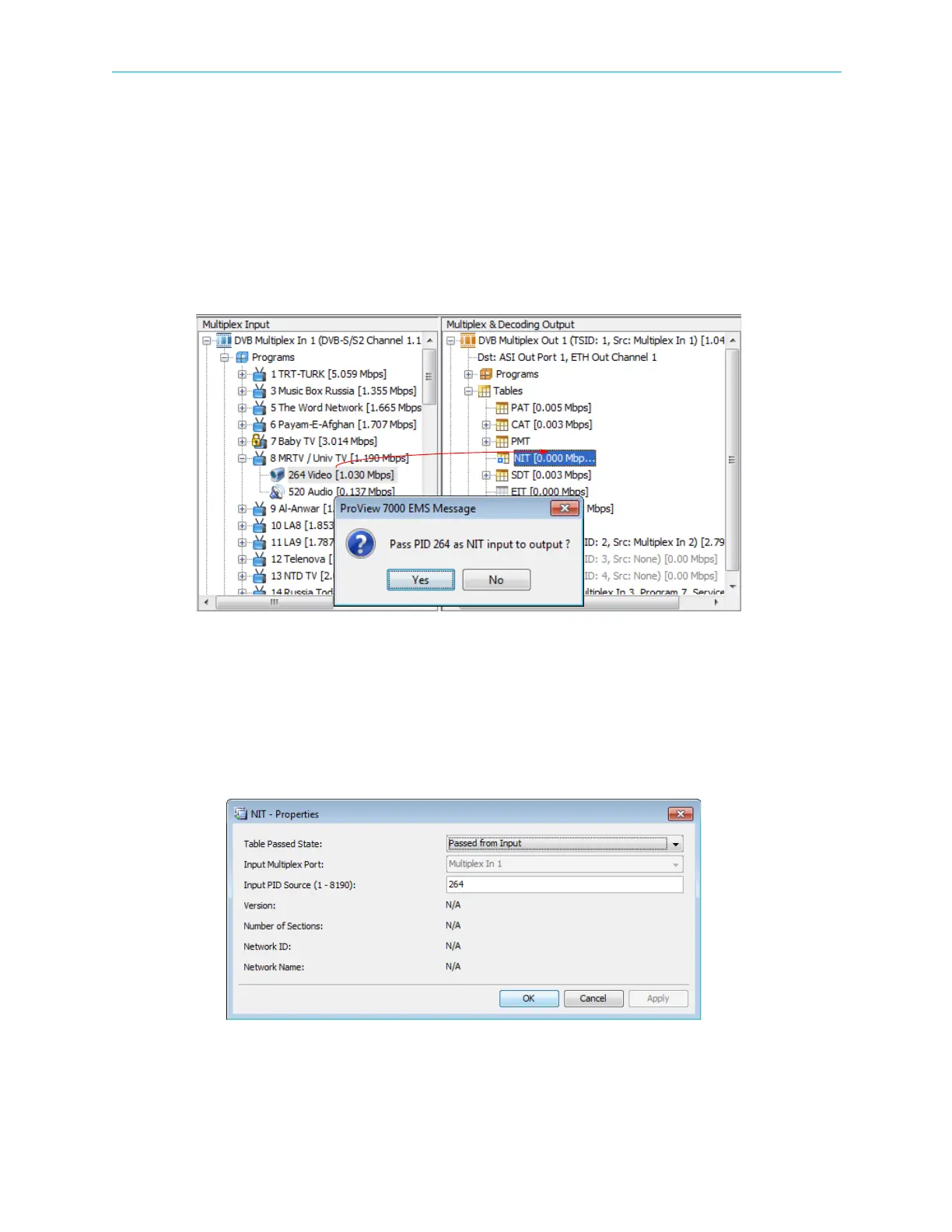
Replacing a NIT
To replace the NIT with a PID from an input multiplex:
1. Drag the program ES in the Multiplex Input box to the NIT under Tables of the multiplex in
the Multiplex & Decoding Output box.
2. Confirm the confirmation dialog.
Cancelling a NIT Replacement
To cancel a NIT replacement:
1. Double-click NIT under Tables of the multiplex in the Multiplex & Decoding Output box.
The NIT - Properties dialog displays.



 To Next Page