Chapter 7 Device Configuring Using EMS Cross Connections
© 2012 Harmonic Inc. 134 ProView 7000 v.2.6, Rev. E
7.6.1.4 Unreferenced PID Cross Connection
You can create, edit and remap unreferenced PID cross connections.
To create a new unreferenced PID cross connection:
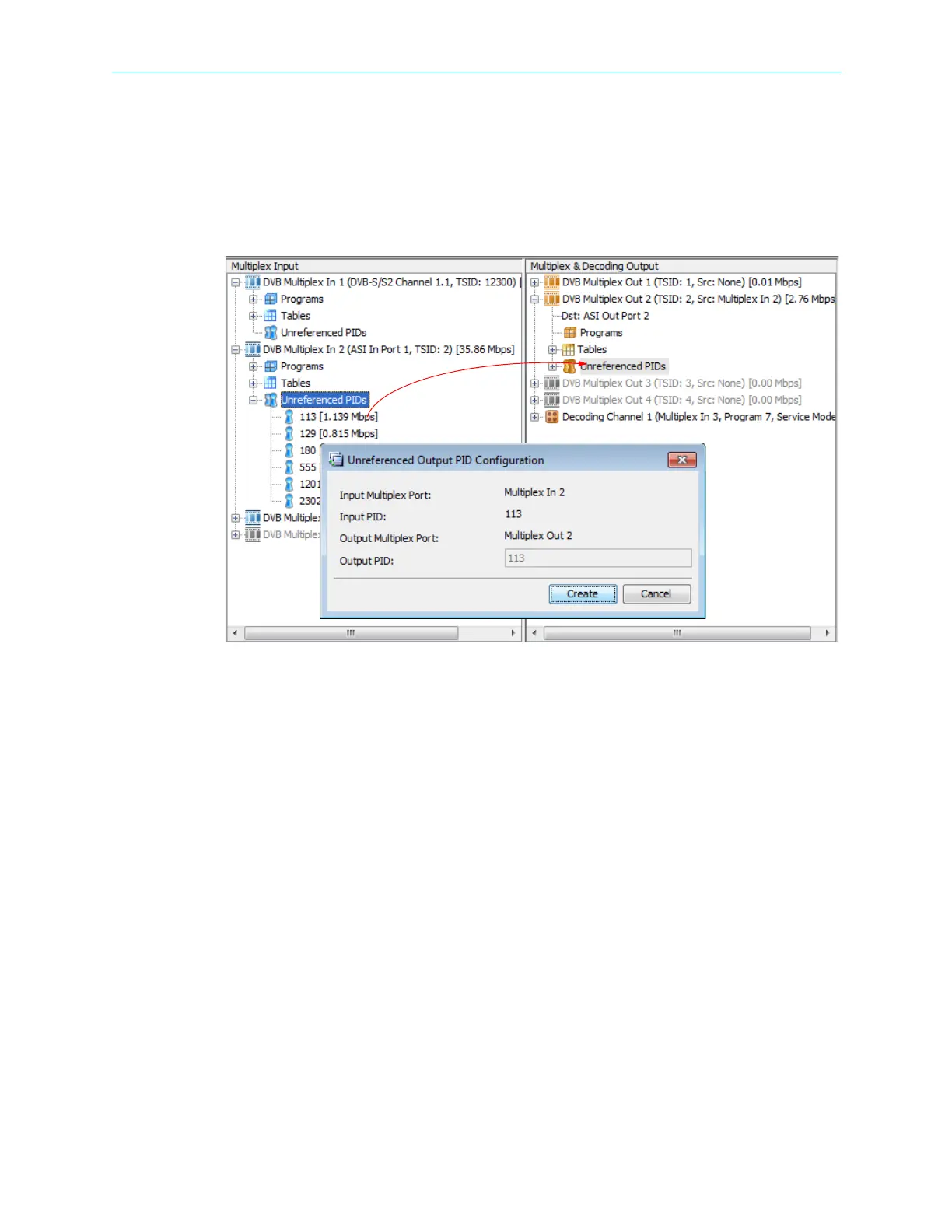
1. From the Multiplex Input box, drag the icon of the required PID and drop it onto the
Unreferenced PID icon in the Multiplex and Decoding Output box.
Figure 7–29: Unreferenced PID Cross Connect
The Unreferenced PID Cross-Connect Editor dialog displays, displaying the cross connect
details:
❑ Input Multiplex Port / Input PID – Displays the name of the multiplex input which
receives the stream and the input PID number.
❑ Output Multiplex Port / Output PID – Displays the name of the multiplex output port
where the stream is routed and the output PID (identical to the input PID).
2. Click Create to create the Unreferenced PID cross-connect.



 To Next Page