Chapter 2 Quick Start Configuring and Monitoring
© 2012 Harmonic Inc. 28 ProView 7000 v.2.6, Rev. E
NOTE: If the input is MPEG then change the table extraction of either a multiplex in or a multiplex out to
PSI Only before you associate the respective multiplex, see 7.2.4 Multiplex In Port Properties and
7.3.2 Multiplex Output Properties.
5. Stream and Program Routing – Drag-and-drop routing of input streams to device outputs.
6. Decoder Configuration.
To configure the ProView 7000™ using EMS:
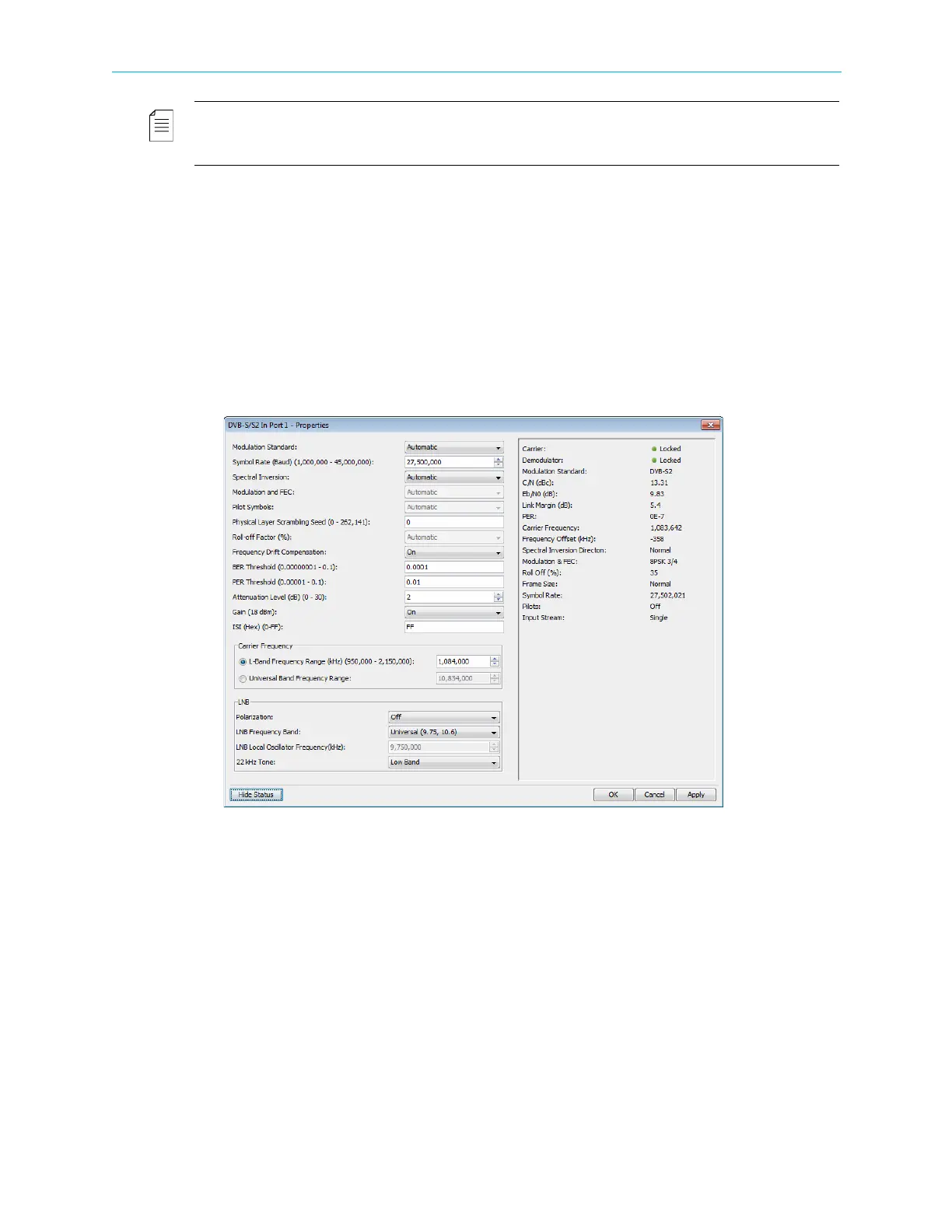
1. If the input stream is received from satellite, perform the following to display and
configure a DVB-S/S2 input port:
a Expand the device tree in the Physical Input box to reveal the DVB in ports.
b Select the required DVB-S/S2 in port icon in the Physical Input box.
cClick Properties on the EMS toolbar.
dClick Show Status in the bottom left corner of the properties dialog.
The displayed properties are divided into two sections; the section on the left
displays editable properties and the section on the right provides informative/status
properties that cannot be edited by the EMS user.
e Configure the properties in the left section and click Apply.
2. If the input stream is received from IP, perform the following to display and configure the
GbE port:
a Select the device in the Devices box.
b Expand the device tree in the Physical Input box to reveal the GbE ports.
c Select the required GbE port icon in the Physical Input box.
dClick Properties on the EMS toolbar.
e Configure the GbE port, see 7.1.3 GbE Ports for Input for details.
f Select a socket in the GbE branch in the Physical Input box.



 To Next Page