Chapter 2 Quick Start Configuring and Monitoring
© 2012 Harmonic Inc. 29 ProView 7000 v.2.6, Rev. E
gClick Properties on the EMS toolbar.
h Configure the socket, see 7.1.3.2 GbE Socket Properties for details.
3. If the output stream is sent to IP, perform the following to configure the GbE port:
a Select the device in the Devices box.
b Expand the device tree in the Physical Output box to reveal the GbE ports.
c Select the required GbE port icon in the Physical Output box.
dClick Properties on the EMS toolbar.
e Configure the GbE port, see 7.1.3 GbE Ports for Input for details.
f Select a socket in the GbE branch in the Physical Output box.
gClick Properties on the EMS toolbar.
h Configure the socket, see 7.4.2.2 GbE Socket Properties for details.
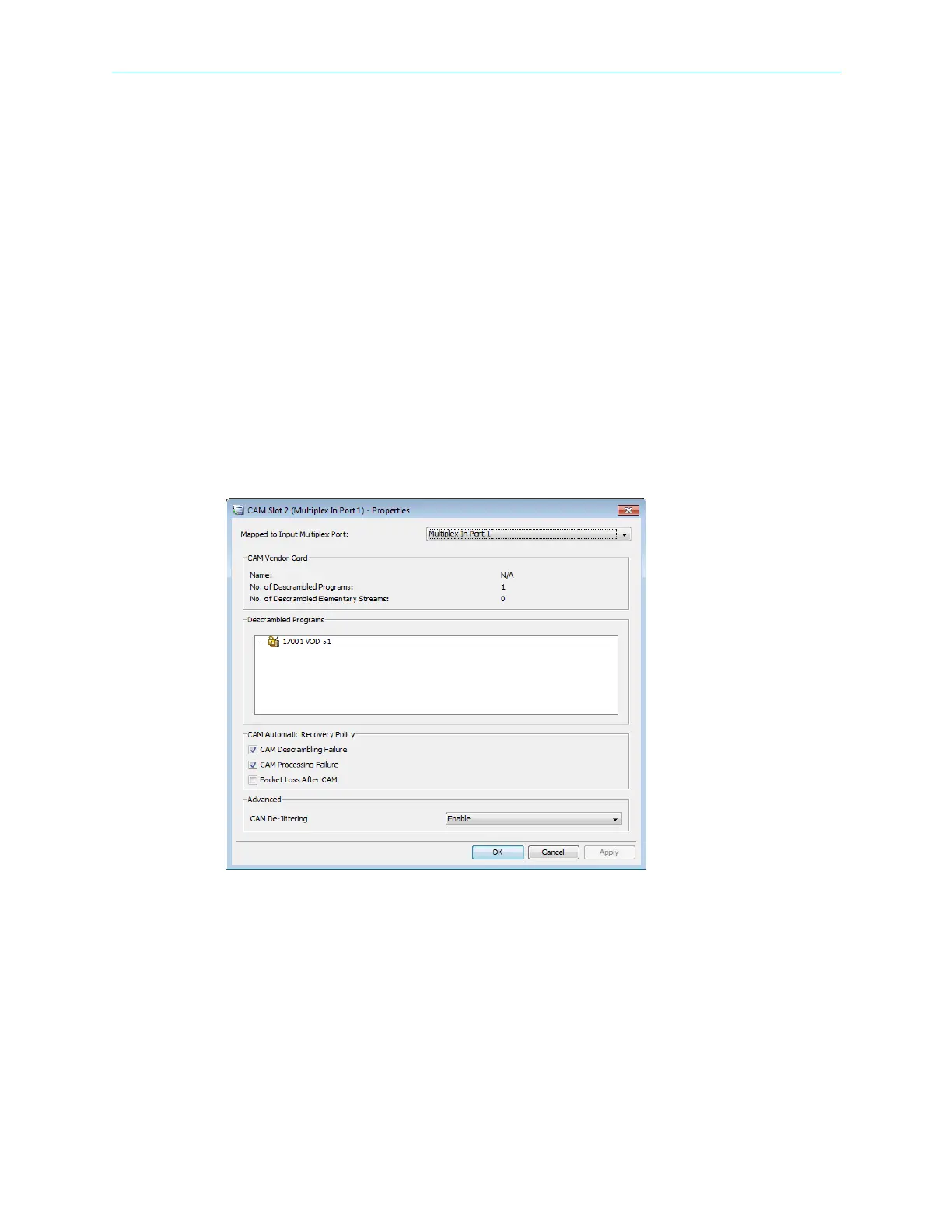
4. To associate a multiplex in port to a CAM Slot:
a Select the required CAM Slot name in the Physical Input box.
bClick Properties on the EMS toolbar.
The dialog displays with the programs descrambled by the slot.
c Select a multiplex in port to connect to the CAM slot.
5. To descramble a program:
a Right-click a program in the Multiplex & Decoding Output box.
b Select Properties.
The Program Properties dialog displays.
cMark the Descramble with checkbox.
d Select a CAM slot.
eClick Apply.



 To Next Page