Chapter 4: Spectrum X hardware reference
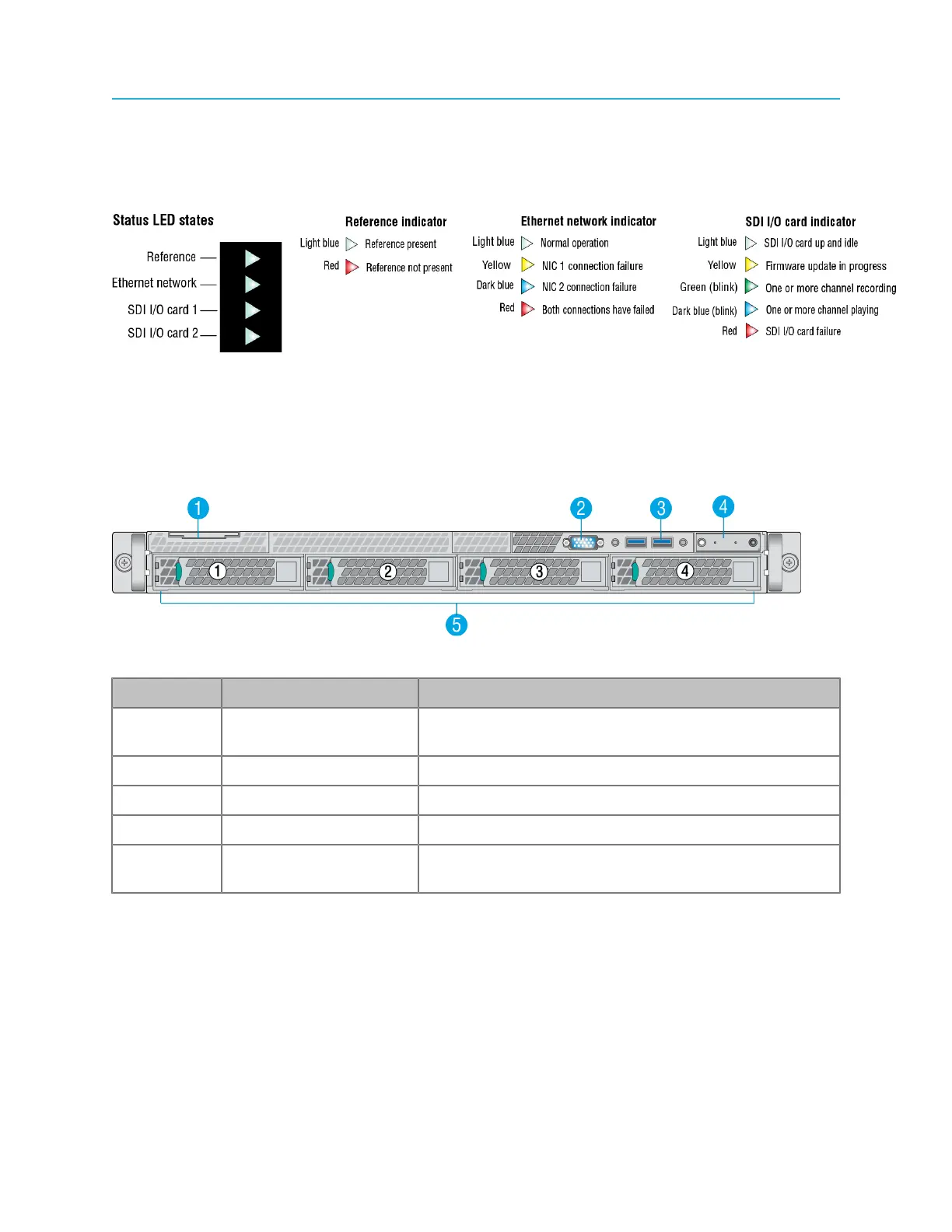
Spectrum X status LEDs
The Spectrum X status LEDs indicate the status for reference, the Ethernet network connection, and the
SDI I/O cards.
Figure 4-2: Spectrum X status LED states
Spectrum X front panel
The Spectrum X front panel provides access to drives and other components.
Figure 4-3: Spectrum X front panel
Key Component Detail
1 System label pull-out
tab
Use to apply a product number and/or serial number
label.
2 VGA port (For Service only)
3 USB ports Use to connect the front bezel.
4 Control panel Provides basic system status.
5 Hard drives (For internal storage configuration only). The drives are
numbered 1 to 4 from left to right.
100



 To Next Page