Chapter 6: MediaCenter 2200B hardware reference
Key Component Description
8 10 Gb Ethernet ports (1, 2
from left to right)
Use for file transfers or communication with a
public network.
9 VGA port For Service only
10 RS-232 serial port For Service only
11 USB ports Do not use unless instructed by Harmonic
technical support.
12 BMC port For Service only
13 10 Gb optical SFP (optional) If installed, use these port for file transfers or
communication with a public network.
IMPORTANT: If 10 Gb optical
ports are installed, the onboard
10 Gb Ethernet ports (see 8)
are disabled.
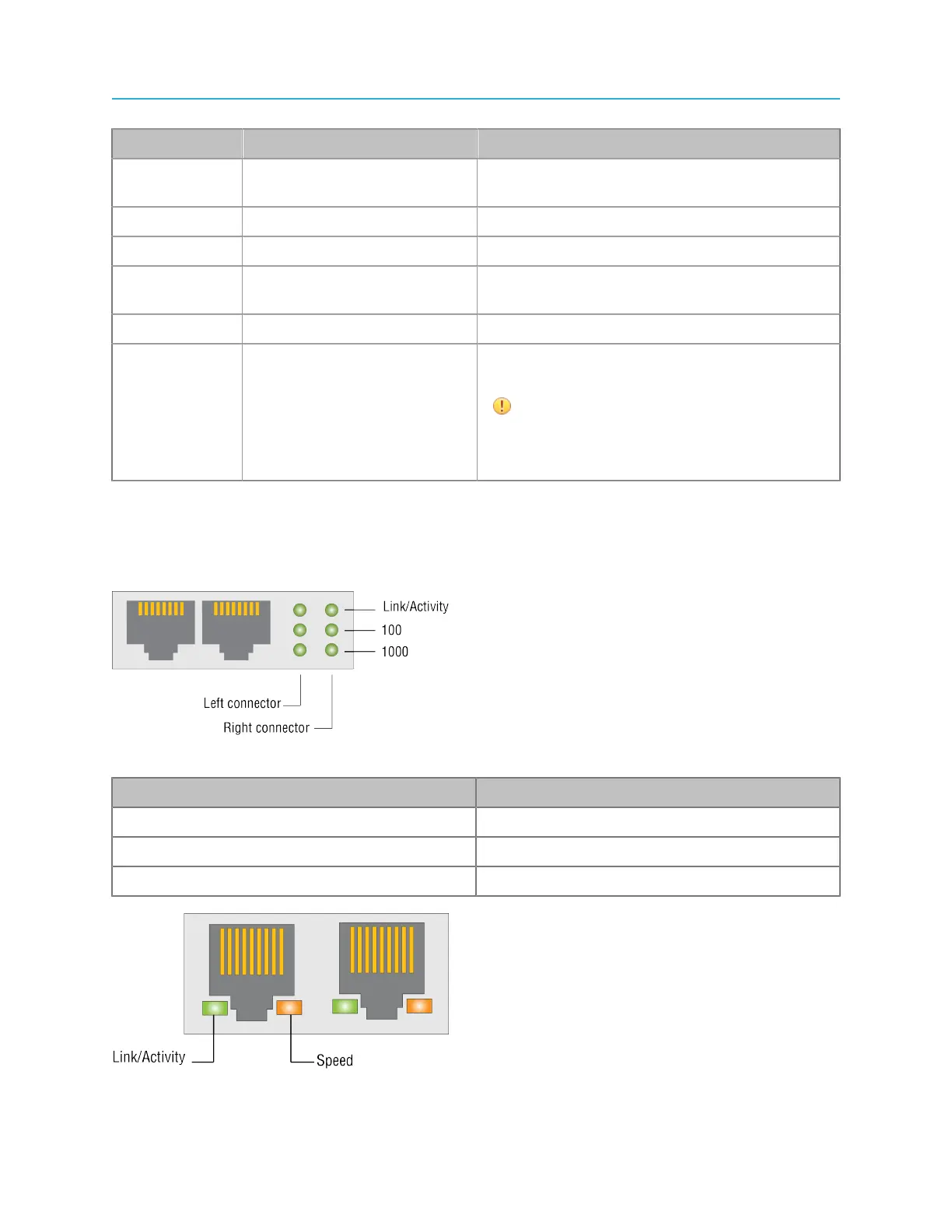
1 Gb Ethernet port status LEDs (for system management)
The MediaDirector and the MediaCenter may include one of two Ethernet cards.
Refer to the diagram that applies to the 1 Gb Ethernet card in your Spectrum server.
Figure 6-6: 1 Gb Ethernet port LEDs (green)
LED State
Link/Activity On with any link, blinks on activity
100 On with 100 Mbps link
1000 On with 1 Gbps link
Figure 6-7: 1 Gb Ethernet port LEDs (green, amber, yellow)
144



 To Next Page