Spectrum X bezel
◦ Agile timeline file playback: Spectrum supports a mixed timeline, which can include UHD, HD, and
3G HD video formats.
◦ Simulcast out: UHD down-convert with Independent Branding, Clean, or Mirrored for secondary
output.
◦ Dual live inputs with auto up-convert: Unlike the standard or enhanced channel modes, with UHD
channel, you can have two Spectrum X inputs with different video formats, and Spectrum will
automatically up-convert to play out UHD.
◦ Support for branding with multiple layers, animation, DVE, and dynamic data.
◦ Support for Polaris Play: Playlist Control automation.
• Support for UHD record of XAVC Intra Class 3000 with the MXF OP1a wrapper
• Support for SMPTE 2022-6.
• Support for the Precision Time Protocol (PTP)
• Support for Kantar audio watermarking
• Support for transport stream ingest to the Harmonic MediaGrid.
• Support for preview of material from a Harmonic MediaGrid or a NAS. Note that this feature requires
that the Spectrum X is configured for diskless mode.
• Support for playout and record of Apple ProRes.
NOTE: There are no user-serviceable parts in a Spectrum X.
Related information
Spectrum X specifications on page 121
Setting the Spectrum X to "diskless" mode on page 84
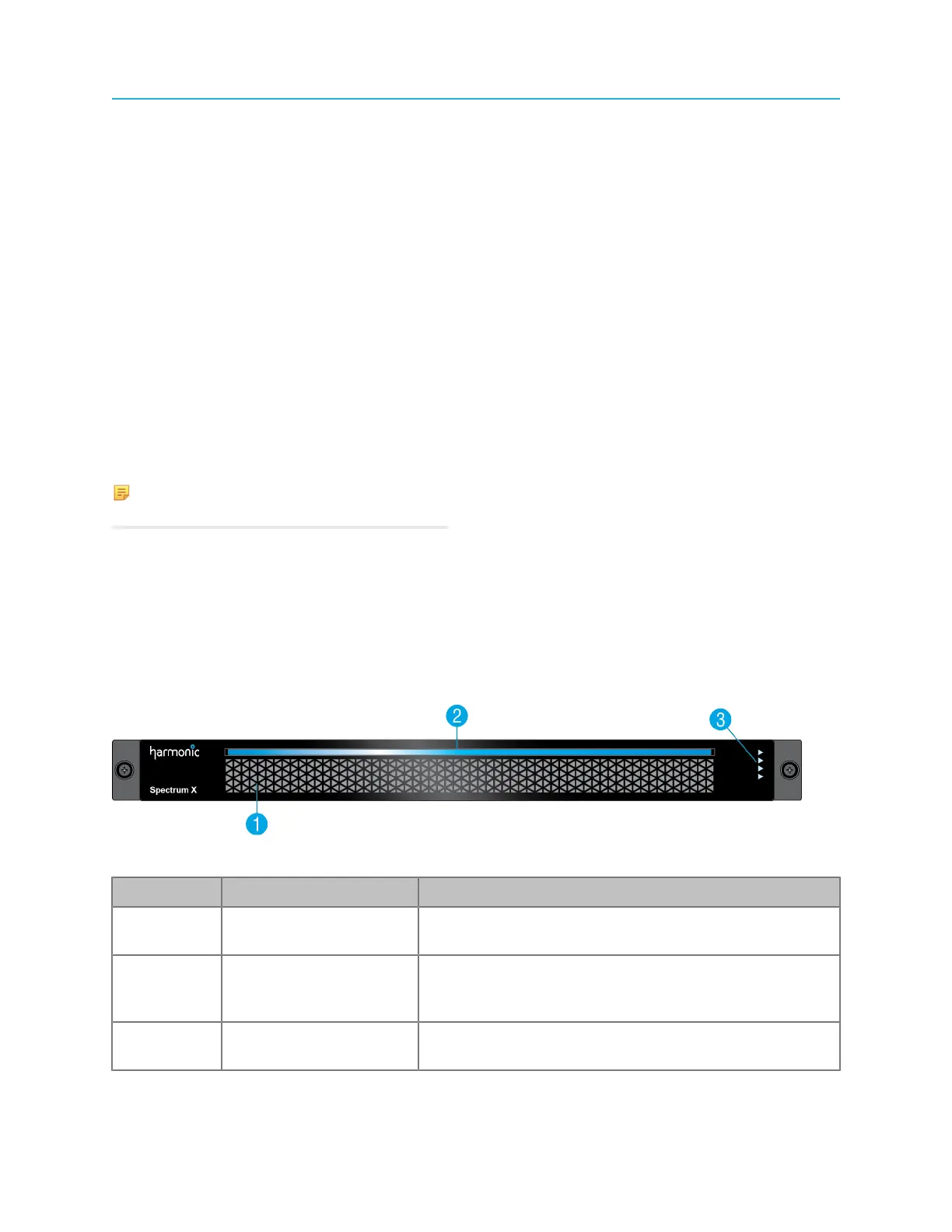
Spectrum X bezel
The Spectrum X bezel provides power and status indicators to quickly assess the status of the device.
Figure 4-1: Spectrum X bezel
Key Component Detail
1 Air vents Air vents provide optimum air flow from the internal fans.
Do not obstruct the Spectrum X air vents.
2 Power indicator This indicator lights when the system is powered on,
and also provides a "wink" function that identifies a
selected Spectrum X
3 Status LEDs The status LEDs indicate status for reference, the
Ethernet network connection, and the SDI I/O cards.
99 Spectrum System 8.4 Installation Guide



 To Next Page