Rack mounting instructions
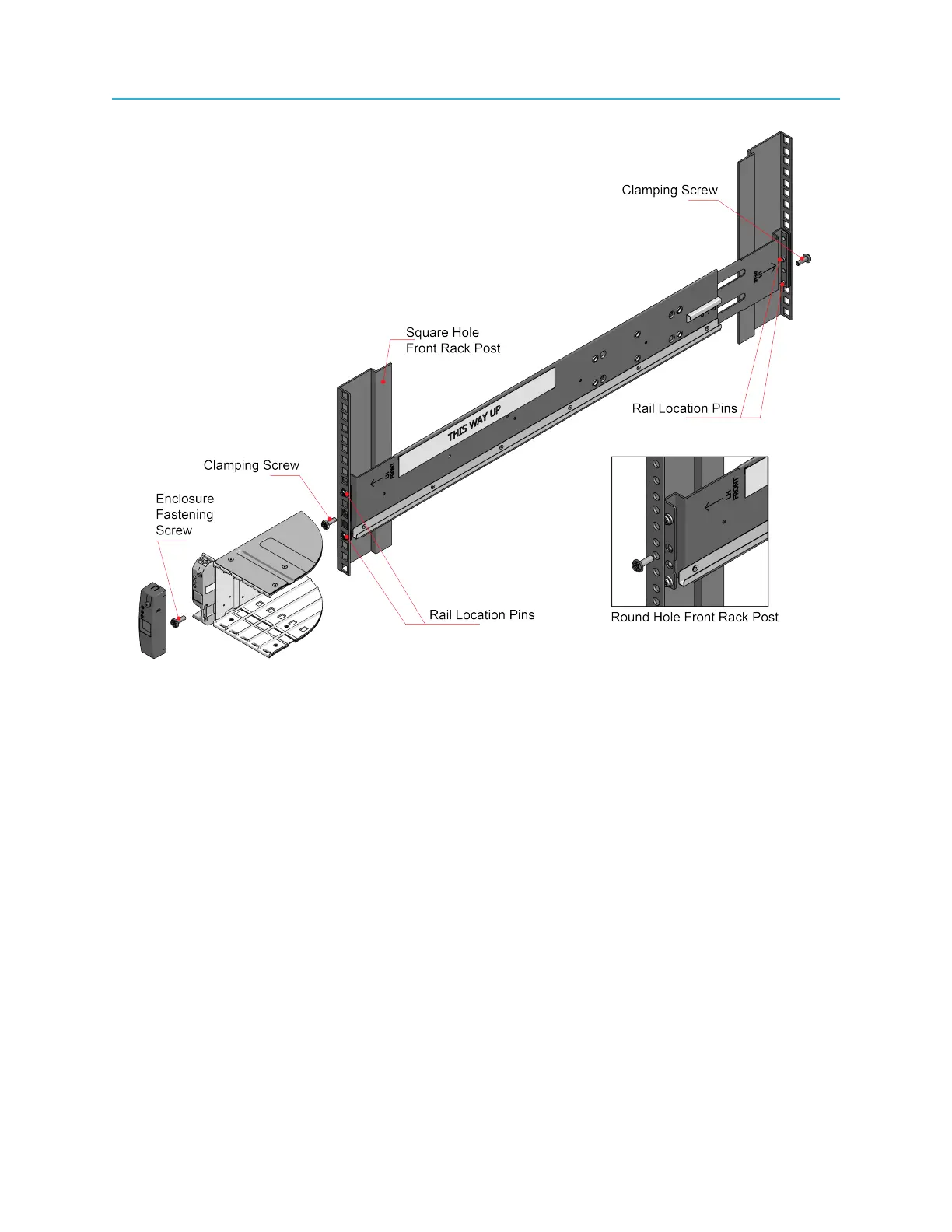
Figure 2-6: Rack mount assembly, detailed view
7. Lift the MediaStore and align the slides with the rack rails.
8. Carefully slide the MediaStore onto the rack rails and push it firmly in.
9. Tighten the mounting screws in the rear rack bracket.
10. Remove the MediaStore until it reaches the hard stops (approximately 400 mm) and tighten the
mounting screws in the front rack bracket.
11. Return the enclosure to the fully home position.
What to do next
After the MediaStore has been mounted, do not pull the MediaStore more than a few inches from the
rack.
Rack mounting the MediaStore 7200
A rack mounting kit is provided with the MediaStore 7200, which includes the necessary hardware along
with detailed mounting instructions. Make sure to follow the instructions in the mounting kit and use the
screws that are included with the mounting hardware.
27 Spectrum System 8.4 Installation Guide



 To Next Page