Chapter 2: Spectrum system installation
◦ Automatic Relay: Send immediately, ignore hold-off
◦ Log Only: Ignore alert
Device Com 2: Generic CGEN, 9600 baud
Digital Audio External Clock: The AES input to the I/O module must be synchronized to
reference.
What to do next
For more information on configuring the Sage Digital ENDEC, refer to the documentation that came with
your Sage device.
Connecting to a TFT EAS 911T Encoder/Decoder
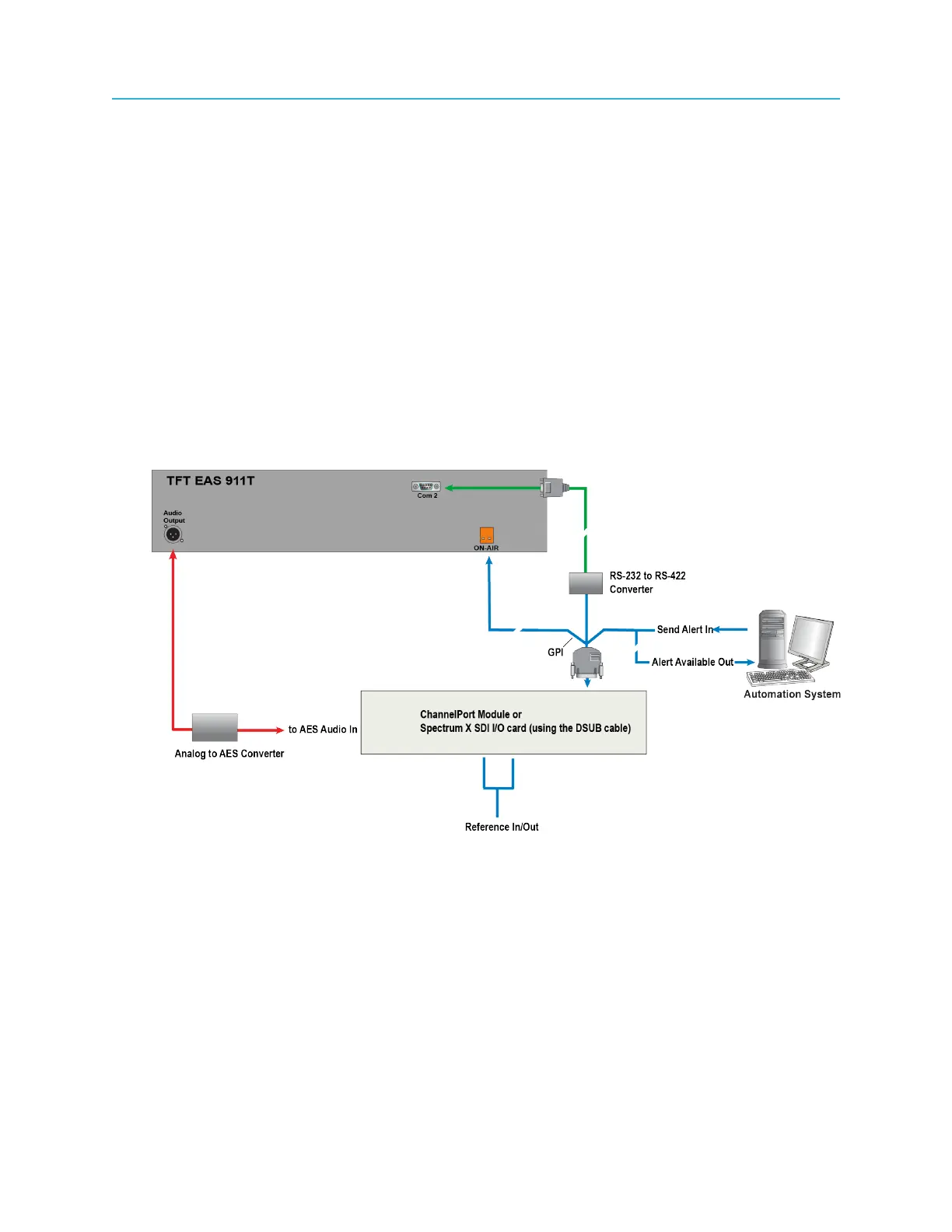
Use the diagrams of a sample EAS installation to connect the ChannelPort or the Spectrum X to the TFT
EAS 911T Encoder/Decoder.
1. Connect to the TFT EAS as shown in the following example.
Figure 2-39: Overview of sample EAS installation with TFT EAS 911T
72



 To Next Page