Chapter 6: MediaCenter 2200B hardware reference
Related information
MediaCenter 2200B specifications on page 148
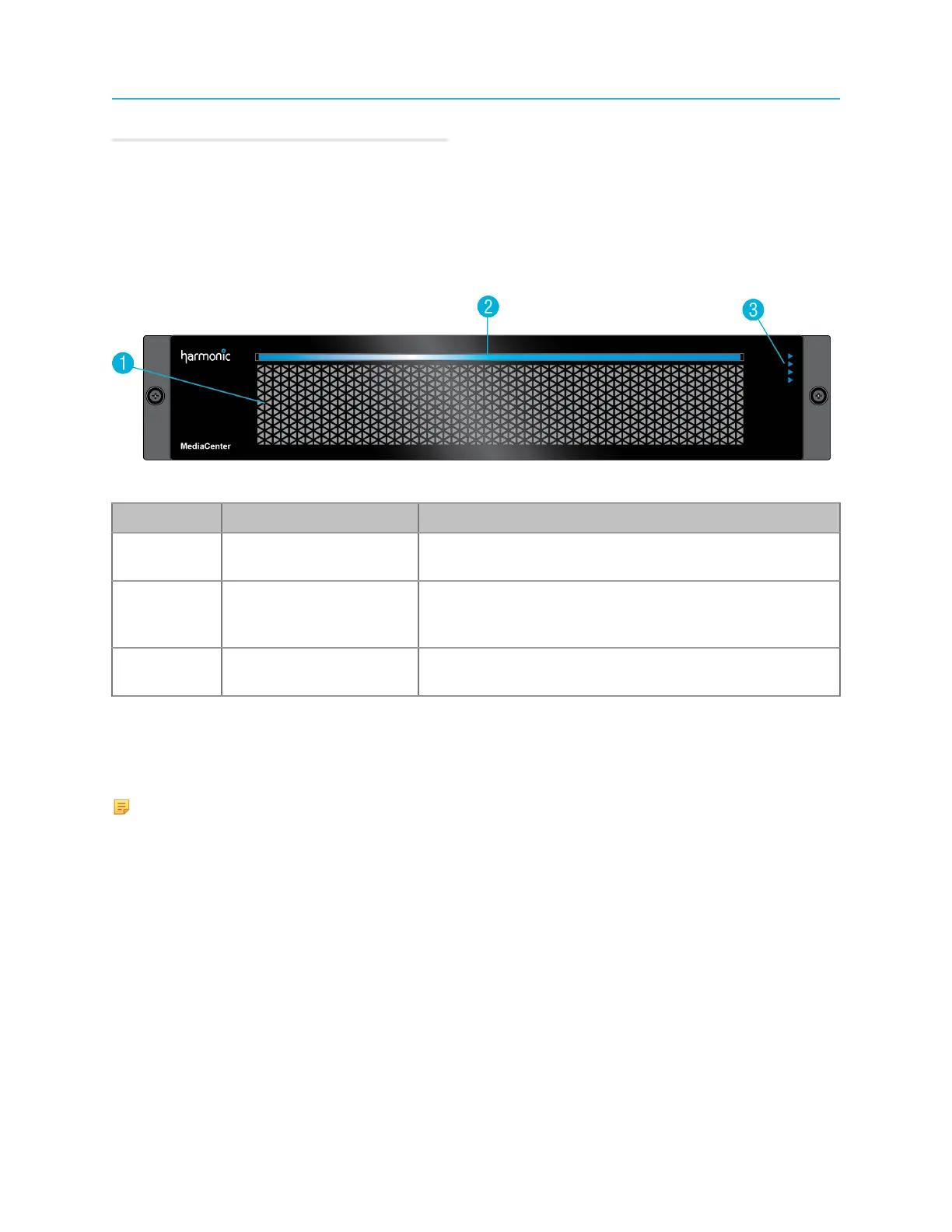
MediaCenter 2200B bezel
The bezel provides power and status indicators to quickly assess the status of the device.
Figure 6-1: MediaCenter 2200B bezel
Key Component Detail
1 Air vents Air vents provide optimum air flow from the internal fans.
Do not obstruct the air vents.
2 Power indicator This indicator lights when the system is powered on,
and also provides a "wink" function that identifies a
selected MediaCenter.
3 Status LEDs The status LEDs indicate status for the file system,
RAID set,and Ethernet network connection.
MediaDirector and MediaCenter 2200B front panel buttons
Power and reset buttons are provided on the right-hand rack ear behind the bezel. To access them,
remove the bezel by loosening the captive thumb screws and pulling the bezel straight back.
NOTE: The physical buttons are only accessible with the use of a small tipped tool.
140



 To Next Page