Chapter 2: Spectrum system installation
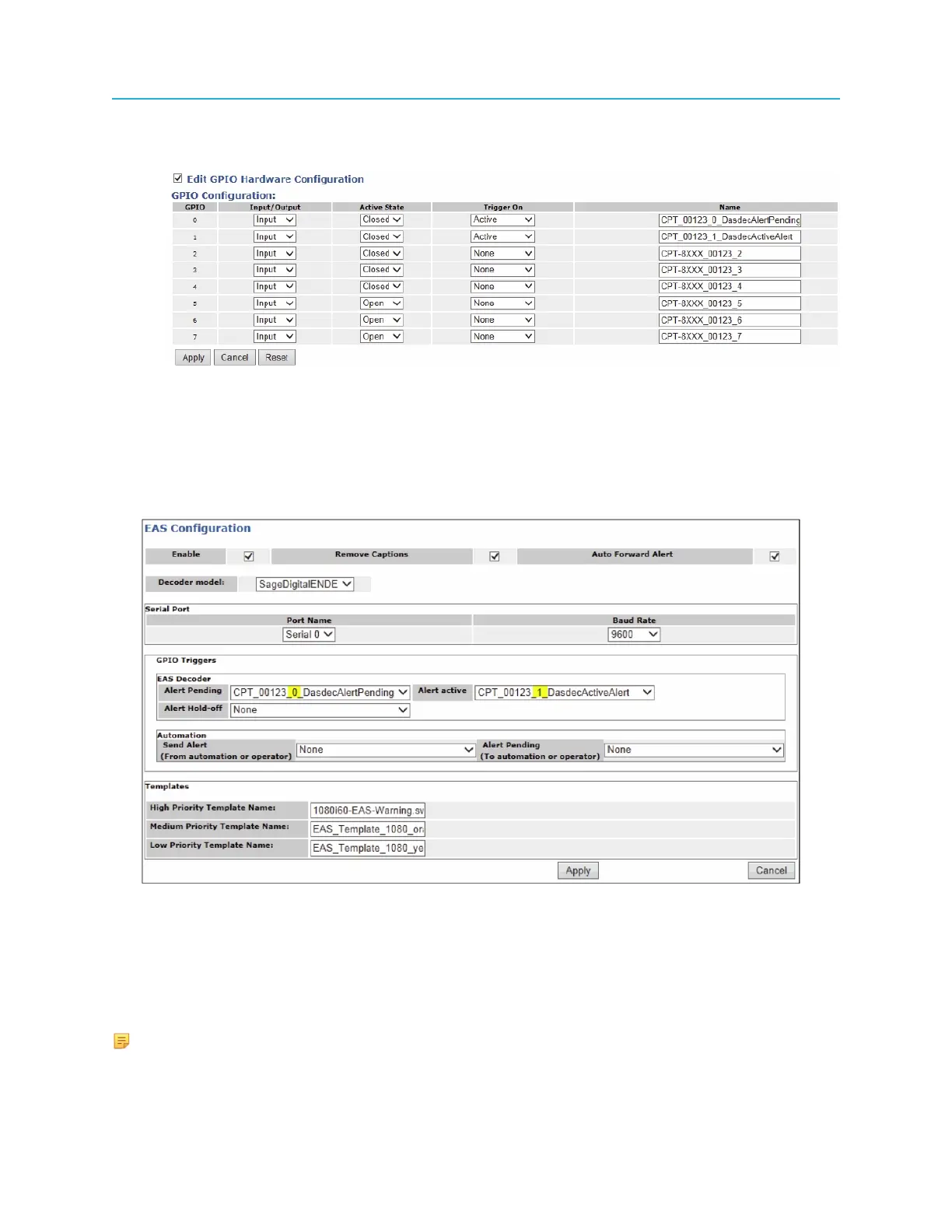
Example:
5. Configure the EAS settings for the ChannelPort or the Spectrum X. For details, refer to the Harmonic
SystemManager User Guide or the Spectrum Management help system. Note the following:
• The Decoder model should be set to SageDigitalENDEC
• Alert Hold-Off is not possible in this mode, so “Send Alert” should be set to None.
Example:
Connecting multiple Spectrum X or ChannelPort channels to the same EAS
You can connect multiple Spectrum X or ChannelPort channels to the same EAS with one channel
configured as the master and the others as the slaves. A slave may be channel B of the same Spectrum
X SDI I/O card or ChannelPort module, or a channel on a separate Spectrum X or ChannelPort
connected to the same Spectrum video server.
NOTE: All Spectrum Xs (in shared storage mode) or ChannelPorts connected to one EAS
must be connected to the same Spectrum video server.
76



 To Next Page