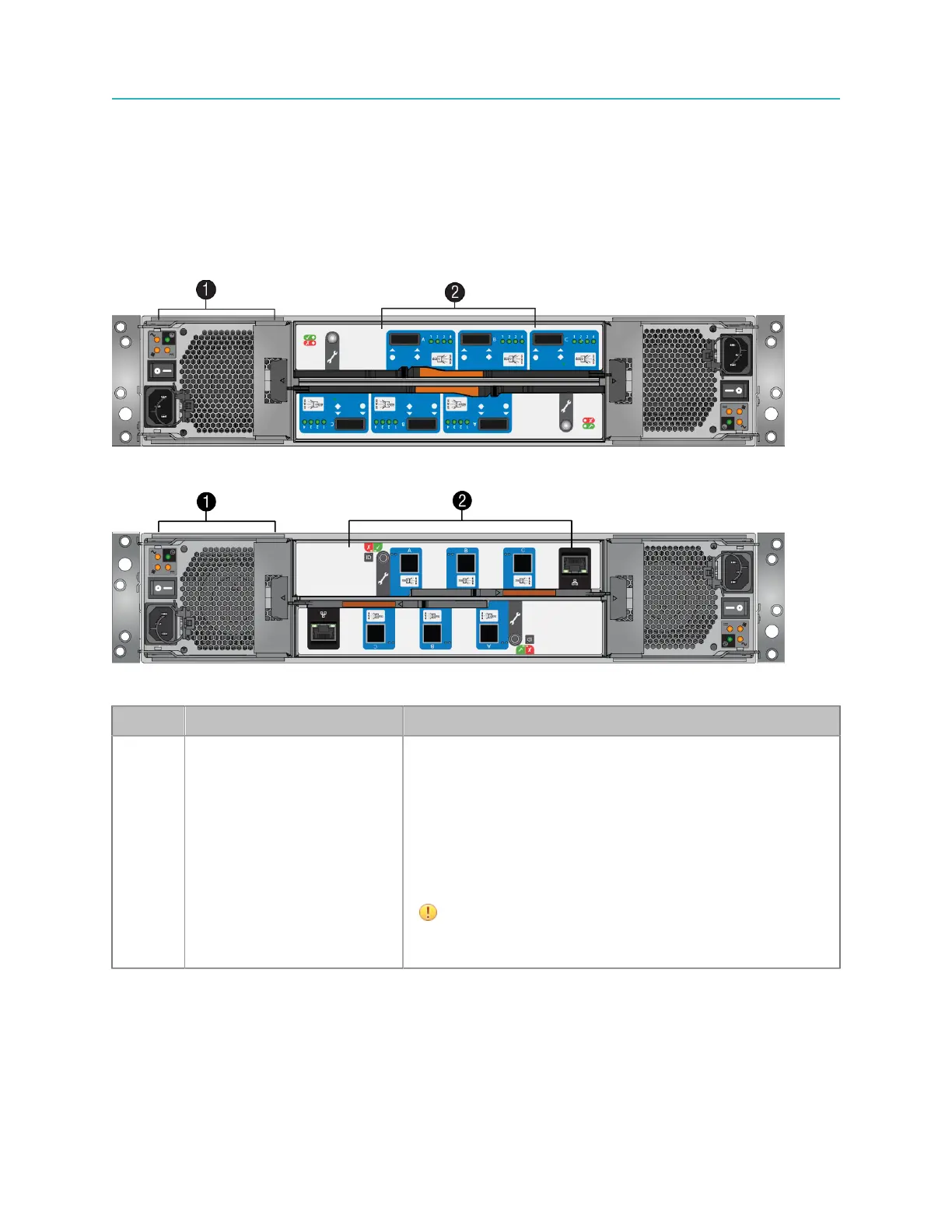
MediaStore 5100 and 5000 series rear panel
4. When the right-hand digit begins to flash, press the Alarm Silence Button to change the number, or
press the button for five seconds to select “00.”
MediaStore 5100 and 5000 series rear panel
The MediaStore rear panel includes replaceable power cooling modules and I/O modules.
Figure 9-5: MediaStore 5000 series rear panel
Figure 9-6: MediaStore 5100 rear panel
Key Component Description
1 Hot-swappable Power
Cooling Modules (PCM)
The MediaStore contains dual independent hot-swappable
PCMs.
• PCM 1 installs on the left side of the MediaStore (as
you face the rear)
• PCM 2 installs upside-down on the right.
Each PCM includes integral fans, a power switch, and
status LEDs.
IMPORTANT: The MediaStore must
always be operated with two PCMs
installed.
199 Spectrum System 8.4 Installation Guide



 To Next Page