Chapter 4: Spectrum X hardware reference
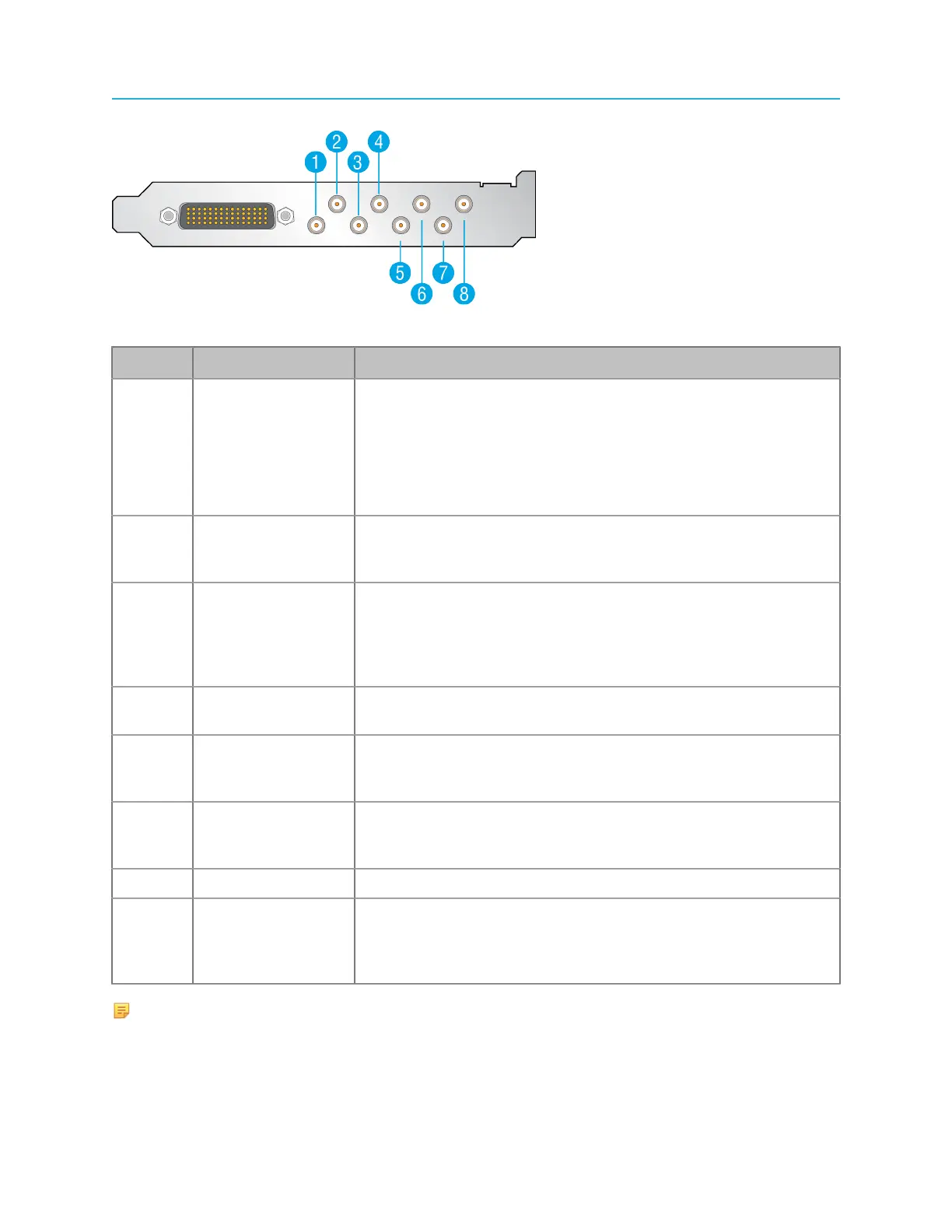
Figure 4-7: Spectrum X SDI I/O connectors: enhanced channel
Key Component Description
1 External Input 1/
External Key Input
1
Use for video input or External Key input 1. Refer to “Enabling
Enhanced Channel mode” in the Harmonic SystemManager User
Guide for instructions on configuring Enhanced Channel mode to
enable Key/Fill.
Refer to the Spectrum X and ChannelPort Template Authoring
Guide for information on External Key/Fill.
2 External Input 2/
External Fill Input
1
Use for video input or External Fill input 1.
3 External Input
3/Video Output
(Secondary)
Use for video input, secondary video output, or for HD/SD-
branded output when in Independent Branding mode. Refer
to “Configuring a ChannelPort channel” in the Harmonic
SystemManager User Guide for instructions on configuring
Independent Branding mode.
4 Video Output
(Primary)
Use for primary video output or for HD/SD-branded output on
Channel A when in Independent Branding mode.
5 External Input 4/
External Key Input
2
Use for video input or External Key input 2.
6 External Input 5/
External Fill Input
2
Use for video input or External Fill input 2.
7 External Input 6 Use for video input.
8 Video Output Use for clean primary video output, secondary video output, or
for HD/SD-branded output when in Independent Branding mode.
Note that if used for clean primary video output, “clean” refers to
video output with no graphics or overlays.
NOTE: “HD/SD-branded” refers to Independent Branding mode. “Clean Primary/
Secondary” refers to video output with no graphics or overlays.
108



 To Next Page