62
Thumbscrew
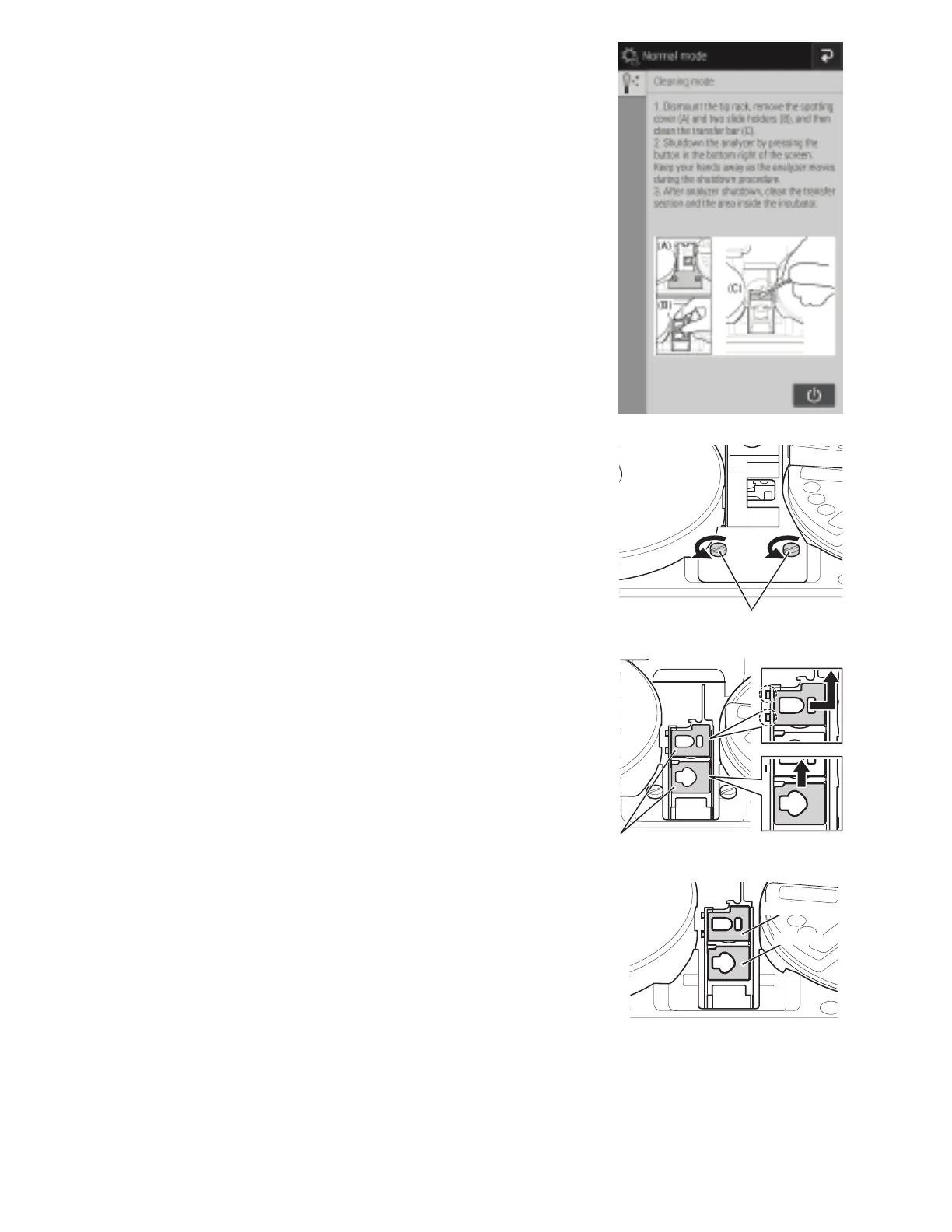
3. The screen to the right appears.
NOTE: Although step 2 on the screen prompts to power off the
analyzer, do not power off until step 10.
4. Remove the tip rack from the analyzer.
5. Loosen the 2 thumbscrews and pull the sample application
unit cover frontward to remove it.
6. Remove the two slide transfer weights.
NOTE: There are 2 types of slide transfer weight, one each for
CM tests and ISE tests.
The slide transfer weight for CM tests has hooks on the left,
so lift up from the right before removing it. When installing it,
insert the hooks before loading it.
For CM
For ISE



 To Next Page