63
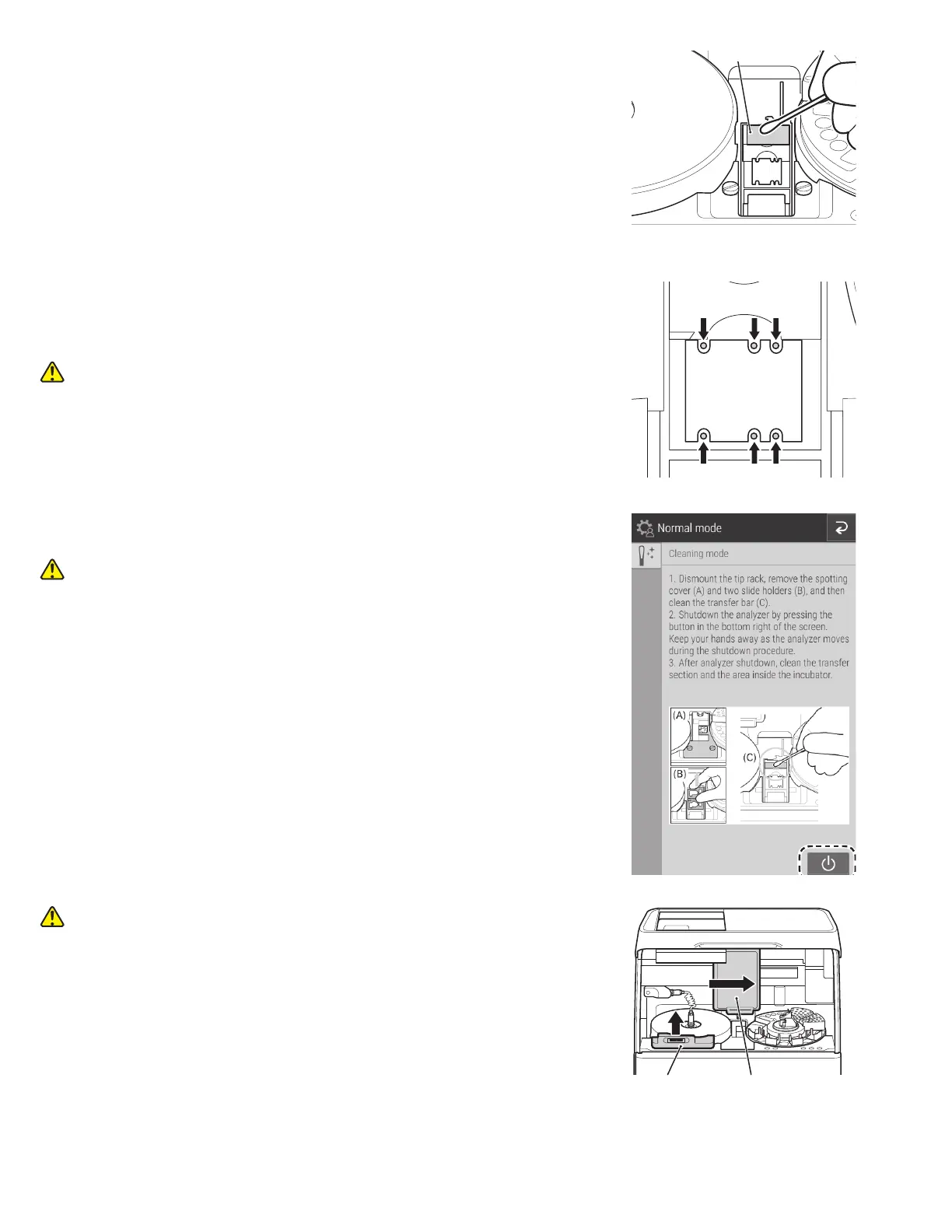
Transfer bar
SamplerPanel unit
pedestal
7. Use gauze or a cotton swab moistened with water or isopropyl
alcohol to wipe the upper surface of the transfer bar visible in
the spotting part.
8. Next, clean the incubator, spotting part and ISE test unit.
10. Power off the analyzer by touching the icon displayed in
the bottom right of the screen.
CAUTION
Keep your finger clear as the sample disk moves.
WARNING
Always unplug the power cord before the following procedure.
Incubator
1. Lift the panel unit. Move the sampler unit to the right, and then
remove the panel unit pedestal by pulling it towards you.
NOTE: Be careful not to open the reference fluid cap.
9. ISE unit probes
Press down on the black plastic piece to make probes accessible.
Make sure there is no dust on the six ISE probes. When you clean
the ISE probes, wipe off the dust using a dry cotton swab.
CAUTION
ISE probes are needle-shaped parts. Do not touch them directly by
hand. Be careful not to bend the probes.
NOTE: Do not use solvents, such as methyl or isopropyl alcohol.
Probe



 To Next Page