64
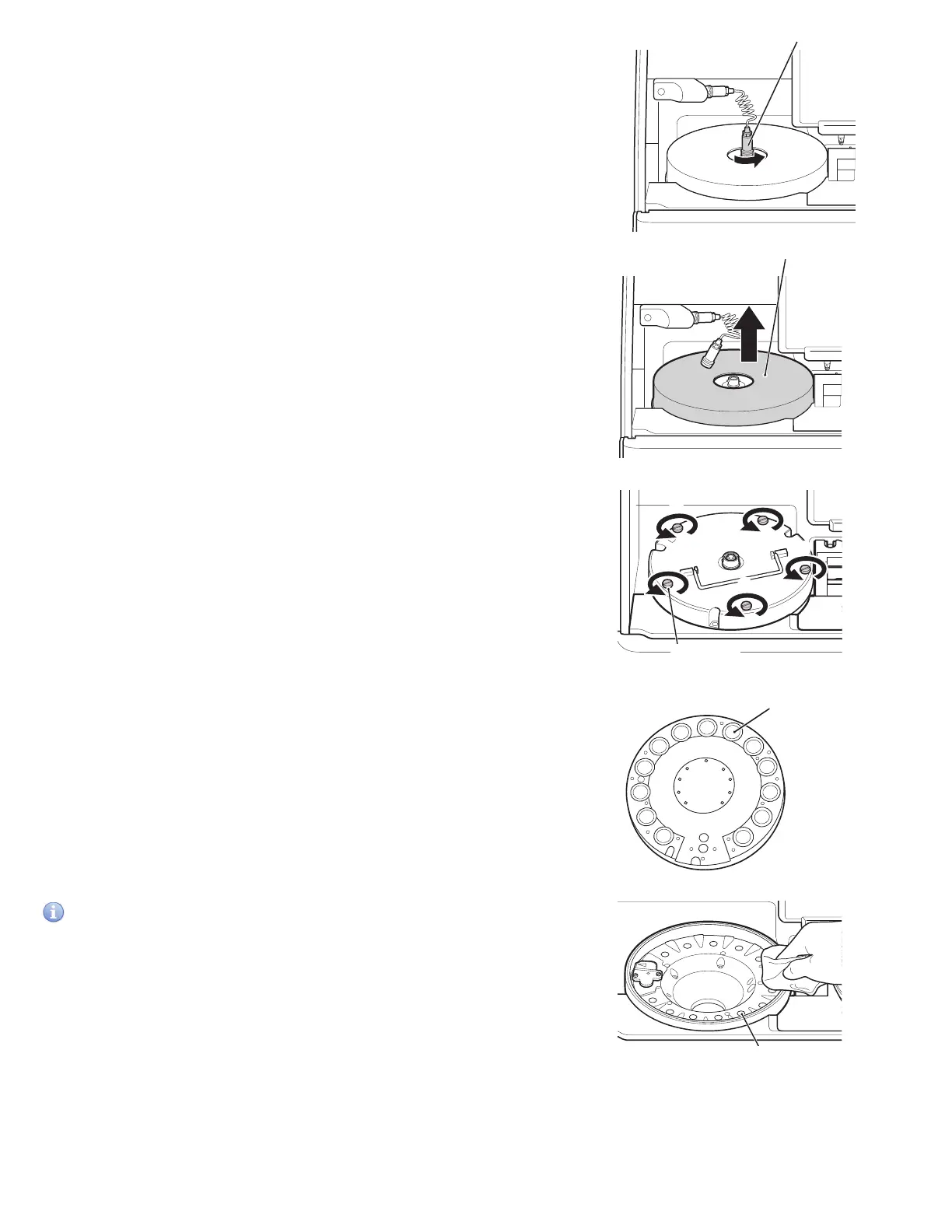
Connector
Incubator cover
5
2
3
4
1
Thumbscrew
Incubator pressure plate
3. Remove the incubator cover.
4. Loosen the 5 screws on the upper surface of the
incubator, and then remove the incubator.
5. Wipe off the 13 pressure plates on the backside of the incubator
with a soft cloth or cotton swab moistened with isopropyl alcohol.
Dry the pressure plates while the incubator backside (pressure
plate surface) is facing up.
6. Wipe the incubator cells in the same way.
IMPORTANT
Do not touch the surface of the pressure plates with your bare
hands. Otherwise, measurement values may be negatively affected.
2. Unplug the connector cable from the incubator by
turning it to the left.
Cell



 To Next Page