65
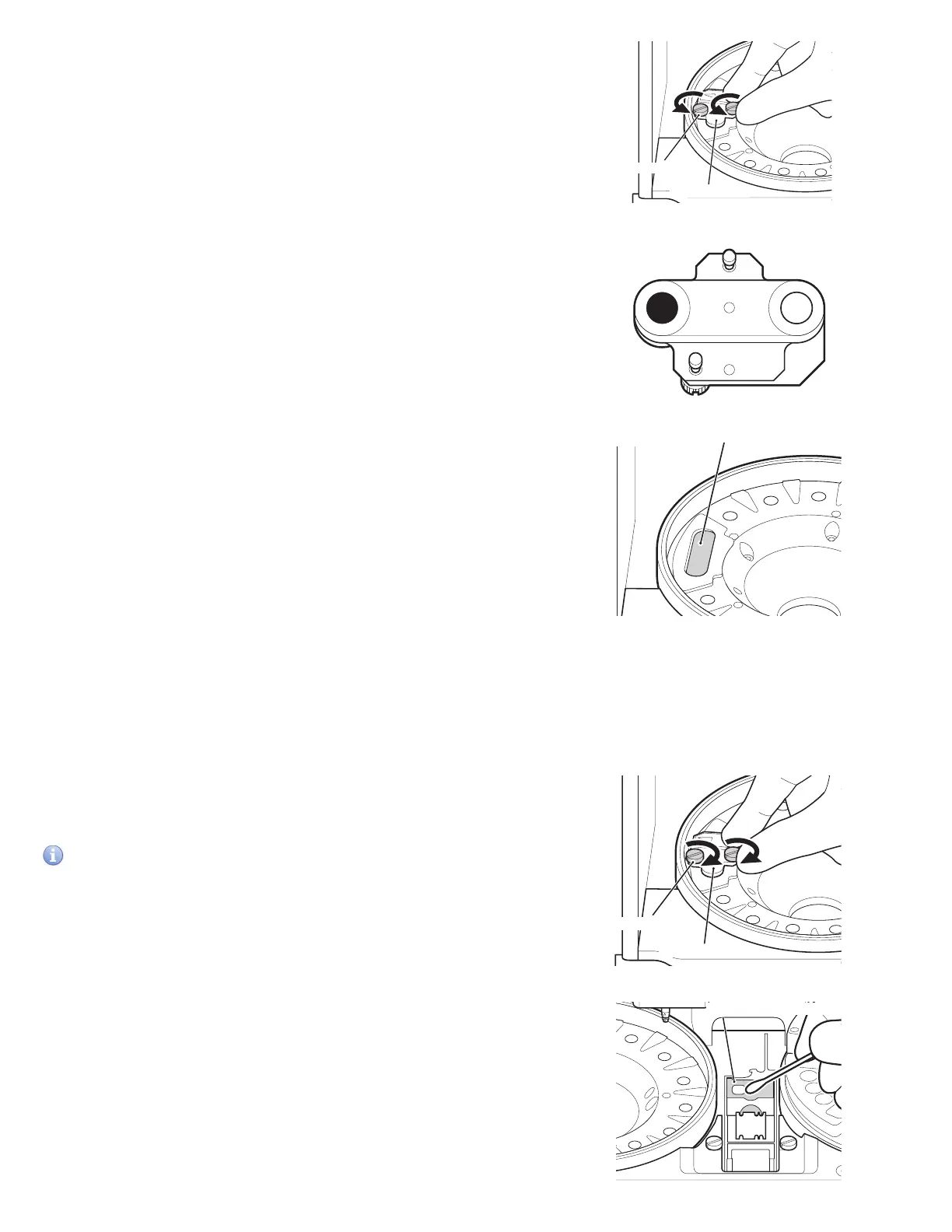
7. Loosen the 2 screws on the reference plate and remove the
plate from the analyzer.
8. Turn over the reference plate and clean the white plate and
black plate with a dry cotton swab or using a swab mostened
with isoprpyl alcohol. Dry with a new cotton swab.
9. Clean the photometer head with a dry cotton swab or using a
swab moistened with isopropyl alcohol. Dry with a new cotton
swab.
10. Replace the reference plate.
Tighten the 2 thumbscrews evenly.
IMPORTANT
Tighten the two thumbscrews securely. Otherwise, the
measurement results may be negatively affected.
Reference
white plate
Reference
black plate
Thumbscrew
Reference plate
Sample application unit
Spotting part
1. Make sure the Spotting part cover and two slide transfer
weights were removed for cleaning of the transfer bar.
2. Wipe the Spotting part with a soft cloth or a cotton swab
moistened with water or isopropyl alcohol. Dry with a new
cotton swab.
Thumbscrew
Reference plate



 To Next Page