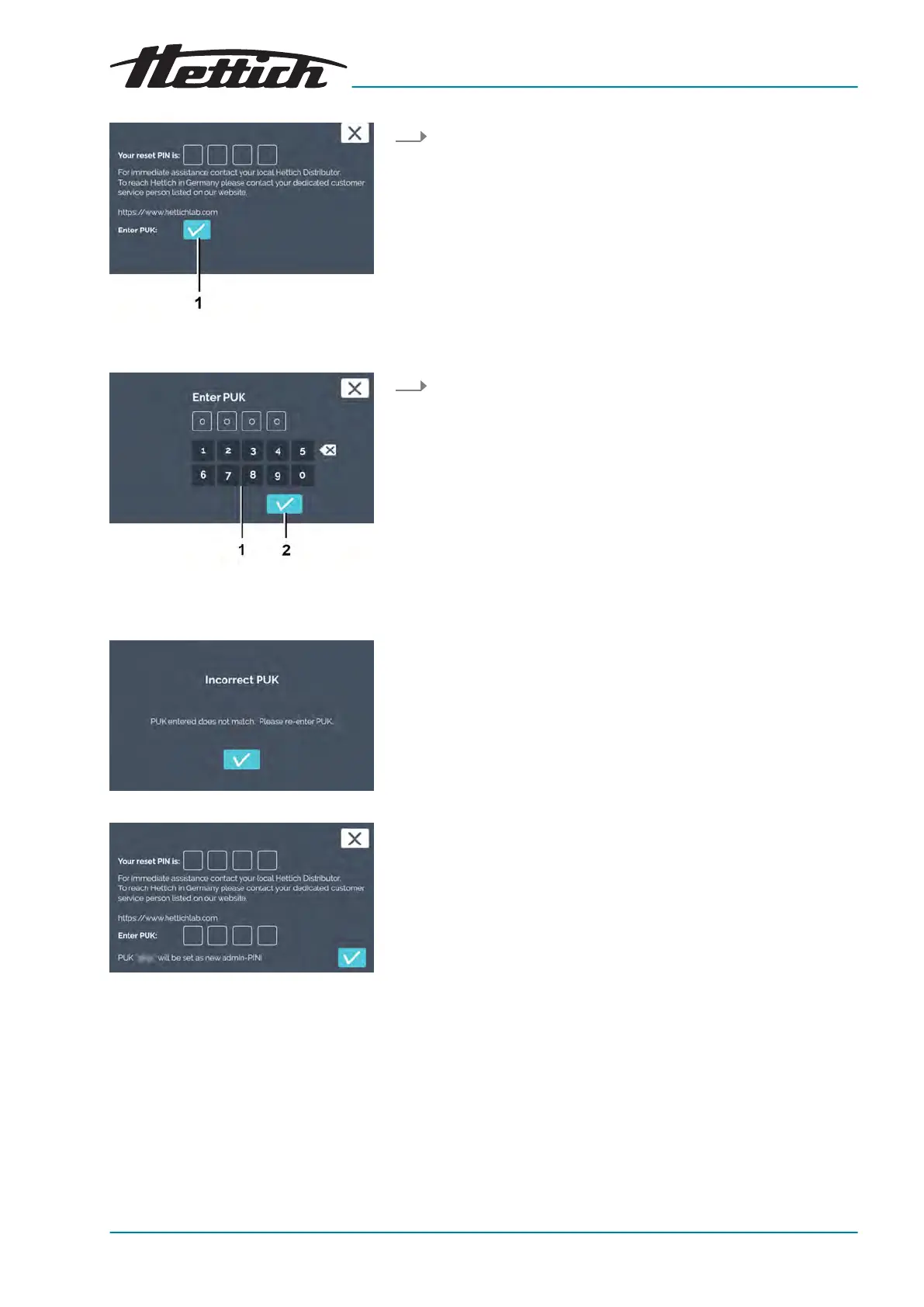
Fig. 200: Conrming entry of PUK
1
[Conrmation]
button
Fig. 201: PUK entry
1 Keypad
2
[Conrmation]
button
Fig. 202: Incorrect PUK input
Fig. 203: PUK
3. Conrm that you would like to enter the PUK by tapping on the
[Conrmation]
button.
4. Enter the 4-digit PUK via the keypad and conrm the input with
the
[Conrmation]
button.
If the wrong PUK is input, a message is displayed.
If the PUK entry is corr
ect, the conrmation window is dis-
played.













 To Next Page