51
Conguring CAN Settings
CAN frame transmission when using manual send timing
1
2
3
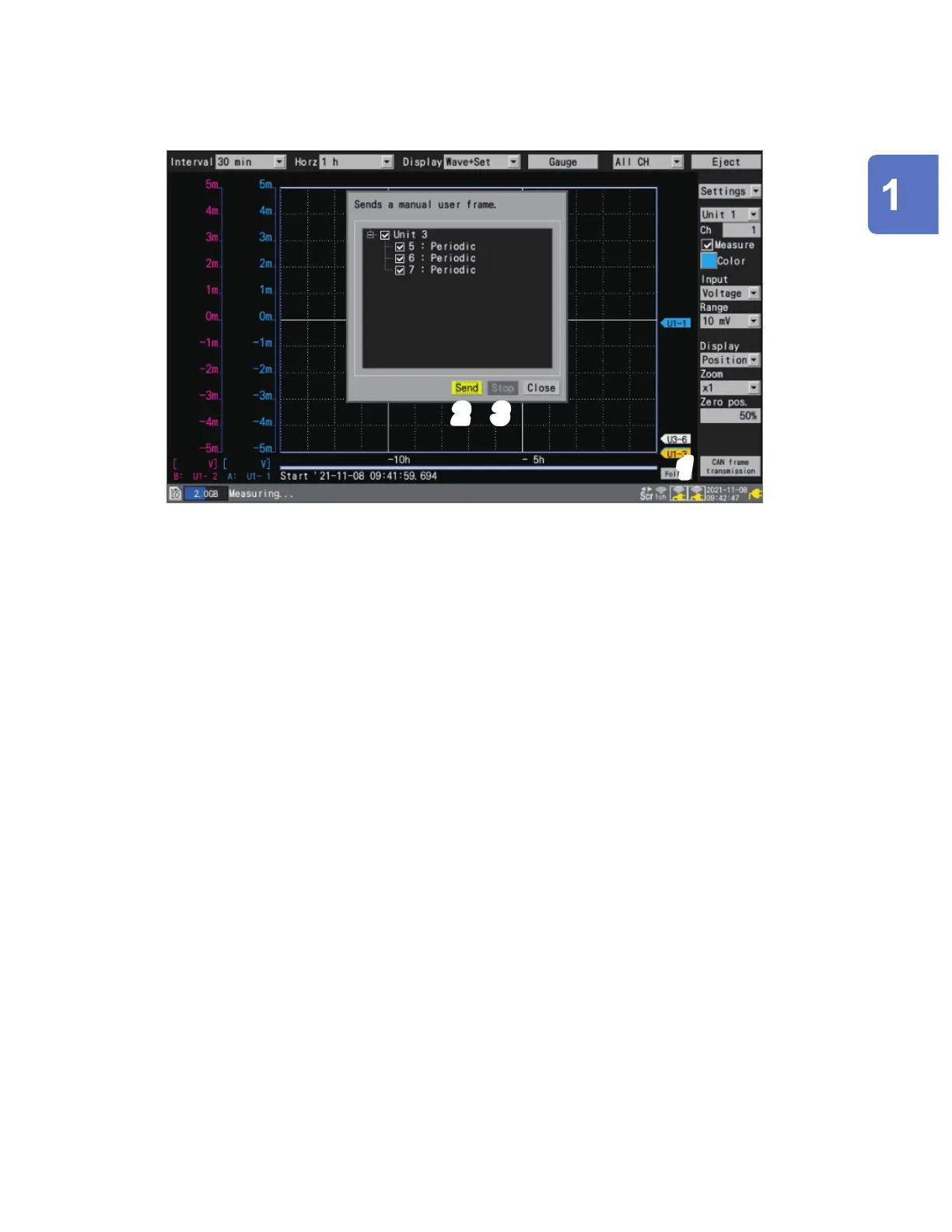
When measurement starts, [CAN frame transmission] will be displayed on the [Wave+Set]
waveform screen.
1
Press the ENTER key while [CAN frame transmission] is selected.
A dialog box will be displayed.
2
Send the frames whose user frame number checkboxes are selected with [Send].
3
With [Stop], you can stop sending the frames whose user frame number checkboxes are
selected.
Settings and Operation
www.GlobalTestSupply.com
Find Quality Products Online at: sales@GlobalTestSupply.com

 To Next Page
 Loading...