71
Analyzing One Potential Measurement under Multiple Conditions
Cursor
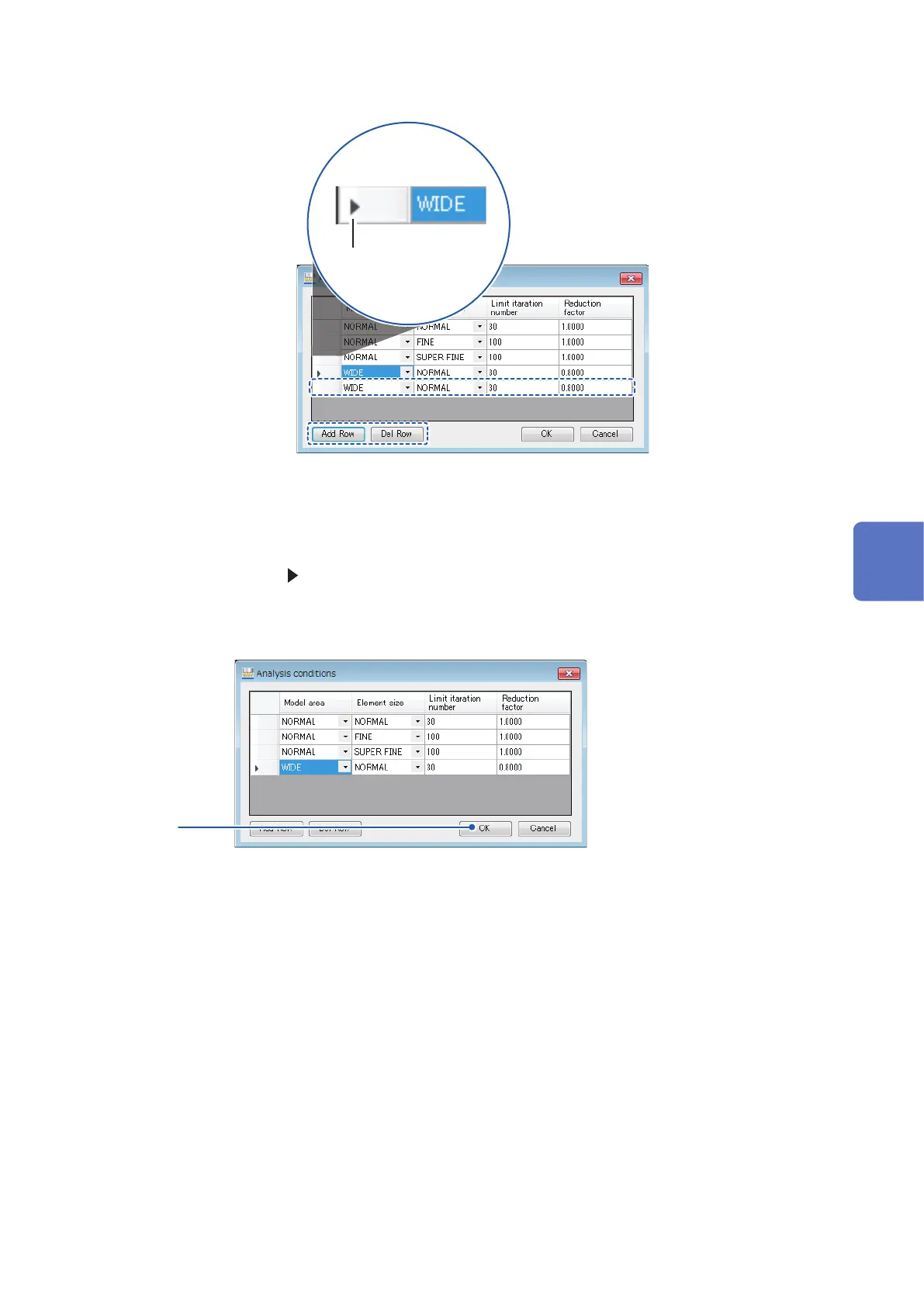
• Adding rows
Click [Add Row] to add a row at the end of the list.
• Deleting rows
Move the cursor ( ) to the row you wish to delete and click [Del Row] to delete the selected row.
You can also select and delete multiple rows by holding down the SHIFT key or CTRL key on the
PC while selecting rows with the mouse, or by dragging with the mouse.
8
8
Click [OK] to accept the changes.
To cancel the conguration changes, click [Cancel].
5
Analysis



 To Next Page