Brevera Breast Biopsy System User Guide
Chapter 7: Biopsy
MAN-04303-002 Revision 006 Page 73
Tissue Filter
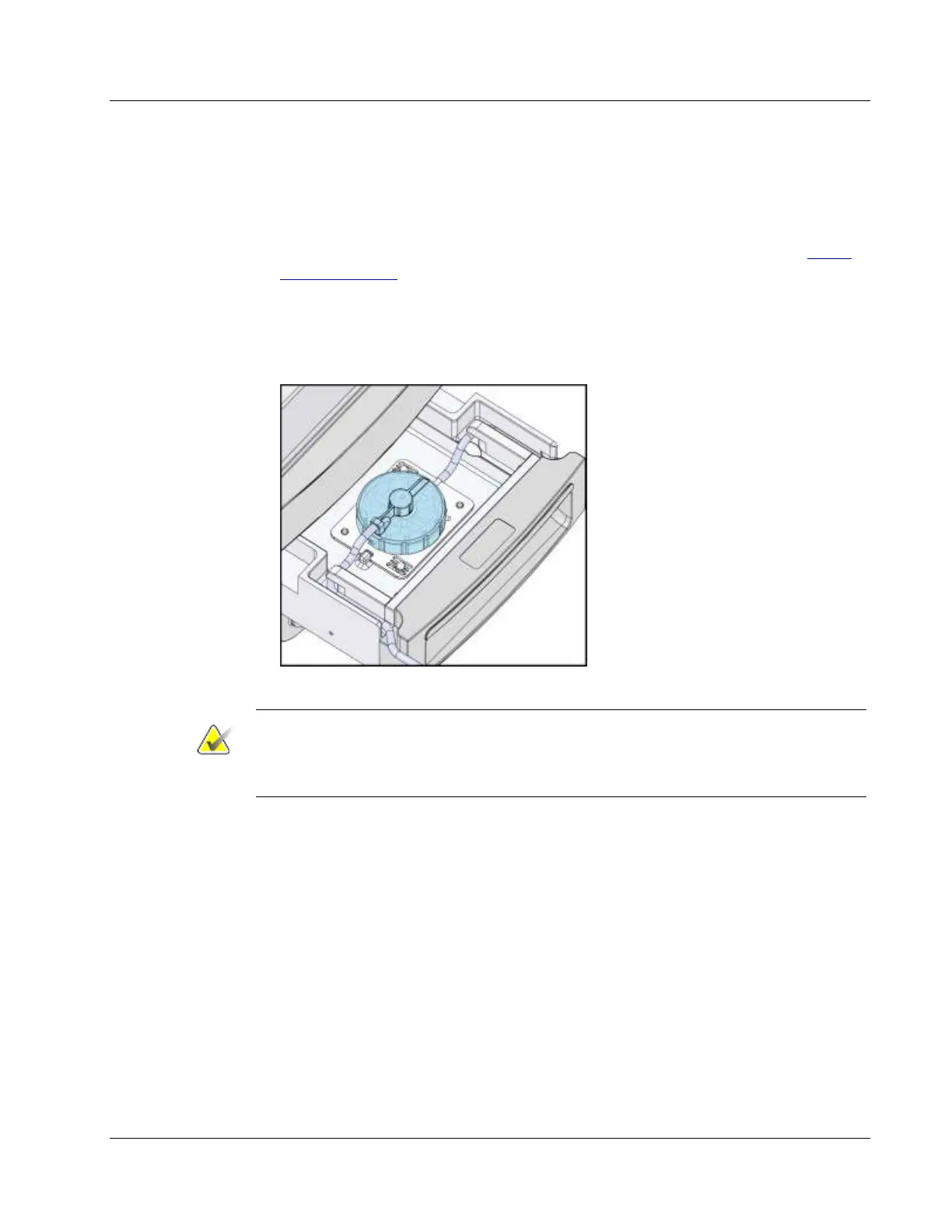
1. Pull open the tissue filter drawer.
2. Remove the tissue filter assembly from the biopsy needle packaging.
3. Confirm that the tissue filter housing is securely in place. (If needed, refer to Tissue
Filter Components on page 30 for component assembly instructions.)
4. Put the tissue filter assembly in the center of the tissue filter drawer. Align the notch
on the left-hand side of the tissue filter with the tab in the drawer. Seat the tissue
filter on the four locator pins. Keep the tissue filter housing cover on the tissue filter
as shown in the following figure.
Note
Each Brevera disposable biopsy needle includes a tissue filter cap. Save the tissue filter
cap until the biopsy acquisition is complete. The tissue filter cap covers the tissue filter
when the biopsy cores are placed in formalin.













 To Next Page