6.
RelayTest
Install the HP 16075F RelayTest Adapter and relay test shorting adapter (HP part
number 04085-60006) on the SWM, then select the
NNNNNNNNNNNNNNNNNNNN
NEXT
softkey. The RelayTest starts
immediately.
If a faulty relay is detected, the RelayTest stops and an error message like the one below
is displayed:
PV. ERROR !! A relay is open (contacts will not MAKE).
Relay#K21 on pin board#26.
Normally open contacts of a SENSE TRANSFER relay not functioning
properly.
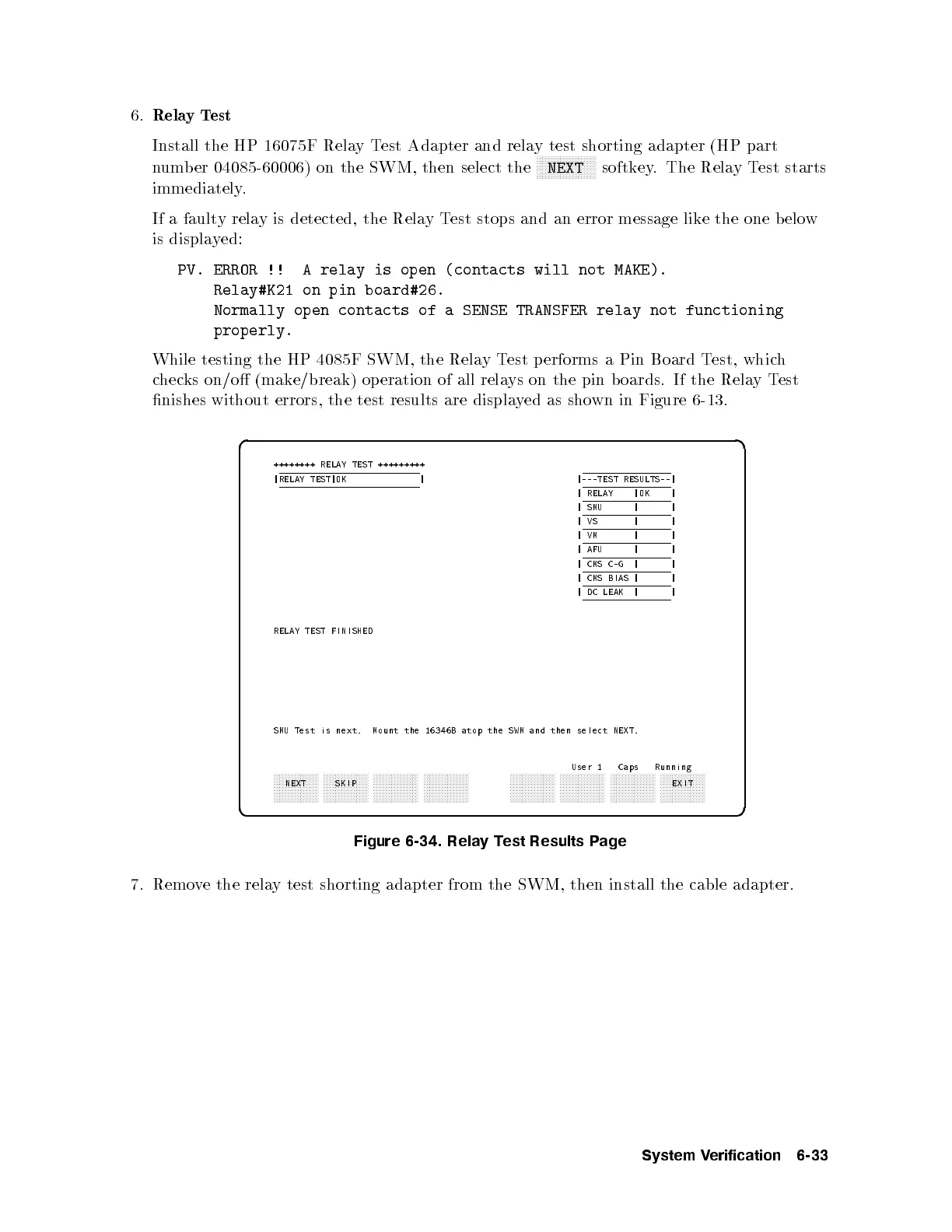
While testing the HP 4085F SWM, the RelayTest p erforms a Pin Board Test, which
checks on/o (make/break) op eration of all relays on the pin b oards. If the RelayTest
nishes without errors, the test results are displayed as shown in Figure 6-13.
d a
c b
++++++++ RELAY TEST +++++++++
|RELAY TEST|OK | |---TEST RESULTS--|
| RELAY |OK |
| SMU | |
|VS | |
|VM | |
| AFU | |
| CMS C-G | |
| CMS BIAS | |
| DC LEAK | |
RELAY TEST FINISHED
SMU Test is next. Mount the 16346B atop the SWM and then select NEXT.
User 1 Caps Running
aaaaaaaaaaaaaaa
NEXT
aaaaaaaaaaaaaaa
SKIP
aaaaaaaaaaaaaaa aaaaaaaaaaaaaaa aaaaaaaaaaaaaaa aaaaaaaaaaaaaaa aaaaaaaaaaaaaaa aaaaaaaaaaaaaaa
EXIT
Figure 6-34. Relay Test Results Page
7. Remove the relay test shorting adapter from the SWM, then install the cable adapter.
System Verification 6-33



 To Next Page