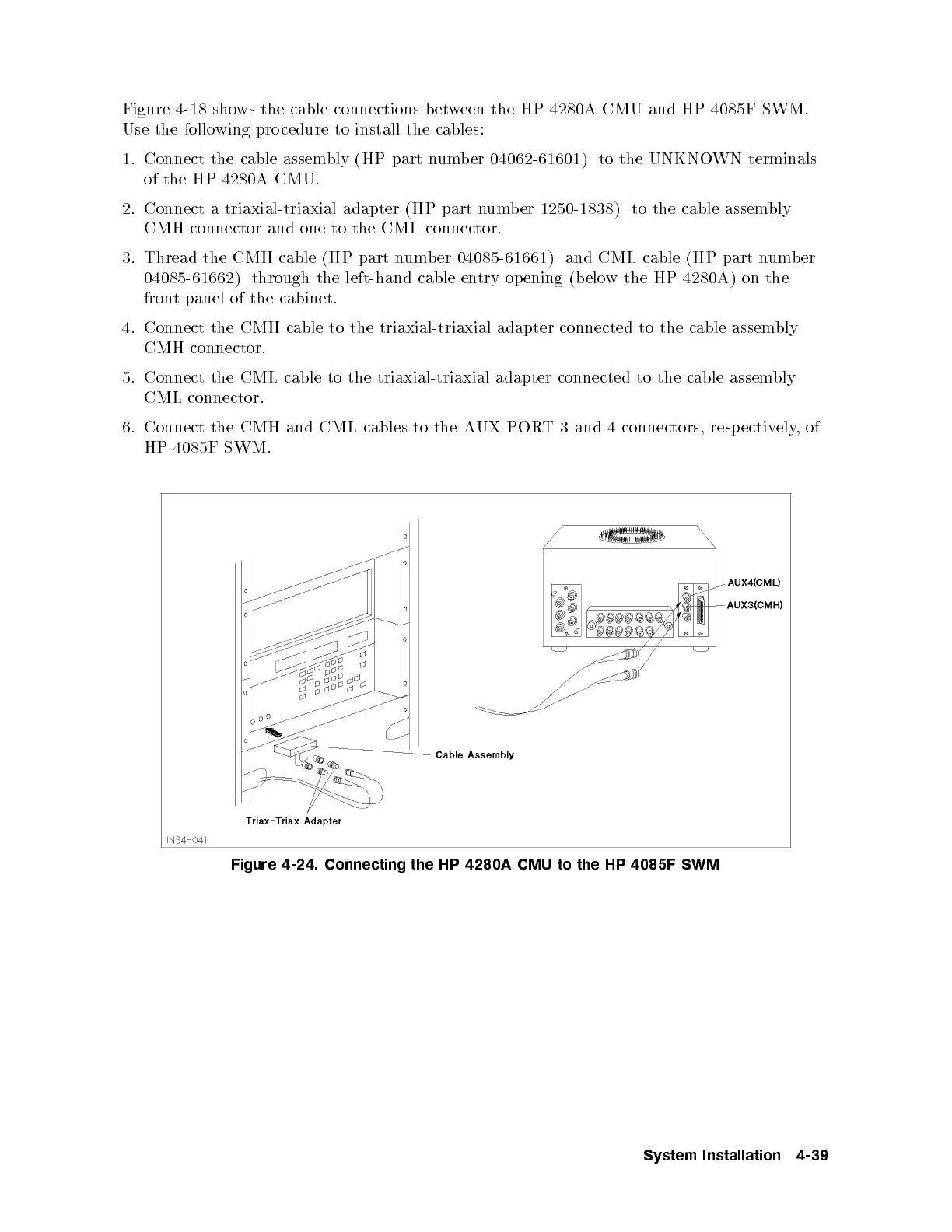
Figure 4-18 shows the cable connections between the HP 4280A CMU and HP 4085F SWM.
Use the following pro cedure to install the cables:
1. Connect the cable assembly (HP part numb er 04062-61601) to the UNKNOWN terminals
of the HP 4280A CMU.
2. Connect a triaxial-triaxial adapter (HP part number 1250-1838) to the cable assembly
CMH connector and one to the CML connector.
3. Thread the CMH cable (HP part number 04085-61661) and CML cable (HP part number
04085-61662) through the left-hand cable entry op ening (b elow the HP 4280A) on the
front panel of the cabinet.
4. Connect the CMH cable to the triaxial-triaxial adapter connected to the cable assembly
CMH connector.
5. Connect the CML cable to the triaxial-triaxial adapter connected to the cable assembly
CML connector.
6. Connect the CMH and CML cables to the AUX PORT 3 and 4 connectors, resp ectively,of
HP 4085F SWM.
Figure 4-24. Connecting the HP 4280A CMU to the HP 4085F SWM
System Installation 4-39



 To Next Page