11.
AFU Test
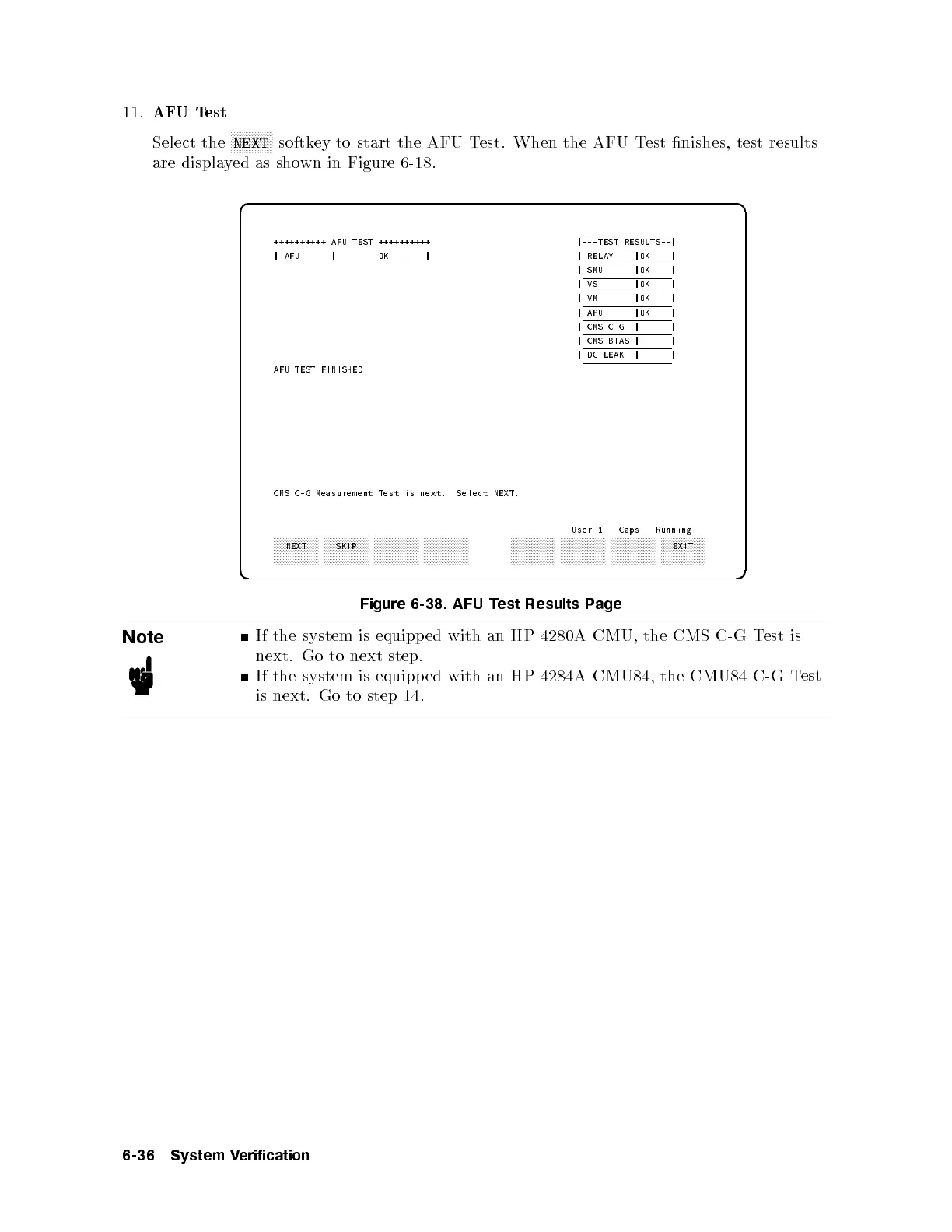
Select the
NNNNNNNNNNNNNN
NEXT
softkey to start the AFU Test. When the AFU Test nishes, test results
are displayed as shown in Figure 6-18 .
d a
c b
++++++++++ AFU TEST ++++++++++ |---TEST RESULTS--|
| AFU | OK | | RELAY |OK |
| SMU |OK |
|VS |OK |
|VM |OK |
| AFU |OK |
| CMS C-G | |
| CMS BIAS | |
| DC LEAK | |
AFU TEST FINISHED
CMS C-G Measurement Test is next. Select NEXT.
User 1 Caps Running
aaaaaaaaaaaaaaa
NEXT
aaaaaaaaaaaaaaa
SKIP
aaaaaaaaaaaaaaa aaaaaaaaaaaaaaa
aaaaaaaaaaaaaaa aaaaaaaaaaaaaaa aaaaaaaaaaaaaaa aaaaaaaaaaaaaaa
EXIT
Figure 6-38. AFU Test Results Page
Note
If the system is equipped with an HP 4280A CMU, the CMS C-G T
est is
next. Go to next step.
If the system is equipped with an HP 4284A CMU84, the CMU84 C-G T
est
is next. Go to step 14.
6-36 System Verification



 To Next Page