Removing System Instruments
To remove or extend a system instrument from the cabinet, remove the screws from the rack
anges of that instrument.
The HP 4142B, HP 4280A, HP 4284A, or HP 8110As are mounted on instrument support
rails. These instruments can b e extended or removed from the cabinet for servicing or for
standalone use.
The HP 4084B SWC is mounted on standard slides. The HP 4084B SWC, therefore, cannot
be extended from the cabinet, but can easily b e removed from the cabinet.
System instruments should be removed from the system cabinet by trained service p ersonnel
only.
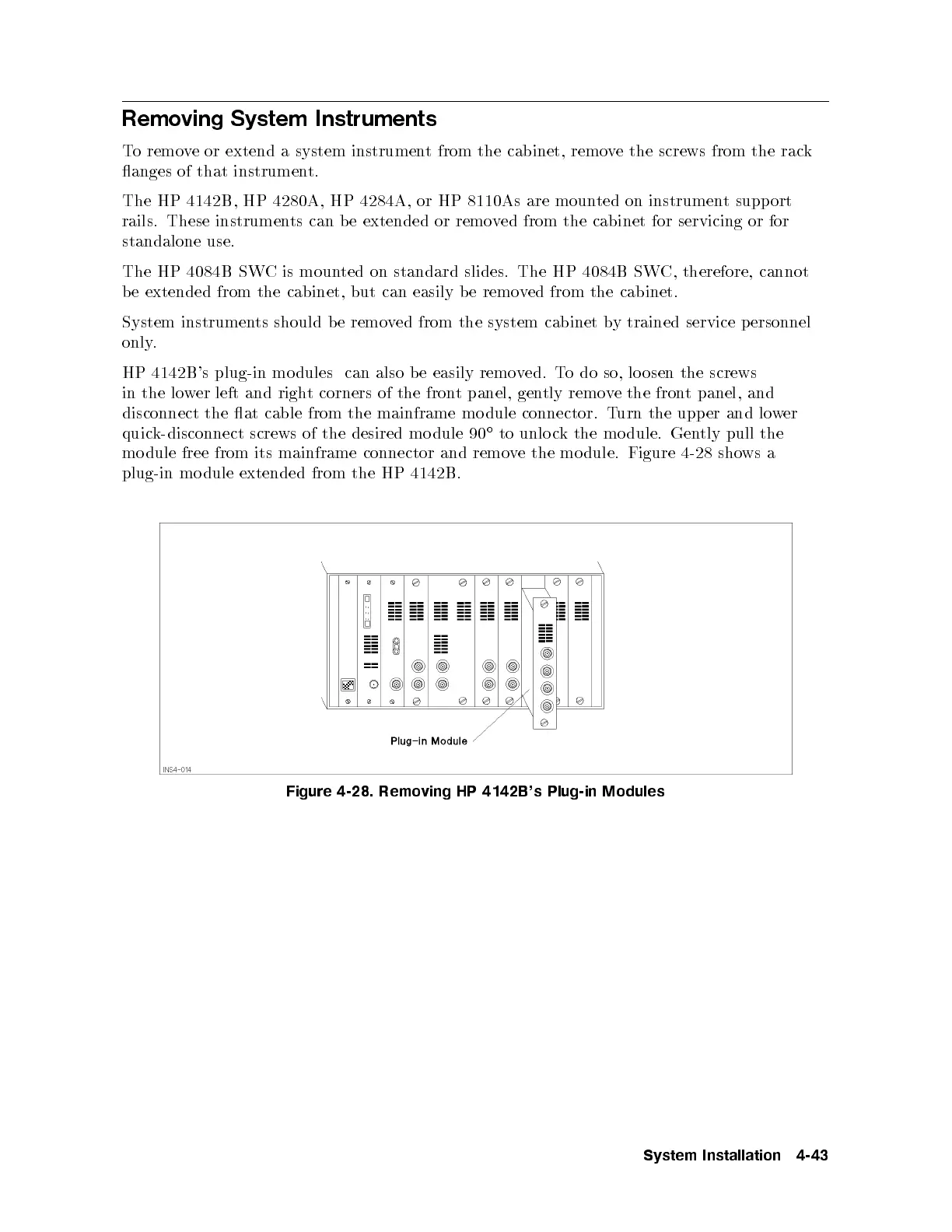
HP 4142B's plug-in mo dules can also be easily removed. To do so, lo osen the screws
in the lower left and right corners of the front panel, gently remove the front panel, and
disconnect the at cable from the mainframe mo dule connector. Turn the upper and lower
quick-disconnect screws of the desired mo dule 90
to unlo ck the mo dule. Gently pull the
mo dule free from its mainframe connector and remove the mo dule. Figure 4-28 shows a
plug-in mo dule extended from the HP 4142B.
Figure 4-28. Removing HP 4142B's Plug-in Modules
System Installation 4-43



 To Next Page