Installing Signal Cables
When Your System is HP 4062UX
This section provides pro cedures to install the cables and cable assemblies to the system
instruments|the SWM, SWC(s), DCS, and CMU or CMU84. Note that all the signal cables
must be connected from the SWM to the instruments through the cable entry opening of the
rear panel of the system cabinet.
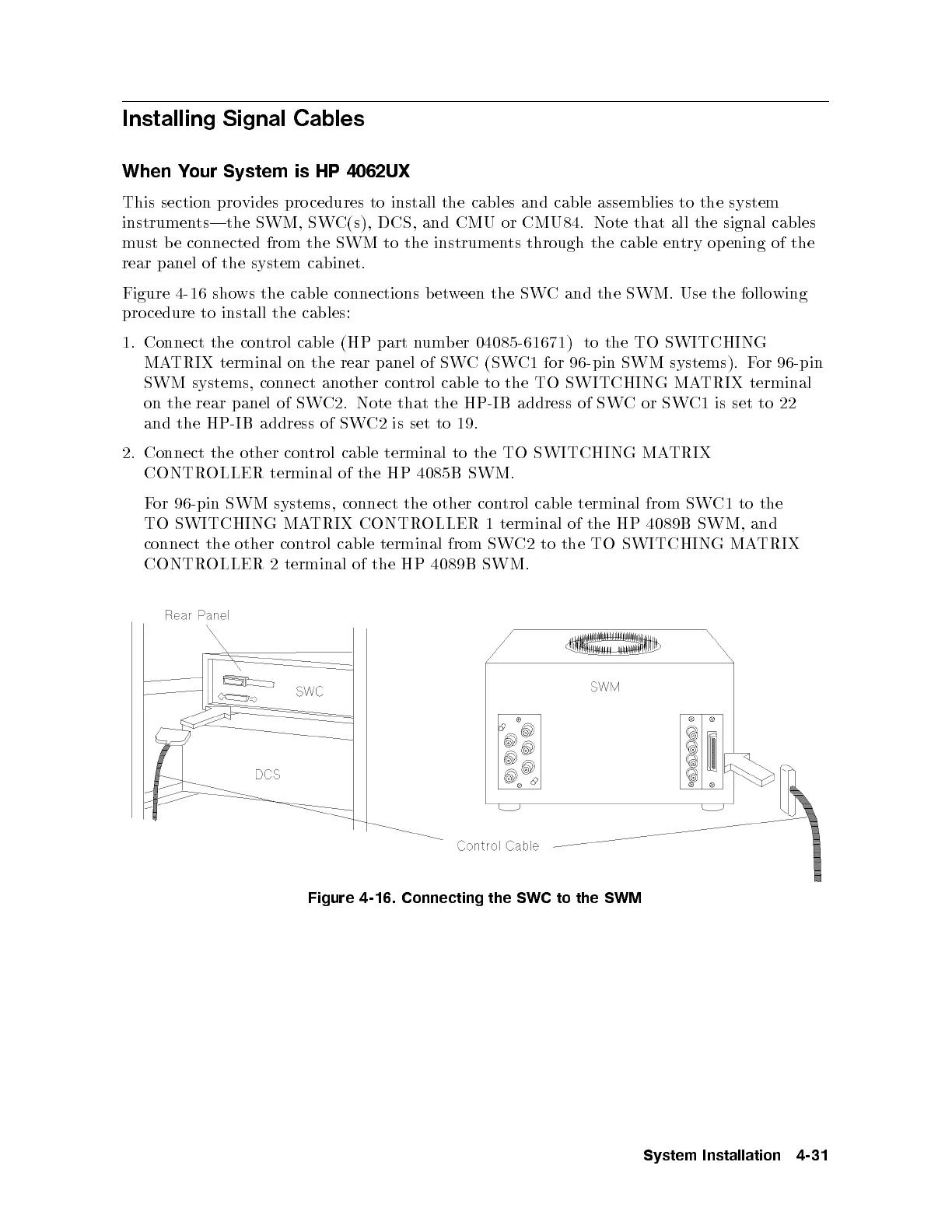
Figure 4-16 shows the cable connections between the SWC and the SWM. Use the following
pro cedure to install the cables:
1. Connect the control cable (HP part number 04085-61671) to the TO SWITCHING
MATRIX terminal on the rear panel of SWC (SWC1 for 96-pin SWM systems). For 96-pin
SWM systems, connect another control cable to the TO SWITCHING MATRIX terminal
on the rear panel of SWC2. Note that the HP-IB address of SWCorSWC1 is set to 22
and the HP-IB address of SWC2 is set to 19.
2. Connect the other control cable terminal to the TO SWITCHING MATRIX
CONTROLLER terminal of the HP 4085B SWM.
For 96-pin SWM systems, connect the other con
trol cable terminal from SWC1 to the
TO SWITCHING MATRIX CONTROLLER 1 terminal of the HP 4089B SWM, and
connect the other control cable terminal from SWC2 to the TO SWITCHING MATRIX
CONTROLLER 2 terminal of the HP 4089B SWM.
Figure 4-16. Connecting the SWC to the SWM
System Installation 4-31



 To Next Page