Installing Controller (Option 705 or 706)
Option 705 or 706 rack mount kit contains two rack anges and eight screws.
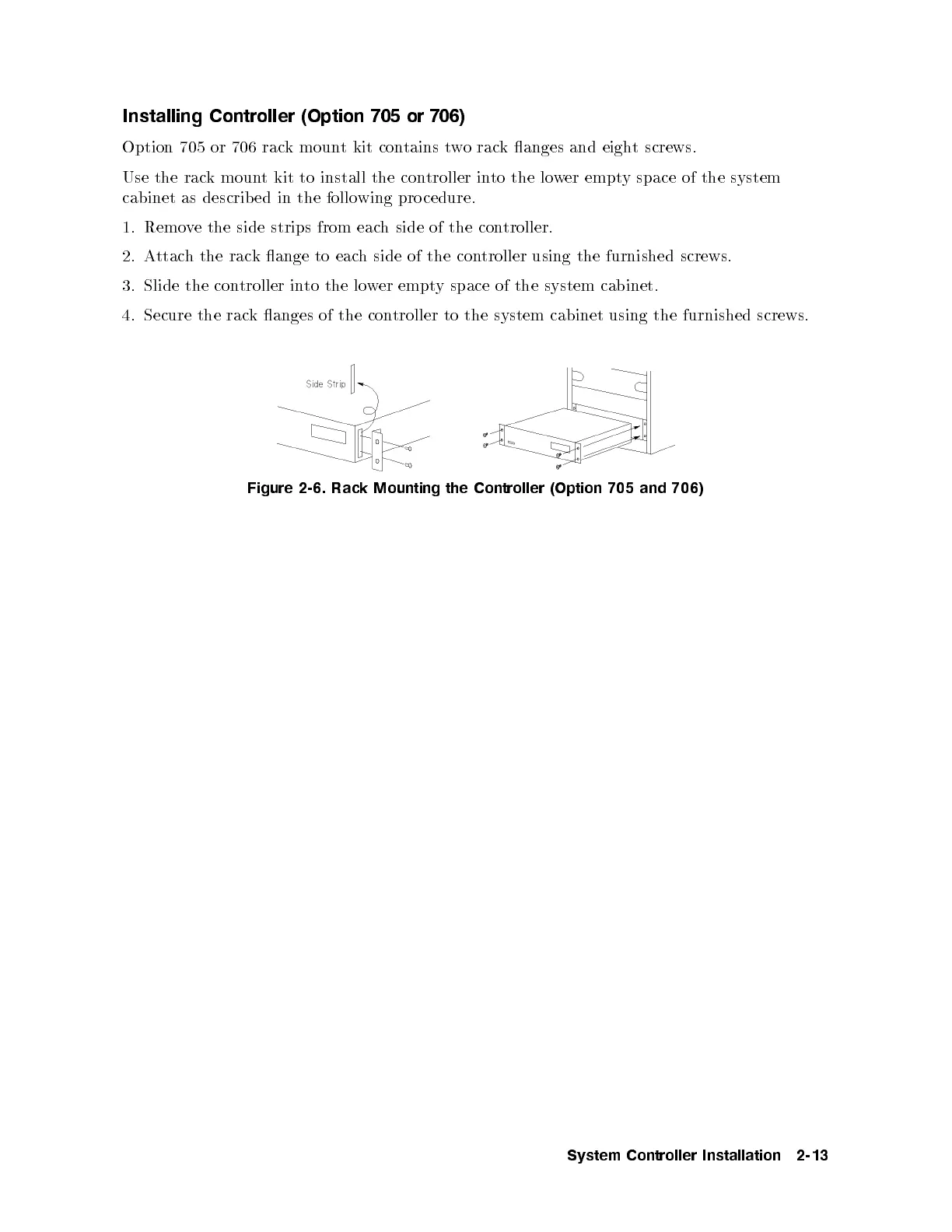
Use the rack mount kit to install the controller into the lower empty space of the system
cabinet as describ ed in the following pro cedure.
1. Remove the side strips from each side of the controller.
2. Attach the rack ange to each side of the controller using the furnished screws.
3. Slide the controller into the lower empty space of the system cabinet.
4. Secure the rack anges of the controller to the system cabinet using the furnished screws.
Figure 2-6. Rack Mounting the Controller (Option 705 and 706)
System Controller Installation 2-13



 To Next Page