Connecting Test Fixtures
If you specify test xtures, your HP 4062 includes the HP 16066A Test Fixture Adapter and
the follo wing two test xtures to satisfy virtually any measurement application.
HP 4062UX
HP 16067A 24-pin DIP Low Leakage Fixture
HP 16068A 48-pin DIP Low Leakage Fixture
HP 16069A Universal Low Leakage Fixture
HP 16070A General Purpose DIP Fixture
HP 16071A/B Universal Fixture
HP 4062F
HP 16068F 48-pin DIP Low Leakage Fixture
HP 16071F Universal Fixture
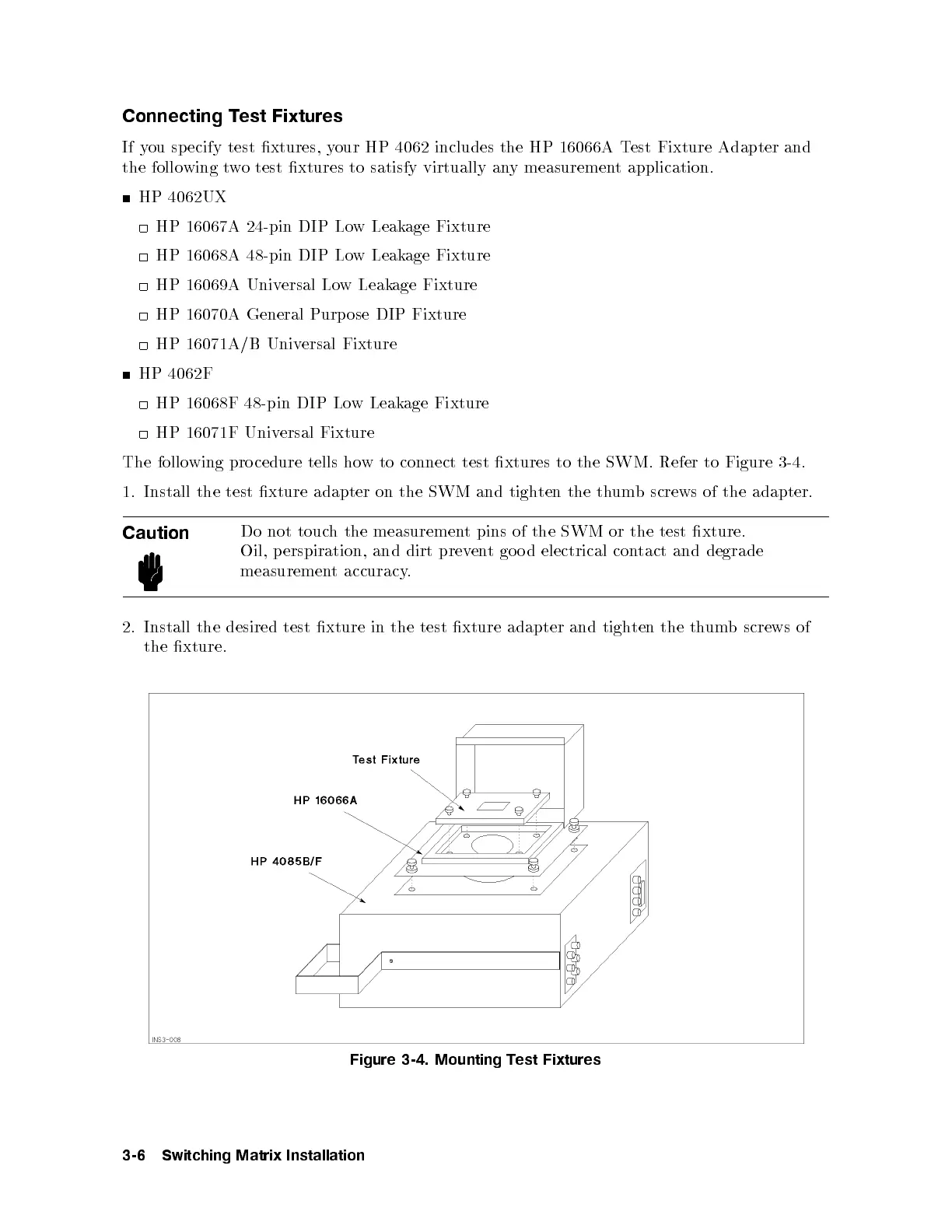
The following pro cedure tells ho
w to connect test xtures to the SWM. Refer to Figure 3-4
.
1. Install the test xture adapter on the SWM and tigh
ten the thumb screws of the adapter.
Caution
Do not touch the measurement pins of the SWM or the test xture.
Oil, p erspiration, and dirt prevent go o d electrical contact and degrade
measurement accuracy.
2. Install the desired test xture in the test xture adapter and tigh
ten the thumb screws of
the xture.
Figure 3-4. Mounting Test Fixtures
3-6 Switching Matrix Installation



 To Next Page